1
Functions and Commands
There is a rich and comprehensive set of functions included in i41CX+.
The HP-41CX came with 244 functions accessible by the user. i41CX+ contains all the
functions and operations that were supported by the HP-41CX and the HP82143A printer and
almost 100 new functions specific to i41CX+. These include functions that integrate iPhone
and iPod touch hardware and OS features such as access to accelerometer, GPS, and digital
compass data, copy and paste support, import/export via the web and email, loading and
saving data, programs, text files, etc. from/to the iPhone memory as well as very fast and full
10-digit precision implementations of advanced mathematical functions such as the Gamma
function, Lambert W function, prime number functions, Bessel functions, etc.
In total, i41CX+ has over 400 functions built in. All of the functions and commands can be
listed using the Catalog (CAT) function that is executed by pressing SHIFT ENTER. Using the
printer in TRACE mode, it is possible to get a paper print out of the catalog lists. Moreover,
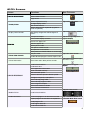
i41CX+ contains a Usage & Examples table with many usage tips and examples ranging from
basic to advanced, a Quick Reference Guide with brief descriptions for all built-in functions
and commands, as well as a CAS Quick Reference.
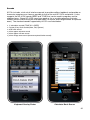
Like the HP-41CX, i41CX+ also includes the Timer module which provides a comprehensive
set of functions for performing time and date calculations. It also includes a clock,
stopwatch, and alarms. These can be used to set alerts and even control programs. It is
possible, for example, to run a specified program at preset times using alarms.
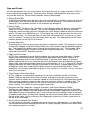
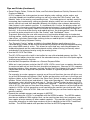
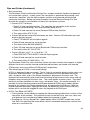
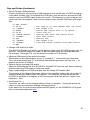
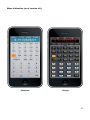
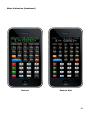
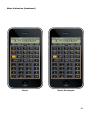
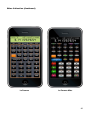
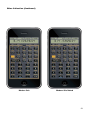
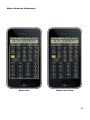
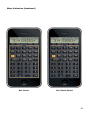
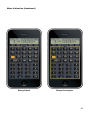
Keyboard or Front View
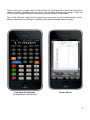
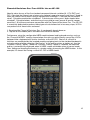
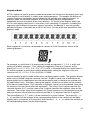
The primary means of interacting with the calculator is via the keyboard. The top 4 buttons
are used to switch the calculator on/off, to enter and exit the USER defined keyboard mode,
enter and exit program (PRGM) mode, and enter and exit Alphanumeric (ALPHA) entry mode.
There are a total of 35 keys, including 12 numeric and decimal point keys, 4 arithmetic
operator keys, 10 keys for trigonometric and other common math functions, and 9 keys for
program execution, register storage, entering values, etc. Furthermore, with the exception of
the shift key, all keys have secondary functions (labelled in orange) that are accessed by
pressing the shift key. This effectively doubles the total key count. The alphanumeric labels
in blue denote the letters that are entered by pressing the keys in ALPHA mode. Taking the
shifted alphanumeric characters into account brings the total number of items that can be
entered directly from the keyboard to 142. Functions or commands that cannot be directly
input by pressing a single key can be invoked either by pressing the execute (XEQ) key and
then entering the name of the function or command or by using key assignments. One of the
special capabilities of the HP-41 was that the user could customize the keyboard using the
assign (ASN) function. This feature essentially allows the user to completely redefine the
operations of all keys with the exception of the top row of keys, the shift key, and the number
keys (the shifted number key operations can be re-assigned, however). Moreover, the top
row of keys can be used to invoke labels 01 through 05 in program mode for quick program
execution.
In addition to the HP-41CX keyboard, i41CX+ has special areas that when tapped perform
operations such as switching between the various screens, accessing overlays, modules,
copy and paste, scrolling, displaying the iPhone OS status bar (when the mini stack display is
enabled), etc.
7