1
User Manual
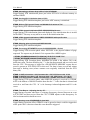
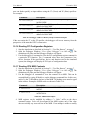
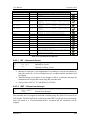
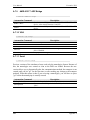
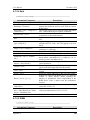
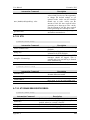
-v[v][v]
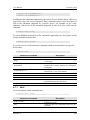
-m XX:XX
November 2010
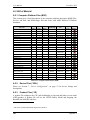
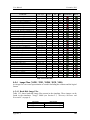
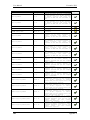
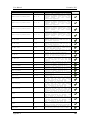
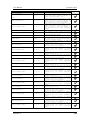
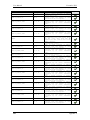
network traffic. This device number will need to be one listed
using the “-l” command.
Turns on verbose output. The verbosity level gets noisier with the
number of “v” on the command line.
Denotes the two high bytes used to classify the simulator‟s MAC
addresses. By default these values are FA:CD, but can be
configured to avoid collisions with real hardware.
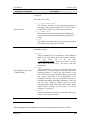
Table 7-9: Mediator Command Line Switches
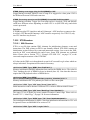
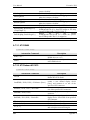
7.25.3 MAC Addresses for use with the Adapter
The MAC address that the simulated adapter is using determines the level of visibility
that the model will have with other simulator sessions and with the real network. The
mediator routes packets to simulator sessions that have “FA:CD” in the high two bytes of
the MAC address. The simulator sessions that have anything other than “FA:CD” can
only communicate with other simulator sessions in the same process space using a
“multi-machine” approach.
MAC Address beginning with “FA:CD” and having a third byte between 0x00 and 0x20,
are classified as “absolute”. Simulated adapters using this class of MAC Address are
logically equivalent to plugging a real computer into a real network. These sessions can
see real network traffic and are visible to all simulator sessions running via the mediator.
In addition, all broadcast traffic, including ARP‟s are routed to this class of MAC
addresses. Allocations of “absolute” MAC addresses need to be coordinated such that
they are not replicated on the same host subnet.
MAC addresses beginning with “FA:CD” and having a third byte between 0x21 and 0x80
are classified as “fixed”. The simulator adapters using this class of MAC address can
access the real network, but cannot be seen by other simulator sessions outside of its
domain. This class of MAC address allows a user to simultaneously run identical BSD‟s
using unique domains. This class of MAC addresses will not receive broadcast traffic
such as ARP‟s. Allocations of “fixed” MAC addresses need to be coordinated such that
they are not replicated in the same mediator domain.
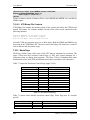
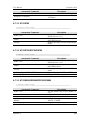
7.25.4 Example Configurations
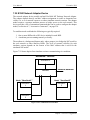
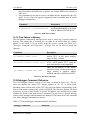
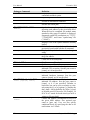
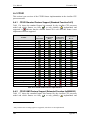
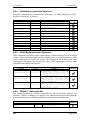
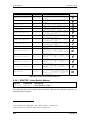
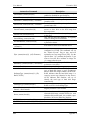
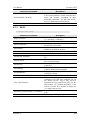
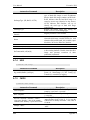
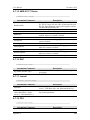
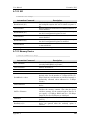
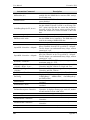
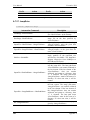
MAC address assignment was designed to satisfy many usability needs. Table 7-10
shows a list of possible usage models for the simulator and MAC Address assignments.
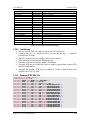
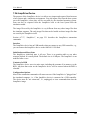
7.25.4.1 Absolute NIC
This configuration mimics plugging in a physical computer into whatever network your
mediator is running on. The user must select a MAC Address that is not duplicated
anywhere else on the mediator‟s subnet. All broadcast and targeted network traffic will
be routed to a simulator session using this classification of MAC Address. This provides
maximum visibility for the simulator session.
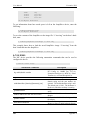
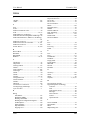
Example MAC:
IP Address:
FA:CD:00:00:00:01
Any. Can be a static IP address assigned by your sys admin, or a
Chapter 7: Device Configuration
129