1
1.2
GETTING STARTED
MIDI In
MIDI Out
MIDI Out
MIDI In
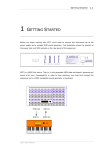
When you have connected your MIDI device to ZEIT as shown in the above diagram, set
the MIDI receive channel on your keyboard to Channel 1. If you don’t know how to do
this then consult the User Guide that came with your module.
Locate the Playback strip on ZEIT’s front panel and press the button marked MIDI. The
display will show the following screen:
The cursor points to the Chan field. Turn the Data Wheel until the MIDI Transmit channel
for the current sequence is set to Channel 1.
ZEIT USER MANUAL