1
1.4
GETTING STARTED
The Front Panel
At first glance, many users find ZEIT a little intimidating. However, if we look at the
individual sections that make up the instrument you should be able to start finding your
way around the sequencer very quickly.
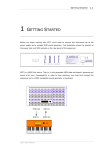
Let’s begin with the Transport Control strip. This is at the bottom right of the front
panel, beneath the main display and the Data Wheel.
The Transport strip features four push buttons. From left to right these are the Reset
button, Step Backwards button, Play/Stop button and the Step Forwards button.
The push buttons operate in exactly the same way as a traditional tape recorder transport
mechanism. Step backwards rewinds the sequencer by one step, Play/Stop makes the
sequencer stop and start, Step Forward advances the transport by one step and Reset
forces all of the sequences back to their individual start steps.
To the right of the Transport Control strip are the Data Entry push buttons. These are
used for saving and loading records and for moving between individual fields in the editor
screens. We’ll talk in greater detail about these buttons in the Menus and Data Entry
section later on in this chapter. For the moment, the most important push button in this
ZEIT USER MANUAL