1
GETTING STARTED
1.3
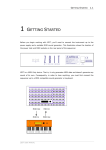
Next, check that you have either headphones or an amplifier connected to the audio
output on your MIDI device and the volume control on your device is set to the lowest
volume.
Now press Play/Stop in the Transport Control strip and slowly increase the volume on
your amplifier. If the instruments are connected up properly, you should be able to hear
one of the factory preset sequences playing on your sound generator. If you don’t hear
anything then check your connections to make sure that you haven’t made a mistake.
In the next section, we’ll talk about some of the terms we use to describe how ZEIT
works. This will make it easier to understand the following sections.
Terminology
The following is a short introduction to the terms we’ll use frequently in the next couple of
chapters. Even if you’re familiar with step sequencers in general, we still recommend that
you read this section to make sure we’re all talking about the same thing.
ZEIT is an 8-track step sequencer. By this, we mean that the instrument can play 8
sequences at once on any of the 16 MIDI channels.
A sequence is made up of 3 data streams each consisting of 16 individual steps. The
data streams are hard wired as one note channel and two MIDI controller channels. The
note channel provides the raw MIDI notes and the controller channels provide articulation
and expression to the sequence.
A step can be either normal or skipped. If a step is normal, then it can be either active,
(i.e. the sequencer plays a note) or it can be muted (the sequencer plays a rest). If a step
is skipped, then the sequencer “skips” over it.
Finally, a Patch record groups together 8 sequences along with their associated settings
for the MIDI effects unit, the playback tempo, the MIDI channel, which sequences are
enabled and which are muted, etc. You can group together all of the sequences and their
associated settings that make up a piece of music under one Patch record and save and
quickly recall complex patches at a later date.
Next, we’ll look at ZEIT’s front panel.
ZEIT USER MANUAL