1
CHAPTER 7 SOCKET COMMUNICATION FUNCTION
Remark
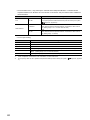
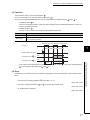
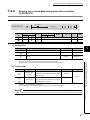
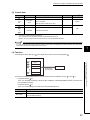
The set values will take effect at the following timing of the SP.SOCRMODE instruction execution.
• Before opening: Values take effect after opening a connection.
• When there are data in the Socket communication receive data area:
Values take effect after execution of the SP.SOCRCV or S.SOCRCVS instruction once after the S.SOCRMODE
instruction.
• When there is no data in the Socket communication receive data area:
Values take effect after the SP.SOCRMODE instruction is executed.
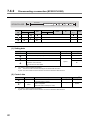
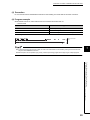
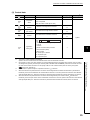
(4) Error
A detection of an operation error turns on the Error flag (SM0) and a corresponding error code is stored in SD0
when:
• The connection number specified for
S1
is other than 1 to 16.
(Error code: 4101)
• The device number specified for
S2
exceeds the device point range.
(Error code: 4101)
• Invalid device is specified.
(Error code: 4004)
7
Remark
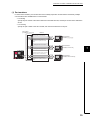
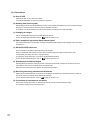
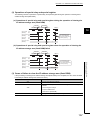
Even when the Receive state signal is not on in the TCP fixed-length receive mode, the data received at the point can be
read out with the SP.SOCRDATA instruction. This allows you to check whether the data sent from the connected device is
adequate in size.
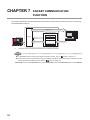
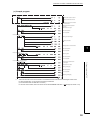
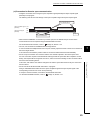
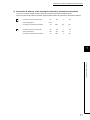
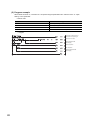
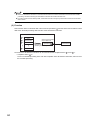
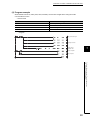
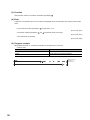
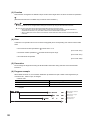
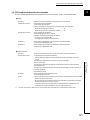
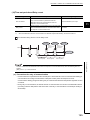
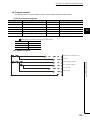
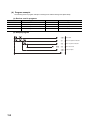
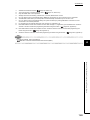
When M4000 is turned on, connection No.1 is set to the TCP fixed-length receive mode and the receive data size
is set to 256 bytes.
After execution of the instruction and when the receive data size of connection No.1 reaches 256 bytes, the
Receive state signal is turned on.
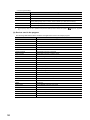
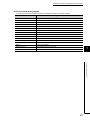
• Device used
Device number
D400
Application
SP.SOCRMODE instruction control data
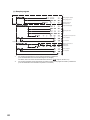
• Program
Setting TCP receive mode to 1
Setting receive data size to 256
Changing receive mode of
Connection No.1
101
7.4 Socket Communication Function Instructions
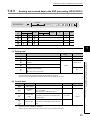
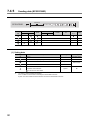
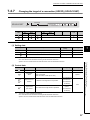
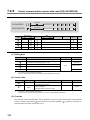
7.4.8 Changing the receive mode of a connection (SP.SOCRMODE)
(5) Program example