1
Podium Plus Data Analysis Software
User Manual
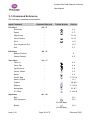
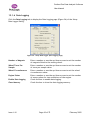
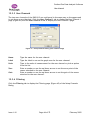
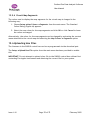
Menu Command
Keyboard Shortcut
Setup Menu
Toolbar Button
Section
Alt + S
Data Logger
-
-
12.1
Show Setup For Session
-
-
12.2
Upload Hex File
-
-
12.6
Channels
-
-
12.3
Serial Port
-
-
12.4
Graph Colours
-
-
12.5
Map Colours
-
-
12.5
Help Menu
Alt + H
Help Topics
-
F1
About PolyLogic Podium
Plus
-
-
-
Licences
-
-
2.7
3.15 Context Menus
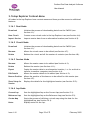
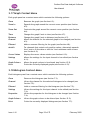
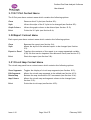
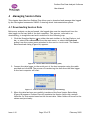
Context (or “pop-up”) menus are available on a number of controls in the user interface.
An option is selected from a context menu in the following way:
1. Move the mouse over the control.
2. Click the right mouse button to display the context menu.
3. Select the option you require by clicking it.
4. You can cancel a context menu by pressing Esc or clicking outside of the menu
frame.
The following sections describe the context menus available.
Issue 1.10
Page 21 of 72
February 2005