1
Seismic tomography tools in seismology
z
11
Grid Reader mode: (when Grid Reader is checked). In which an externally
edited grid file is directly used.
How to construct a model1d file?
z
z
z
z
z
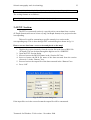
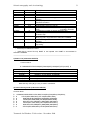
Insert the file name of the station list used in the arrival time data.
Insert the file name of the output model1d file.
If using the grid maker mode, insert the minimum, maximum and intervals of the
latitude and longitude of the grid nodes in degree. Insert the interval of the depth
grids that give the suitable grids. The smaller values produce much number of
grids.
If using the grid reader, browse or edit a grid file with the same grid format in the
original model1d file (See appendix for detail).
Press “check” to see the grids inserted by either mode. Press accept to confirm
and construct the model1d file. Or, press “No” to repeat inserting grid parameters.
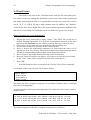
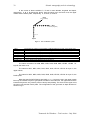
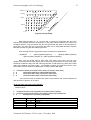
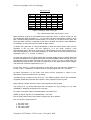
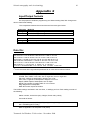
A typical example of a grid file is as follows:
29 35 10
GRIDS
29.08 34.90 34.93 34.96 34.99 35.02 35.05 35.08 35.11
35.14 35.17 35.20 35.23 35.26 35.29 35.32 35.35 35.38
35.41 35.44 35.47 35.50 35.53 35.56 35.59 35.62 35.65
35.68 40.16
113.92 136.70 136.73 136.76 136.79 136.82 136.85 136.88 136.91
136.94 136.97 137.00 137.03 137.06 137.09 137.12 137.15 137.18
137.21 137.24 137.27 137.30 137.33 137.36 137.39 137.42 137.45
137.48 137.51 137.54 137.57 137.60 137.63 137.66 154.91
-100.00 0.00 2.00 4.00 7.00 11.00 15.00 20.00 25.00
60.00
N.C.- When using the grid maker mode, after confirmation the grids will be written in
a grid file named ”tempgrid.txt”. This file can be used in grid reader mode for further
editing of the “grid maker” grids
-The maximum allowed number of grids are 99, 50 for the horizontal and vertical
direction, respectively.
Step 4 (Last step of tomography)
1-4 Wintomo
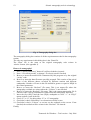
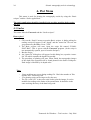
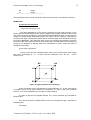
To start the tomography process using the “Control parameters” and the
“model1d “file previously constructed above. The tomography process is performed
through the following tomography dialog box.
Tomotools for Windows -Trial version – November 2004