1
WarpPLS 5.0 User Manual
F.1. Create or edit the SEM model
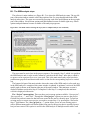
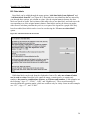
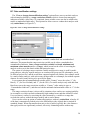
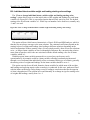
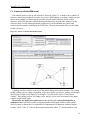
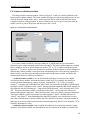
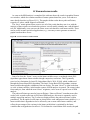
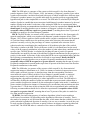
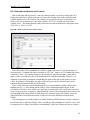
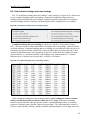
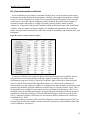
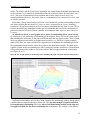
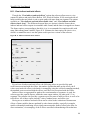
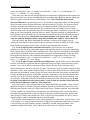
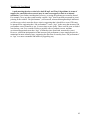
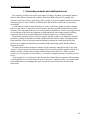
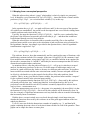
The window used to create or edit a model is shown in Figure F.1. A model can be edited if it
has been created and saved before as part of a project. While editing or creating a model you can
choose from a number of menu options related to overall model functions, latent variable
functions, direct link functions, and moderating link functions. As with other windows in this
software, there is a help menu option that provides access to this manual in a generic and
context-specific manner; both displayed as PDF files. The help menu option also provides links
to Web resources.
Figure F.1. Create or edit the SEM model window
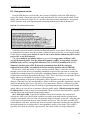
A guiding text box is shown at the top of the model editing and creation window. The content
of this guiding text box changes depending on the menu option you choose, guiding you through
the sub-steps related to each option. For example, if you choose the option “Create latent
variable”, the guiding text box will change color, and tell you to select a location for the latent
variable on the model graph.
Direct links are displayed as full arrows in the model graph, and moderating links as
dashed arrows. Each latent variable is displayed in the model graph within an oval symbol,
where its name is shown above a combination of alphanumerical characters with this general
format: “(F)16i”. The “F” refers to the measurement model; where “F” means formative, and
41