1
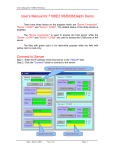
3.3 Configure Wizard
The most important step when using the 7188E family is to set the IP,
mask and gateway correctly. This is not an easy job for newcomers. Therefore,
we’ve designed a configure wizard to automatically set the configuration of the
7188E.
Step 1: Refer to Sec. 3.2 for wire connection of 7188E.
Step 2: Install configure wizard as follows: (refer to Section 1.3 of “7188E
Series Software User’s Manual” for more information)
Step 3: Run the configure wizard as follows:
7188E Series Hardware User’s Manual, 2004, v2.2, 7MH-016-22 ----- 33