1
Troubleshooting
This section contains troubleshooting information for the diskAshur. If
you encounter any of the following problems when using the diskAshur, refer to the
corresponding answers.
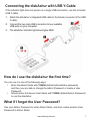
Q: How do I use the diskAshur the first time?
A: You can use it in one of the following ways:
• Enter the Admin Mode with 123456 (default administrator password),
and then you are able to change the Admin Password or create a User
Password
• Directly enter the Secure User Mode with 123456 (default Admin Password)
to use the diskAshur
Q: What can I do if I forget the User Password?
A: Use your Admin Password to enter Admin Mode, and then create another
User Password in Admin Mode.
Q: What can I do if I forget the Admin Password?
A: There is no other way to retrieve the Admin Password except a complete reset
of the diskAshur. After a complete reset, all data will be lost and you will need to
initialize, allocate and format the diskAshur manually. Then you will be able to use
the default Admin Password 123456.
Q: Why did the operating system not recognize the diskAshur after I enter
the User Mode and completely reset the computer?
A: You need to initialize, allocate and format the diskAshur manually. For
more information, refer to Initializing and formatting the Hard Drive after a
complete reset in this manual.
www.istorage-uk.com
18