1
1. Introduction To Simple Step
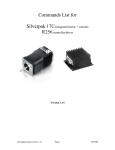
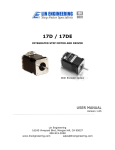
The Simple Step is designed to allow for rapid implementation of stepper motors
in products requiring automation.
With a fully intelligent controller attached to the back, the Simple Step accepts
high level commands from an RS232/RS485 link. The controller only adds 0.5”
to the length of the motor which otherwise is a standard Lin Engineering Size 17
High Torque Step Motor.
The Simple Step unit is supplied
with a developer’s kit, enabling users
to easily implement their own
programs.
An RS485 to RS232
converter card is also given, along
with a DB-9 connector cable and
accessory pieces. The converter
card
provides
the
connection
between your Simple Step Unit and
your PC. Commands can be issued
from any serial terminal program
(such as HyperTerminal) or from the
Simple Step Windows Application,
which can be downloaded from Lin
Engineering’s website. Accessory
pieces such as a red push button
switch, an Opto Sensor, and a 4-pin
connector for the converter card, are
included. Also, additional wiring for
I/O’s are provided. The commands
to the Simple Step are intuitive and
simple. For example the command
A10000 will move the
stepper motor to Absolute Position 10000 (steps). (This communications
protocol is compatible with devices that use the Cavro DT or OEM protocol).
The Simple Step is also capable of stand alone operation with no connection to a
PC. It can be set to execute a preset string of commands upon power up.
Commands include nested loops, execution halt pending a switch closure, and
much more. It is also possible to daisy chain up to 16 different Simple Step units.
This user manual is a complete guide to setting up the Simple Step unit. It also
contains information on various types of inputs and outputs your Simple Step unit
can be used with. In addition, a highlighted list of commands for programming
the Simple Step has been provided.
Lin Engineering
Page 3
5/15/2003