1
FRM [Page 55 / 78]
Faculty Reference Manual
Introduction to Adobe Photoshop (15 Hrs)
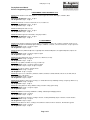
Lecture 1 & 2: Interface & Working with Images: Toolbar, Menu Bar, Options Bar, Document Window , Toolbox All New
Tabbed Palettes, Opening an Existing File, Screen Modes, Standard Screen Mode, Full Screen Mode with Menu Bar, Creating
a New Document, Saving Files, Reverting Files, Closing Files and Quitting Photoshop. Selecting Workspace, keyboard
Shortcuts and Menu, File Handling Preferences and cursor Preferences. Differences between Bitmap and Vector Images,
Understanding Image Resolution, Understanding Pixel Logic, Changing the Resolution of an Image, Changing the Size of a
Document, Re-sampling an Image, Editing Images, Rotating an Image, Cropping an Image, Hiding an Image Instead of
Cropping, Adjusting the Canvas Size, Duplicating an Image
Class assignment: Photograph Editing of Natural Scenery
Lab assignment: Photograph Editing of Family
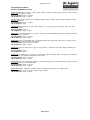
Lecture 3: Working with color mode: Different Color Modes in Photoshop, The RGB Color Mode, The CMYK, Indexed,
Duotone, Grayscale, HSB, Lab, Multichannel Color Mode, Changing the Color Mode, Making Color Adjustments, Color Levels,
Curves palette, Brightness/Contrast Palette ,Hue/Saturation, Histogram Palette, Variations Command, File Formats in
Photoshop, Photoshop Document (PSD),Bitmap (BMP), Encapsulated PostScript (EPS), Tagged Image File Format
(TIFF),Graphics Interchange Format (GIF), Joint Photographic Experts Group UPEG), Portable Document Format (PDF).
Class assignment: Photograph Editing of Natural Scenery
Lab assignment: Photograph Editing of Family
Lecture 4: Working with Selections: working with Selection Tools, Marquee Tools, Lasso Tools, Magic Wand Tool, Making a
Selection Based on Color Range, Modifying a Selection, Adding and Subtracting from a Selection, Expand and Contract
Commands, Grow and Similar Commands, Refine Edges, Inverse Selection
Class assignment: Photograph Editing of Model in Lakme Ad
Lab assignment: Photograph Editing of Model in Catalog
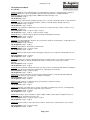
Lecture 5 & 6: Transform tool, Drawing, Painting, and Retouching Tools: Transforming a Selection, Scaling a Selection,
Rotating a Selection, Distorting a Selection, Skewing a Selection, Changing the Appearance of a Selection in a Perspective
Manner, Warping a Selection, Saving and Loading Selection. Setting the Current Foreground and Background Colors, the
Color Picker Dialog Box, Eyedropper Tool, the Color Palette, the Swathes Palette, the Drawing Tools Using Ellipse Tool,
Custom Shape, Pen Tool, Painting Tools, Gradient Tool, Paint Bucket Tool, Brush Tool, Pencil Tool, Color Replacement Tool,
Retouching Tools, Spot Healing Brush Tool, Healing Brush Tool, Patch Tool, Clone Stamp Tool, Pattern Stamp Tool, Eraser
Tools, Background Eraser & Magic Eraser Tool, Blur Tool, Sharpen Tool, Smudge Tool, Dodge Tool, Burn and Sponge Tool.
Class assignment: Photograph Editing of Model in Magazine Cover
Lab assignment: Photograph Editing of Model in Banner
Lecture 7: Mastering Layers in Photoshop: About the LAYERS Palette, Working with Layers, Creating a New Layer, Hiding
and Showing Layers, Deleting Layers, Deleting a Layer using Layer Menu, Changing the Stacking Order of the Layer,
Relocating Layers in the Image, Merging Layers, Flattening Images, Moving Layers between Images, Linking and Unlinking
Layers, Working with Adjustment Layers, Applying blend Modes, Masking Layers, Layer Masking, Vector Masking Type
Masking, Shape Masking.
Class assignment: Contact Lance Ad
Lab assignment: Emergency Hand Battery Ad
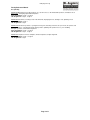
Lecture 8 & 9: Layer Style and Filter Effects: Layer Style & Layer Style Dialog Box, Applying a Layer Style Copying Styles
Clearing Styles, Creating Layers from Layer Styles, using filters, About Smart Objects and filters, Creating a Smart Object,
Editing Smart Objects, Filter Gallery, Applying the Mosaic Tiles Filter, Liquefy Filter, Applying the Vanishing Point Filter,
Applying the Artistic Filters, Applying the Blur Filters, Applying the Brush Stroke Filters, Distort and Noise Filters, Sketch
Filters, Render Filters.
Class assignment: Converting photograph to painting look for gallery
Lab assignment: Converting photograph to artistic look painting for comic book
Lecture 10: Automation, 3D and printing in Photoshop: Creating an Action, Performing Photomerge in Photoshop, Text
Editing in Photoshop, Finding and Replacing Text, Creating 3D Artwork in Photoshop, Creating a 3D Shape, Editing 3D
Shape, Loading a New Texture to 3D Shape, Animation in Photoshop, Printing in Photoshop, Page Setup, Various Print
Commands in Photoshop.
Class assignment: Photomerge for panorama view of caves
Lab assignment: Photomerge for panorama view of sea beach
Page 1 of 1