1
Ocularis Installation & Licensing Guide
Installing Ocularis Components
TO ACCESS THE OCULARIS COMPONENT INSTALLATION PAGE
Note: Be sure to turn off any Firewalls running on the Ocularis Base machine.
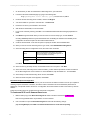
1.
Determine the layout of the Ocularis system and go to the machine where you want to install the component.
2.
Access the download webpage through a browser using the following URL:
http://[NAME]/OcularisService/InstallerWebsite/index.html
where [NAME] is either the IP Address or computer name of the Ocularis Base machine.
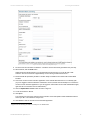
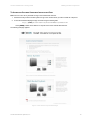
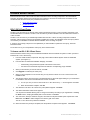
The following web page appears:
Figure 11 Install Ocularis Components Web Page
On-Net Surveillance Systems, Inc.
19