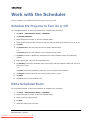
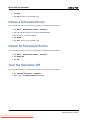
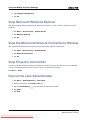
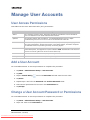
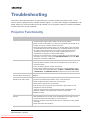
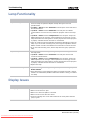
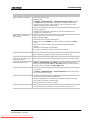
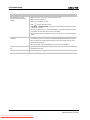
1
CP2215 User Manual 020-101225-01 Downloaded From projector-manual.com Christie Manuals NOTICES COPYRIGHT AND TRADEMARKS © 2013 Christie Digital Systems USA Inc. All rights reserved. All brand names and product names are trademarks, registered trademarks or trade names of their respective holders. REGULATORY The product has been tested and found to comply with the limits for a Class A digital device, pursuant to Part 15 of the FCC Rules. These limits are designed to provide reasonable protection against harmful interference when the product is operated in a commercial environment. The product generates, uses, and can radiate radio frequency energy and, if not installed and used in accordance with the instruction manual, may cause harmful interference to radio communications. Operation of the product in a residential area is likely to cause harmful interference in which case the user will be required to correct the interference at the user’s own expense. CAN ICES-3 (A) / NMB-3 (A) 㧊 ₆₆⓪ 㠛ⶊ㣿 (A ) 㦒⪲ 㩚㧦䕢㩗䞿❇⪳㦚 䞲 ₆₆㧊㡺┞ 䕦ⰺ㧦 ⡦⓪ ㌂㣿㧦⓪ 㧊㩦㦚 㭒㦮䞮㔲₆ ⧒Ⳇ , Ṗ㩫 㣎㦮 㰖㡃㠦 ㍲ ㌂㣿䞮⓪ ộ㦚 ⳿㩗㦒⪲ 䞿┞┺ . GENERAL Every effort has been made to ensure accuracy, however in some cases changes in the products or availability could occur which may not be reflected in this document. Christie reserves the right to make changes to specifications at any time without notice. Performance specifications are typical, but may vary depending on conditions beyond Christie's control such as maintenance of the product in proper working conditions. Performance specifications are based on information available at the time of printing. Christie makes no warranty of any kind with regard to this material, including, but not limited to, implied warranties of fitness for a particular purpose. Christie will not be liable for errors contained herein or for incidental or consequential damages in connection with the performance or use of this material. The product is designed and manufactured with high-quality materials and components that can be recycled and reused. This symbol means that electrical and electronic equipment, at their end-of-life, should be disposed of separately from regular waste. Please dispose of the product appropriately and according to local regulations. In the European Union, there are separate collection systems for used electrical and electronic products. Please help us to conserve the environment we live in! Canadian manufacturing facility is ISO 9001 and 14001 certified. GENERAL WARRANTY STATEMENTS For complete information about Christie’s limited warranty, please contact your Christie dealer. In addition to the other limitations that may be specified in Christie’s limited warranty, the warranty does not cover: a. Problems or damage occurring during shipment, in either direction. b. Projector lamps (See Christie’s separate lamp program policy). c. Problems or damage caused by use of a projector lamp beyond the recommended lamp life, or use of a lamp supplied by a supplier other than Christie. d. Problems or damage caused by combination of a Product with non-Christie equipment, such as distribution systems, cameras, video tape recorders, etc., or use of a Product with any non-Christie interface device. e. Problems or damage caused by the use of any lamp, replacement part or component purchased or obtained from an unauthorized distributor of Christie lamps, replacement parts or components including, without limitation, any distributor offering Christie lamps, replacement parts or components through the internet (confirmation of authorized distributors may be obtained from Christie). f. Problems or damage caused by misuse, improper power source, accident, fire, flood, lightening, earthquake or other natural disaster. g. Problems or damage caused by improper installation/alignment, or by equipment modification, if by other than Christie service personnel or a Christie authorized repair service provider. h. Problems or damage caused by use of a Product on a motion platform or other movable device where such Product has not been designed, modified or approved by Christie for such use. i. Problems or damage caused by use of a projector in the presence of an oil-based fog machine. j. For LCD projectors, the warranty period specified applies only where the LCD projector is in “normal use.” “Normal use” means the LCD projector is not used more than 8 hours a day, 5 days a week. For any LCD projector where “normal use” is exceeded, warranty coverage under this warranty terminates after 6000 hours of operation. k. Image retention on LCD flat panels. l. Failure due to normal wear and tear. PREVENTATIVE MAINTENANCE Preventative maintenance is an important part of the continued and proper operation of your product. Please see the Maintenance section for specific maintenance items as they relate to your product. Failure to perform maintenance as required, and in accordance with the maintenance schedule specified by Christie, will void the warranty. Downloaded From projector-manual.com Christie Manuals Table of Contents Installation and Setup . . . . . . . . . . . . . . . . . . . . . . . . . . . . . . . . . . . . . . . . . . . . . 1 Safety Precautions ............................................... 1 AC/Power Precautions . . . . . . . . . . . . . . . . . . . . . . . . . . . . . . . . . . . . . . . . . . . 2 Power Cords and Attachments ..................................... 2 Lamp Precautions . . . . . . . . . . . . . . . . . . . . . . . . . . . . . . . . . . . . . . . . . . . . . . 3 Projector Components - Front . . . . . . . . . . . . . . . . . . . . . . . . . . . . . . . . . . . . . . . . 3 Projector Components - Rear . . . . . . . . . . . . . . . . . . . . . . . . . . . . . . . . . . . . . . . . 4 Position the Projector ............................................. 4 Adjust Tilt and Level the Projector . . . . . . . . . . . . . . . . . . . . . . . . . . . . . . . . . . . . . 5 Install the Touch Panel Controller . . . . . . . . . . . . . . . . . . . . . . . . . . . . . . . . . . . . . 5 Connect the Exhaust Duct . . . . . . . . . . . . . . . . . . . . . . . . . . . . . . . . . . . . . . . . . . 6 Install the Lens . . . . . . . . . . . . . . . . . . . . . . . . . . . . . . . . . . . . . . . . . . . . . . . . . . 7 Install the Lamp . . . . . . . . . . . . . . . . . . . . . . . . . . . . . . . . . . . . . . . . . . . . . . . . . 8 Connect Devices to the Projector . . . . . . . . . . . . . . . . . . . . . . . . . . . . . . . . . . . . . 10 Projector Connections and Status LEDs . . . . . . . . . . . . . . . . . . . . . . . . . . . . . . 10 Connect the Projector to a Computer . . . . . . . . . . . . . . . . . . . . . . . . . . . . . . . . 12 Connect Devices to the 3D Terminal . . . . . . . . . . . . . . . . . . . . . . . . . . . . . . . . 12 Connect Devices to the GPIO Port . . . . . . . . . . . . . . . . . . . . . . . . . . . . . . . . . . 12 Connect Power . . . . . . . . . . . . . . . . . . . . . . . . . . . . . . . . . . . . . . . . . . . . . . . . . 14 Turn the Projector On . . . . . . . . . . . . . . . . . . . . . . . . . . . . . . . . . . . . . . . . . . . . 15 Log On to the Projector . . . . . . . . . . . . . . . . . . . . . . . . . . . . . . . . . . . . . . . . . . . 15 Activate Marriage . . . . . . . . . . . . . . . . . . . . . . . . . . . . . . . . . . . . . . . . . . . . . . . 16 Add the Projector to a Network . . . . . . . . . . . . . . . . . . . . . . . . . . . . . . . . . . . . . . 16 Add the Lamp Information to the Lamp History . . . . . . . . . . . . . . . . . . . . . . . . . . . 17 Turn the Lamp On . . . . . . . . . . . . . . . . . . . . . . . . . . . . . . . . . . . . . . . . . . . . . . . 17 Align the Lamp with LampLOC . . . . . . . . . . . . . . . . . . . . . . . . . . . . . . . . . . . . . . 17 Adjust the Image to Fit Your Screen Play Content . . . . . . . . . . . . . . . . . . . . . . . . . . . . . . . . . . 18 . . . . . . . . . . . . . . . . . . . . . . . . . . . . . . . . . . . . . . . . . . . . . . . . . . 19 Unencrypted Content . . . . . . . . . . . . . . . . . . . . . . . . . . . . . . . . . . . . . . . . . . 19 Encrypted Content . . . . . . . . . . . . . . . . . . . . . . . . . . . . . . . . . . . . . . . . . . . . 19 Adjust the Image . . . . . . . . . . . . . . . . . . . . . . . . . . . . . . . . . . . . . . . . . . . . . . . . 21 Correct Keystone Effect . . . . . . . . . . . . . . . . . . . . . . . . . . . . . . . . . . . . . . . . . . . 21 Correct Vignetting . . . . . . . . . . . . . . . . . . . . . . . . . . . . . . . . . . . . . . . . . . . . . . . 21 Adjust Vertical Boresight Angle . . . . . . . . . . . . . . . . . . . . . . . . . . . . . . . . . . . . . . 22 Adjust Horizontal Boresight CP2215 User Manual 020-101225-01 Rev. 1 (01-2014) Downloaded From projector-manual.com Christie Manuals . . . . . . . . . . . . . . . . . . . . . . . . . . . . . . . . . . . . . . . . 23 i Adjust DMD Convergence . . . . . . . . . . . . . . . . . . . . . . . . . . . . . . . . . . . . . . . . . . 25 Align the Fold Mirror . . . . . . . . . . . . . . . . . . . . . . . . . . . . . . . . . . . . . . . . . . . . . . 25 Color Calibration . . . . . . . . . . . . . . . . . . . . . . . . . . . . . . . . . . . . . . . . . . . . . . . . 26 Screen Masking . . . . . . . . . . . . . . . . . . . . . . . . . . . . . . . . . . . . . . . . . . . . . . . . . 26 Calibrate Screen Brightness (fL) . . . . . . . . . . . . . . . . . . . . . . . . . . . . . . . . . . . . . . 27 Access the Projector and Run Diagnostics . . . . . . . . . . . . . . . . . . . . . . . . . . . 29 The Touch Panel Controller . . . . . . . . . . . . . . . . . . . . . . . . . . . . . . . . . . . . . . . . . 29 The Main Screen . . . . . . . . . . . . . . . . . . . . . . . . . . . . . . . . . . . . . . . . . . . . . . . . 29 Log On to the Projector . . . . . . . . . . . . . . . . . . . . . . . . . . . . . . . . . . . . . . . . . . . . 30 LED Status Indicators . . . . . . . . . . . . . . . . . . . . . . . . . . . . . . . . . . . . . . . . . . . . . 30 View the Status of Projector Components . . . . . . . . . . . . . . . . . . . . . . . . . . . . . . . 31 Respond to Alarms . . . . . . . . . . . . . . . . . . . . . . . . . . . . . . . . . . . . . . . . . . . . . . . 32 Run the Projector Interrogator . . . . . . . . . . . . . . . . . . . . . . . . . . . . . . . . . . . . . . . 32 View SMPTE Errors . . . . . . . . . . . . . . . . . . . . . . . . . . . . . . . . . . . . . . . . . . . . . . . 33 Clear SMPTE Errors . . . . . . . . . . . . . . . . . . . . . . . . . . . . . . . . . . . . . . . . . . . . . . . 33 Retrieve System Logs . . . . . . . . . . . . . . . . . . . . . . . . . . . . . . . . . . . . . . . . . . . . . 33 Run a Server Test . . . . . . . . . . . . . . . . . . . . . . . . . . . . . . . . . . . . . . . . . . . . . . . 33 Turn the Projector Off . . . . . . . . . . . . . . . . . . . . . . . . . . . . . . . . . . . . . . . . . . . . . 34 Manage the DLP . . . . . . . . . . . . . . . . . . . . . . . . . . . . . . . . . . . . . . . . . . . . . . . . . 35 Reset the DLP . . . . . . . . . . . . . . . . . . . . . . . . . . . . . . . . . . . . . . . . . . . . . . . . . . 35 Run a DLP Self Test . . . . . . . . . . . . . . . . . . . . . . . . . . . . . . . . . . . . . . . . . . . . . . 35 Download an ICP Certificate . . . . . . . . . . . . . . . . . . . . . . . . . . . . . . . . . . . . . . . . . 35 Download an LD Certificate . . . . . . . . . . . . . . . . . . . . . . . . . . . . . . . . . . . . . . . . . 35 Disable the ICP Signature Test . . . . . . . . . . . . . . . . . . . . . . . . . . . . . . . . . . . . . . . 36 Indicate an LD is Installed . . . . . . . . . . . . . . . . . . . . . . . . . . . . . . . . . . . . . . . . . . 36 Work with Channels . . . . . . . . . . . . . . . . . . . . . . . . . . . . . . . . . . . . . . . . . . . . . . 37 Create a New Channel . . . . . . . . . . . . . . . . . . . . . . . . . . . . . . . . . . . . . . . . . . . . . 37 Activate a Channel . . . . . . . . . . . . . . . . . . . . . . . . . . . . . . . . . . . . . . . . . . . . . . . 39 Restore Default Channel Settings . . . . . . . . . . . . . . . . . . . . . . . . . . . . . . . . . . . . . 39 Change the Channel Icon . . . . . . . . . . . . . . . . . . . . . . . . . . . . . . . . . . . . . . . . . . 40 Add or Remove Preferred Channels from the Preferred Channels Pane . . . . . . . . . . . . 40 Manage Lamp Information. . . . . . . . . . . . . . . . . . . . . . . . . . . . . . . . . . . . . . . . . 41 Create a New Lamp File . . . . . . . . . . . . . . . . . . . . . . . . . . . . . . . . . . . . . . . . . . . 41 Modify an Existing Lamp File . . . . . . . . . . . . . . . . . . . . . . . . . . . . . . . . . . . . . . . . 41 Enable or Disable LiteLOC on a Lamp File . . . . . . . . . . . . . . . . . . . . . . . . . . . . . . . 42 Adjust Lamp Power . . . . . . . . . . . . . . . . . . . . . . . . . . . . . . . . . . . . . . . . . . . . . . . 42 ii CP2215 User Manual 020-101225-01 Rev. 1 (01-2014) Downloaded From projector-manual.com Christie Manuals Change the Lamp Power Percentage . . . . . . . . . . . . . . . . . . . . . . . . . . . . . . . . . . 42 View Lamp Information . . . . . . . . . . . . . . . . . . . . . . . . . . . . . . . . . . . . . . . . . . . 42 Receive an Alarm when a Lamp Reaches Its Expiry Date . . . . . . . . . . . . . . . . . . . . 42 Add a Lamp to the Lamp History . . . . . . . . . . . . . . . . . . . . . . . . . . . . . . . . . . . . . 43 Verify Current Lamp Intensity . . . . . . . . . . . . . . . . . . . . . . . . . . . . . . . . . . . . . . . 43 Manage Projector Setting Files . . . . . . . . . . . . . . . . . . . . . . . . . . . . . . . . . . . . 45 Create a Source File . . . . . . . . . . . . . . . . . . . . . . . . . . . . . . . . . . . . . . . . . . . . . 45 Modify a Source File . . . . . . . . . . . . . . . . . . . . . . . . . . . . . . . . . . . . . . . . . . . . . 45 Create a Screen File . . . . . . . . . . . . . . . . . . . . . . . . . . . . . . . . . . . . . . . . . . . . . 45 Modify a Screen File . . . . . . . . . . . . . . . . . . . . . . . . . . . . . . . . . . . . . . . . . . . . . 46 Create a MCGD File . . . . . . . . . . . . . . . . . . . . . . . . . . . . . . . . . . . . . . . . . . . . . . 46 Modify a MCGD File . . . . . . . . . . . . . . . . . . . . . . . . . . . . . . . . . . . . . . . . . . . . . . 47 Create a TCGD File . . . . . . . . . . . . . . . . . . . . . . . . . . . . . . . . . . . . . . . . . . . . . . 47 Modify a TCGD File . . . . . . . . . . . . . . . . . . . . . . . . . . . . . . . . . . . . . . . . . . . . . . 47 Create a New ILS File . . . . . . . . . . . . . . . . . . . . . . . . . . . . . . . . . . . . . . . . . . . . 48 Edit an Existing ILS File . . . . . . . . . . . . . . . . . . . . . . . . . . . . . . . . . . . . . . . . . . . 48 Enable Automatic ILS Adjustment on a Channel . . . . . . . . . . . . . . . . . . . . . . . . . . 48 Reset ILS File Settings . . . . . . . . . . . . . . . . . . . . . . . . . . . . . . . . . . . . . . . . . . . . 49 Add a Lens Serial Number . . . . . . . . . . . . . . . . . . . . . . . . . . . . . . . . . . . . . . . . . 49 Enable Automatic ILS on a Lens . . . . . . . . . . . . . . . . . . . . . . . . . . . . . . . . . . . . . 49 Reset the Lens Position on Projector Startup . . . . . . . . . . . . . . . . . . . . . . . . . . . . . 49 Complete a Full Lens Calibration . . . . . . . . . . . . . . . . . . . . . . . . . . . . . . . . . . . . . 49 Reset the ILS and the Lens Position . . . . . . . . . . . . . . . . . . . . . . . . . . . . . . . . . . . 50 Work with the Scheduler . . . . . . . . . . . . . . . . . . . . . . . . . . . . . . . . . . . . . . . . . 51 Schedule the Projector to Turn On or Off . . . . . . . . . . . . . . . . . . . . . . . . . . . . . . . 51 Edit a Scheduled Event . . . . . . . . . . . . . . . . . . . . . . . . . . . . . . . . . . . . . . . . . . . 51 Delete a Scheduled Event . . . . . . . . . . . . . . . . . . . . . . . . . . . . . . . . . . . . . . . . . . 52 Delete All Scheduled Events . . . . . . . . . . . . . . . . . . . . . . . . . . . . . . . . . . . . . . . . 52 Turn the Scheduler Off . . . . . . . . . . . . . . . . . . . . . . . . . . . . . . . . . . . . . . . . . . . 52 View and Modify Projector Settings . . . . . . . . . . . . . . . . . . . . . . . . . . . . . . . . 53 Set Projector and TPC Preferences . . . . . . . . . . . . . . . . . . . . . . . . . . . . . . . . . . . . 53 Adjust Projector Time Settings . . . . . . . . . . . . . . . . . . . . . . . . . . . . . . . . . . . . . . 53 Modify Projector Communication Settings . . . . . . . . . . . . . . . . . . . . . . . . . . . . . . . 54 Add a Network Device . . . . . . . . . . . . . . . . . . . . . . . . . . . . . . . . . . . . . . . . . . . . 54 Access a Network Device . . . . . . . . . . . . . . . . . . . . . . . . . . . . . . . . . . . . . . . . . . 55 Calibrate the Internal Light Meter . . . . . . . . . . . . . . . . . . . . . . . . . . . . . . . . . . . . 55 CP2215 User Manual 020-101225-01 Rev. 1 (01-2014) Downloaded From projector-manual.com Christie Manuals iii View the Microsoft Windows Task Manager . . . . . . . . . . . . . . . . . . . . . . . . . . . . . . . 55 View the Microsoft Windows Computer Management Console . . . . . . . . . . . . . . . . . . 55 View Microsoft Windows Explorer . . . . . . . . . . . . . . . . . . . . . . . . . . . . . . . . . . . . . 56 View the Microsoft Network Connections Window . . . . . . . . . . . . . . . . . . . . . . . . . . 56 View Projector Information . . . . . . . . . . . . . . . . . . . . . . . . . . . . . . . . . . . . . . . . . 56 Record the Lens Serial Number . . . . . . . . . . . . . . . . . . . . . . . . . . . . . . . . . . . . . . 56 Manage User Accounts . . . . . . . . . . . . . . . . . . . . . . . . . . . . . . . . . . . . . . . . . . . 57 User Access Permissions . . . . . . . . . . . . . . . . . . . . . . . . . . . . . . . . . . . . . . . . . . . 57 Add a User Account . . . . . . . . . . . . . . . . . . . . . . . . . . . . . . . . . . . . . . . . . . . . . . 57 Change a User Account Password or Permissions . . . . . . . . . . . . . . . . . . . . . . . . . . 57 Delete a User Account . . . . . . . . . . . . . . . . . . . . . . . . . . . . . . . . . . . . . . . . . . . . . 58 Backup, Restore, and Upgrade Projector Files . . . . . . . . . . . . . . . . . . . . . . . . 59 Add an Upgrade File . . . . . . . . . . . . . . . . . . . . . . . . . . . . . . . . . . . . . . . . . . . . . . 59 Remove an Upgrade File . . . . . . . . . . . . . . . . . . . . . . . . . . . . . . . . . . . . . . . . . . . 59 Install an Upgrade . . . . . . . . . . . . . . . . . . . . . . . . . . . . . . . . . . . . . . . . . . . . . . . 59 Back up Projector Settings and Information . . . . . . . . . . . . . . . . . . . . . . . . . . . . . . 60 Restore a File . . . . . . . . . . . . . . . . . . . . . . . . . . . . . . . . . . . . . . . . . . . . . . . . . . 60 Restore Factory Default Settings Move Files to the Projector . . . . . . . . . . . . . . . . . . . . . . . . . . . . . . . . . . . . . 60 . . . . . . . . . . . . . . . . . . . . . . . . . . . . . . . . . . . . . . . . . 61 Delete Projector Files . . . . . . . . . . . . . . . . . . . . . . . . . . . . . . . . . . . . . . . . . . . . . 61 Test Patterns . . . . . . . . . . . . . . . . . . . . . . . . . . . . . . . . . . . . . . . . . . . . . . . . . . . . 63 Add or Remove Test Patterns from the Preferred Test Patterns Pane . . . . . . . . . . . . . 63 Turn a Test Pattern On or Off . . . . . . . . . . . . . . . . . . . . . . . . . . . . . . . . . . . . . . . . 63 Display a Full Screen Test Pattern . . . . . . . . . . . . . . . . . . . . . . . . . . . . . . . . . . . . 63 View 3D Content . . . . . . . . . . . . . . . . . . . . . . . . . . . . . . . . . . . . . . . . . . . . . . . . . 65 Display Requirements . . . . . . . . . . . . . . . . . . . . . . . . . . . . . . . . . . . . . . . . . . . . . 65 3D Sync Terminal PIN Map . . . . . . . . . . . . . . . . . . . . . . . . . . . . . . . . . . . . . . . . . 65 Hardware Setup . . . . . . . . . . . . . . . . . . . . . . . . . . . . . . . . . . . . . . . . . . . . . . . . . 66 Create a High Frame Rate 3D File . . . . . . . . . . . . . . . . . . . . . . . . . . . . . . . . . . . . . 66 Edit the Default 3D Lamp File . . . . . . . . . . . . . . . . . . . . . . . . . . . . . . . . . . . . . . . . 68 Define a Measured Color Gamut Data File . . . . . . . . . . . . . . . . . . . . . . . . . . . . . . . 68 Edit the 3D Flat 1998 x 1080 Channel . . . . . . . . . . . . . . . . . . . . . . . . . . . . . . . . . . 68 Edit the 3D Scope 2048 x 858 Channel . . . . . . . . . . . . . . . . . . . . . . . . . . . . . . . . . 69 Display 3D Diagnostic Test Patterns . . . . . . . . . . . . . . . . . . . . . . . . . . . . . . . . . . . 70 Verify 3D Cinema Content . . . . . . . . . . . . . . . . . . . . . . . . . . . . . . . . . . . . . . . . . . 70 iv CP2215 User Manual 020-101225-01 Rev. 1 (01-2014) Downloaded From projector-manual.com Christie Manuals Troubleshooting . . . . . . . . . . . . . . . . . . . . . . . . . . . . . . . . . . . . . . . . . . . . . . . . 71 Projector Functionality . . . . . . . . . . . . . . . . . . . . . . . . . . . . . . . . . . . . . . . . . . . . 71 Lamp Functionality . . . . . . . . . . . . . . . . . . . . . . . . . . . . . . . . . . . . . . . . . . . . . . 72 Display Issues . . . . . . . . . . . . . . . . . . . . . . . . . . . . . . . . . . . . . . . . . . . . . . . . . 72 Maintenance . . . . . . . . . . . . . . . . . . . . . . . . . . . . . . . . . . . . . . . . . . . . . . . . . . . 75 Inspect Ventilation . . . . . . . . . . . . . . . . . . . . . . . . . . . . . . . . . . . . . . . . . . . . . . 75 Check the Coolant Level . . . . . . . . . . . . . . . . . . . . . . . . . . . . . . . . . . . . . . . . . . . 75 Clean the Radiator Filter . . . . . . . . . . . . . . . . . . . . . . . . . . . . . . . . . . . . . . . . . . 76 Inspect the Lamp . . . . . . . . . . . . . . . . . . . . . . . . . . . . . . . . . . . . . . . . . . . . . . . 77 Inspect and Clean Optics . . . . . . . . . . . . . . . . . . . . . . . . . . . . . . . . . . . . . . . . . . 77 Clean the Lens . . . . . . . . . . . . . . . . . . . . . . . . . . . . . . . . . . . . . . . . . . . . . . . 78 Replace the Lamp . . . . . . . . . . . . . . . . . . . . . . . . . . . . . . . . . . . . . . . . . . . . . . . 78 Remove the Existing Lamp . . . . . . . . . . . . . . . . . . . . . . . . . . . . . . . . . . . . . . 79 Install the New Lamp . . . . . . . . . . . . . . . . . . . . . . . . . . . . . . . . . . . . . . . . . . 80 Inspect the Card Cage Filter . . . . . . . . . . . . . . . . . . . . . . . . . . . . . . . . . . . . . . . . 82 Cleaning a Washable Filter . . . . . . . . . . . . . . . . . . . . . . . . . . . . . . . . . . . . . . . . . 82 Replace the Lens . . . . . . . . . . . . . . . . . . . . . . . . . . . . . . . . . . . . . . . . . . . . . . . . 83 Specifications . . . . . . . . . . . . . . . . . . . . . . . . . . . . . . . . . . . . . . . . . . . . . . . . . . 85 Display . . . . . . . . . . . . . . . . . . . . . . . . . . . . . . . . . . . . . . . . . . . . . . . . . . . . . . 85 Panel Resolution and Refresh Rate . . . . . . . . . . . . . . . . . . . . . . . . . . . . . . . . . 85 Achievable Brightness (Measured at Screen Center) Achievable Contrast Ratio . . . . . . . . . . . . . . . . . . . . . 85 . . . . . . . . . . . . . . . . . . . . . . . . . . . . . . . . . . . . . . . 85 Color and Gray Scale . . . . . . . . . . . . . . . . . . . . . . . . . . . . . . . . . . . . . . . . . . . 85 White Point . . . . . . . . . . . . . . . . . . . . . . . . . . . . . . . . . . . . . . . . . . . . . . . . . 86 Gamma . . . . . . . . . . . . . . . . . . . . . . . . . . . . . . . . . . . . . . . . . . . . . . . . . . . . 86 Control Signal Compatibility . . . . . . . . . . . . . . . . . . . . . . . . . . . . . . . . . . . . . . . . 86 Ethernet Port . . . . . . . . . . . . . . . . . . . . . . . . . . . . . . . . . . . . . . . . . . . . . . . 86 RS232-PIB . . . . . . . . . . . . . . . . . . . . . . . . . . . . . . . . . . . . . . . . . . . . . . . . . . 86 RS232-ICP . . . . . . . . . . . . . . . . . . . . . . . . . . . . . . . . . . . . . . . . . . . . . . . . . . 87 GPIO Terminal . . . . . . . . . . . . . . . . . . . . . . . . . . . . . . . . . . . . . . . . . . . . . . . 87 SCCI Terminal . . . . . . . . . . . . . . . . . . . . . . . . . . . . . . . . . . . . . . . . . . . . . . . 87 3D Terminal . . . . . . . . . . . . . . . . . . . . . . . . . . . . . . . . . . . . . . . . . . . . . . . . . 88 USB 1 Terminal . . . . . . . . . . . . . . . . . . . . . . . . . . . . . . . . . . . . . . . . . . . . . . 88 USB 2 Terminal . . . . . . . . . . . . . . . . . . . . . . . . . . . . . . . . . . . . . . . . . . . . . . 88 MALM Terminal . . . . . . . . . . . . . . . . . . . . . . . . . . . . . . . . . . . . . . . . . . . . . . . 88 Touch Panel Controller . . . . . . . . . . . . . . . . . . . . . . . . . . . . . . . . . . . . . . . . . . . . 89 Power Requirements . . . . . . . . . . . . . . . . . . . . . . . . . . . . . . . . . . . . . . . . . . . . . 89 CP2215 User Manual 020-101225-01 Rev. 1 (01-2014) Downloaded From projector-manual.com Christie Manuals v AC Input (A) . . . . . . . . . . . . . . . . . . . . . . . . . . . . . . . . . . . . . . . . . . . . . . . . . 89 UPS AC Input (B) . . . . . . . . . . . . . . . . . . . . . . . . . . . . . . . . . . . . . . . . . . . . . . 89 Lamp . . . . . . . . . . . . . . . . . . . . . . . . . . . . . . . . . . . . . . . . . . . . . . . . . . . . . . 90 Physical Specifications Regulatory Safety . . . . . . . . . . . . . . . . . . . . . . . . . . . . . . . . . . . . . . . . . . . . 90 . . . . . . . . . . . . . . . . . . . . . . . . . . . . . . . . . . . . . . . . . . . . . . . . . . . . 91 . . . . . . . . . . . . . . . . . . . . . . . . . . . . . . . . . . . . . . . . . . . . . . . . . . . . . 91 Electro-Magnetic Compatibility . . . . . . . . . . . . . . . . . . . . . . . . . . . . . . . . . . . . . 91 Environmental . . . . . . . . . . . . . . . . . . . . . . . . . . . . . . . . . . . . . . . . . . . . . . . . 91 Certification Approvals . . . . . . . . . . . . . . . . . . . . . . . . . . . . . . . . . . . . . . . . . . 91 Environment . . . . . . . . . . . . . . . . . . . . . . . . . . . . . . . . . . . . . . . . . . . . . . . . . . . 92 Operating Environment . . . . . . . . . . . . . . . . . . . . . . . . . . . . . . . . . . . . . . . . . . 92 Non-Operating Environment . . . . . . . . . . . . . . . . . . . . . . . . . . . . . . . . . . . . . . 92 Accessories . . . . . . . . . . . . . . . . . . . . . . . . . . . . . . . . . . . . . . . . . . . . . . . . . . . . 93 Standard (sold with product) Accessories . . . . . . . . . . . . . . . . . . . . . . . . . . . . . . . . . . . . . 93 . . . . . . . . . . . . . . . . . . . . . . . . . . . . . . . . . . . . . . . . . . . . . . . . . 93 vi CP2215 User Manual 020-101225-01 Rev. 1 (01-2014) Downloaded From projector-manual.com Christie Manuals Installation and Setup This manual is intended for professionally trained operators of Christie high-brightness projection systems. These operators are qualified to replace the lamp and air filter, but should not attempt to install or service the projector. Only accredited Christie technicians who are knowledgeable about the hazards associated with high-voltage, ultraviolet exposure, and the high temperatures generated by the projector lamp are authorized to assemble, install, and service the projector. In addition, only Christie accredited personnel are authorized to perform security procedures such as marriage. This section provides information and procedures for positioning and installing the projector. Safety Precautions When installing the projector, observe these important safety rules to avoid personal injury or damage to the projector: When accessing a restricted access location for projector service or maintenance, avoid exposure to the projector beam path by making sure to either: • Turn the projector power off and disconnect the projector from AC power • Shutter the lamp to avoid emissions from the front aperture Failure to comply results in death or serious injury. • Never look directly into the projector lens or at the lamp. The extremely high brightness can cause permanent eye damage. For protection from ultraviolet radiation, keep all projector housings intact during operation. Protective safety clothing and safety goggles are recommended during servicing. Failure to comply could result in death or serious injury. • FIRE HAZARD! Keep hands, clothes, and all combustible material away from the concentrated light beam of the lamp. Failure to comply could result in death or serious injury. Position all cables where they cannot contact hot surfaces or be pulled or tripped over. Failure to comply could result in minor or moderate injury. This projector must be operated in an environment that meets the operating range specification. See Operating Environment on page 92. CP2215 User Manual 020-101225-01 Rev. 1 (01-2014) Downloaded From projector-manual.com Christie Manuals 1 Installation and Setup AC/Power Precautions • Use only the AC power cord that is provided with the projector. DO NOT attempt operation if the AC supply is not within the specified voltage and power range. Failure to comply could result in death or serious injury. • As a safety feature the projector is equipped with a three-wire plug with a third (grounding) pin. If you are unable to insert the plug into the outlet, contact an electrician to have the outlet replaced. DO NOT defeat the safety purpose of the grounding-type plug. Failure to comply could result in death or serious injury. • DO NOT attempt operation if the AC supply is not within the rated voltage range, as specified on the license label. Failure to comply could result in death or serious injury. • Disconnect projector from AC before opening any enclosure. Failure to comply could result in death or serious injury. • The dedicated earth wire can only be installed by a Christie accredited service technician or an electrician. The protected earth wire must be green/yellow 12 AWG minimum. • DO NOT allow anything to rest on the power cord. Locate the projector where the cord cannot be damaged by persons walking on it or objects rolling over it. Never operate the projector if the power cable appears damaged in any way. Failure to comply could result in minor or moderate injury. • DO NOT overload power outlets and extension cords as this can result in fire or shock hazards. Failure to comply could result in minor or moderate injury. • Only qualified service technicians are permitted to open projector enclosures and only if the projector is disconnected from AC power. Failure to comply could result in minor or moderate injury. Power Cords and Attachments A power cord rated for your region is provided with each projector. Make sure that you are using a power cord, socket, and power plug that meets the appropriate local rating standards. Use only an AC power cord recommended by Christie. DO NOT attempt operation if the AC supply and cord are not within the specified voltage and power range. Failure to comply could result in death or serious injury. Use only the attachments and/or accessories recommended by Christie. Use of others may result in the risk of fire, shock and personal injury CP2215 User Manual 020-101225-01 Rev. 1 (01-2014) Downloaded From projector-manual.com Christie Manuals 2 Installation and Setup Lamp Precautions • EXPLOSION HAZARD! Wear authorized protective safety gear whenever the lamp door is open! Never attempt to remove the lamp directly after use. The lamp is under significant pressure when hot and cold, and may explode, causing personal injury and/or property damage. Failure to comply results in death or serious injury. • Any lamp used in the projector is under high pressure and must be handled with great care at all times. Lamps may explode if dropped or mishandled. Failure to comply results in death or serious injury. • Never open the lamp door unless you are wearing protective clothing such as that included in a Christie Protective Clothing Safety Kit (P/N: 598900-095). Recommended protective clothing includes, but may not be limited to a polycarbonate face shield, protective gloves, and a quilted ballistic nylon jacket or a welder’s jacket. Christie’s protective clothing recommendations are subject to change. Any local or federal specifications take precedence over Christie recommendations. Failure to comply results in death or serious injury. • Lamp may explode causing bodily harm or death. Always wear protective clothing whenever lamp door is open or while handling lamp. Make sure those within the vicinity of the projector are also suited with protective clothing. Never attempt to access the lamp while the lamp is on. Wait at least 15 minutes after the lamp turns off before powering down, disconnecting from AC and opening the lamp door. Failure to comply results in death or serious injury. Projector Components - Front A Touch Panel Controller (TPC) A touch-sensitive screen used to control the projector. The TPC can remain mounted on the projector or it can be wall mounted. B Communications Panel External devices are connected here. C Adjustable Feet Turn the adjustable feet to increase or decrease the projector height. See Adjust Tilt and Level the Projector on page 5. CP2215 User Manual 020-101225-01 Rev. 1 (01-2014) Downloaded From projector-manual.com Christie Manuals 3 Installation and Setup D Air Filter Cover and Air Filter Located behind the air filter cover is a replaceable air filter. The air filter filters the intake air before it begins circulating in the front compartment to cool the main electronics. E Air Intake F Projector Lens See Accessories on page 93 for a list of available lenses. G Top Lid Projector Components - Rear A Service Access Door B Power Cord and AC Receptacle C Lamp Access Door Position the Projector • Two people are required to safely lift and install the projector. • Complete a lamp adjust whenever you move or level the projector or replace the lamp. 1. If you are installing the projector in the optional rack stand (P/N 108-416102-XX) follow the instructions provided with the rack stand to install it. 2. Position the projector so it is centered and parallel with the theatre screen. If space is limited, aim the projector slightly off-center and use lens offset to center the image on the screen. CP2215 User Manual 020-101225-01 Rev. 1 (01-2014) Downloaded From projector-manual.com Christie Manuals 4 Installation and Setup Adjust Tilt and Level the Projector The front-to-back and side-to-side tilt of the projector must not exceed 15 degrees. 1. Loosen the lock nut with a 3/4 in. or 19mm wrench. 2. Turn the adjustable feet on the bottom of the projector clockwise or counter-clockwise 1/8th of a turn at a time to move the projector up or down. When adjusting two or more feet at once, always adjust them the same amount. This keeps equal weight distribution on all feet for stability. 3. Adjust the horizontal position of the projector. 4. Verify that the image is centered and parallel with the top of the screen. If additional adjustments are required, repeat steps 1 and 2. 5. Adjust lens offset, rather than extra projector tilt, if vignetting is not observed. Install the Touch Panel Controller For more information about the touch panel controller (TPC), see The Touch Panel Controller on page 29. 1. Loosen the mounting arm on TPC. 2. Fit the TPC mounting arm over the ball joint (A) located on the rear panel of the projector. CP2215 User Manual 020-101225-01 Rev. 1 (01-2014) Downloaded From projector-manual.com Christie Manuals 5 Installation and Setup 3. Tighten the mounting arm until it fits tightly on the ball joint. 4. Connect the cable from the TPC to the connector located on the projector rear panel. 5. Tilt the TPC to adjust the viewing angle. Connect the Exhaust Duct You must install the optional duct (P/N: 119-103105-xx) if an air volume of 9,000 BTU (per hour) cannot be ventilated from the room in which the projector is installed. When using an external duct, the duct must include a heat extractor and blower that maintains a minimum of 450 cubic feet per minute (CFM) at the projector exhaust opening when the projector is operating at 25°C at an elevation of 914 meters (3,000 feet) or less. Add an extractor or a booster if there is insufficient airflow. Do not mount the extractor on the projector as this may introduce some vibration into the image. 1. Align the duct with mounting holes on the side of the projector. 2. Hold the duct in position and secure it to the projector with 4 M5 screws. CP2215 User Manual 020-101225-01 Rev. 1 (01-2014) Downloaded From projector-manual.com Christie Manuals 6 Installation and Setup Install the Lens The lens seals the projection head, preventing contaminants from entering the main electronics area. Do not operate the projector without a lens installed. Install a lens plug when you install or transport the projector. 1. Move the lens clamp on the front of the projector to the open position. 2. Position the lens so the lens retaining ring mounts align with the lens mount. 3. Remove the lens caps from the front and rear of the lens. Lens caps must be removed or they can melt and damage the lens. 4. Insert the lens straight into the lens mount opening without turning. Magnets inside the lens mount help position the lens. 5. Insert and tighten the 2 lens mount hex screws shipped separately with the projector. CP2215 User Manual 020-101225-01 Rev. 1 (01-2014) Downloaded From projector-manual.com Christie Manuals 7 Installation and Setup 6. Move the lens clamp to the locked position. Install the Lamp This procedure should only be performed by a Christie accredited technician. High-pressure lamp may explode if improperly handled. Always wear approved protective safety clothing whenever the lamp door is open or when handling the lamp. Failure to comply results in death or serious injury. 1. If the projector is operating, turn it off and allow it to cool a minimum of 15 minutes. 2. Turn the breaker switch for the projector off. 3. Disconnect the projector from AC power. 4. Put on your protective clothing, face shield, and gloves. 5. Insert the key in the lamp door lock, turn the key, and open the lamp door. 6. Loosen the 2 thumbscrews (A and B) and open the lamp access door. CP2215 User Manual 020-101225-01 Rev. 1 (01-2014) Downloaded From projector-manual.com Christie Manuals 8 Installation and Setup 7. Loosen the cathode screw (D) with the 5 mm hex key attached to the lamp door. A Anode Terminal B Anode Wire C Reflector D Cathode Screw E Cathode Nut F Cathode Clamp 8. Install the lamp: Handle the lamp by the cathode/anode end shafts only, never the glass. DO NOT over-tighten. DO NOT stress the glass in any way. Check leads. Make sure the anode (+) lead between the lamp and igniter is well away from any projector metal, such as the reflector or fire wall. Failure to comply could result in minor or moderate injury. a. Remove the tape from the ends of the protective case. b. Remove the plastic packing material from the lamp. c. Remove the cathode nut from the lamp before removing it from the case. d. Hold the anode end of the new lamp in your left hand and angle it up through the hole in the back of the reflector assembly. e. Insert your right index and middle finger through the back of the reflector and guide the lamp onto the cathode clamp. Be careful not to hit the lamp against the reflector. CP2215 User Manual 020-101225-01 Rev. 1 (01-2014) Downloaded From projector-manual.com Christie Manuals 9 Installation and Setup f. Hand-tighten the cathode nut (E). Make sure the smooth portion of the nut is against the cathode clamp. g. Tighten the cathode screw (D) with a hex key. h. Align the ring terminal on the anode wire (B) with the mounting position, ensuring the crimped side of the wire is facing out. i. Tighten the anode screw. j. Route the anode lead away from nearby metal surfaces. 9. Close the lamp access door and tighten the 2 thumbscrews. 10. Close and lock the rear access door. Make sure the hex key is placed back into its holder before closing the rear access door. Connect Devices to the Projector To display content, you must connect a device that is capable of storing or playing content to the projector. Projector Connections and Status LEDs Item A Description Indicates the status of the regulator. A solid blue LED indicates the regulator is enabled. If the LED is not illuminated, the regulator is not enabled. CP2215 User Manual 020-101225-01 Rev. 1 (01-2014) Downloaded From projector-manual.com Christie Manuals 10 Installation and Setup Item B Description • SOFTST - (Software State) Indicates the state of the software application running on the ICP. During normal operation, this LED blinks. During start up, the LED changes from off to blinking. • OSST - (Operating System State) Indicates the state of the ICP operating system. During normal operation, the LED is green. During start up, the LED changes from off to green. • FMTST - (FMT FPGA State) Indicates the state of the FMT FPGA. During normal operation, the LED is green. When the power is turned on, the LED turns green immediately. • ICPST - (ICP FPGA State) Indicates the configured state of the ICP FPGA. During normal operation, the LED is green. When the power is turned on, the LED turns green immediately. C • PORT B - Indicates the status of the USB port. A green LED indicates the port is active. If the LED is not illuminated, the port is inactive. • PORT A - Indicates the status of the USB port. A green LED indicates the port is active. If the LED is not illuminated, the port is inactive. D E Indicates the status of the Integrated Cinema Processor (ICP). A green LED indicates the ICP is operating correctly. A red LED indicates a communication issue. If the LED is not illuminated, the ICP is inactive. • STBY - The LED is green when the standby power supply is active. If the LED is not illuminated, the standby power supply has failed or the projector circuit breaker is off. • PWR - The LED is green when the Low Voltage Power Supply (LVPS) is active. If the LED is not illuminated, the LVPS has failed or the projector circuit breaker is off. • RUN - The LED flashes green when the projector is operating normally. If the LED is not illuminated or solid green, a communication, software, or hardware error has occurred. If the LED is yellow, the projector cannot communicate with the touch panel controller (TPC). • PIB - The LED is green when the Projector Intelligence Board (PIB) is detected and operating correctly. A red LED indicates a communication error. A flashing red LED indicates the PIB is not installed correctly. If the LED is not illuminated, the PIB is inactive. • ICP - The LED is green when the ICP is operating correctly. A red LED indicates a communication issue. If the LED is not illuminated, the ICP is inactive. • LD - The LED is green when the Link Decrypter (LD) is active. • IMB - The LED is green when the Integrated Media Block (IMB) is operating correctly. A red LED indicates a communication issue. If the LED is not illuminated, the IMB is inactive. F Indicates marriage status. In full power mode, a green LED indicates that the projector is properly married and encrypted content can be displayed. A red LED indicates marriage is broken and encrypted content cannot be displayed. G Turns the projector and the lamp on and opens the douser. Press and hold the button to close the douser, turn the lamp off, and keep the power on. It is recommended that you use this button only when the TPC is unavailable. H Resets the projector electronics. After restarting, the projector returns to its previous power mode. You must strike the lamp manually. I Connects the projector to 3D devices such as MasterImage or RealD. J A Simple Contact Closure Interface (SCCI) port that uses a simple dry contact closure to turn the lamp on or off or open or close the douser. K Connects the projector to a computer. L Connects the projector to Christie or third-party automation equipment. Utilizes the Christieproprietary protocol. M Connects the projector to a 10Base-T/100Base-TX Ethernet connection. CP2215 User Manual 020-101225-01 Rev. 1 (01-2014) Downloaded From projector-manual.com Christie Manuals 11 Installation and Setup Item Description N Connects the projector to external input and output devices, such as the Christie ACT. O Connects the projector to non-cinema video and graphics sources. These are single-link ports for single-link cables and connectors. The connectors can be used together as a twin-link DVI port. P Connects the projector to high-definition cinema sources. The connectors can be used together to deliver Dual Link HD-SDI following the SMPTE 372M standard. Connect the Projector to a Computer Connect one end of an Ethernet or a RS232 cable to the Ethernet or the RS232 PIB port on the projector communications panel and the other end to your computer. To communicate with the projector, the projector must be added to the same network as the computer. See Add the Projector to a Network on page 16. Connect Devices to the 3D Terminal See View 3D Content on page 65. Connect Devices to the GPIO Port The GPIO port is a 37-pin D-sub connector located on the PIB input panel. The port provides 8 input and 7 output signals for connecting external devices to the projector. To configure the pins on the connector, tap Menu > Administrator Setup > GPIO Setup. Each available pairing of pins (±) is defined as an input or an output. Four inputs and three outputs are predefined. If you want the projector to respond to an incoming signal, configure a pin as an input. If you want an external device to respond to the projector as an output signal, configure a pin as an output. PIN Positive Negative Description GPIN #1 Pin 1 Pin 20 3-D L/R Input Reference GPIN #2 Pin 2 Pin 21 3-D L/R Display Reference GPIN #3 Pin 3 Pin 22 Reserved GPIN #4 Pin 4 Pin 23 Reserved GPIN #5 Pin 5 Pin 24 Input GPIN #6 Pin 6 Pin 25 Input GPIN #7 Pin 7 Pin 26 Input GPIN #8 Pin 8 Pin 27 Input GPOUT #1 Pin 9 Pin 28 External 3-D L/R Output Reference GPOUT #2 Pin 10 Pin 29 Reserved CP2215 User Manual 020-101225-01 Rev. 1 (01-2014) Downloaded From projector-manual.com Christie Manuals 12 Installation and Setup PIN Positive Negative Description GPOUT #3 Pin 11 Pin 30 Reserved GPOUT #4 Pin 12 Pin 31 Output GPOUT #5 Pin 13 Pin 32 Output GPOUT #6 Pin 14 Pin 33 Output GPOUT #7 Pin 15 Pin 34 Output PROJ_GOOD Pin 16 Pin 35 Projector Good This diagram illustrates how to wire a GPIO cable to a server or a 3D device: The recommended operating point is 5mA, the maximum current is 50 mA, and the forward voltage drop is ~ 1 V (@ 5 mA). Connect Devices to the SCCI Port The Simple Contact Closure Port (SCCI) port is a DB-9 (male) connector located on the PIB input panel. The SCCI port controls a limited set of projector functionality through contact closures. This table lists the control functions available through the SCCI port: PIN Signal Name Direction Description 1 +5V standby Out Current limited 5VDC supply. 2 Lamp on In Projector power and lamp is on. 3 +5V standby Out Current limited 5VDC supply. 4 Lamp off In Projector power on and lamp is off. 5 +5V standby Out Current limited 5VDC supply. 6 Douser closed In Close douser. 7 Douser open In Open douser. CP2215 User Manual 020-101225-01 Rev. 1 (01-2014) Downloaded From projector-manual.com Christie Manuals 13 Installation and Setup PIN 8 Signal Name Health output Direction Out Description Playback stops and the open collector registers low when one of these interlocks is activated: • Lamp Door • Lamp Blower • Extractor • Tamper • Marriage • Ballast Communication Playback functions normally when the open collector registers high and all CineLink and Lamp interlocks are not activated. 9 Ground Out Ground. All SCCI inputs require a pulse input of 50ms to several seconds to operate reliably. Inputs are 5V resistor current limited LED’s inside of optocouplers. The open-collector Health Output (PIN 8) circuit only draws power when a failure occurs or an interlock is activated. Connect Power The dedicated earth wire can only be installed by a Christie accredited service technician or an electrician. The protected earth wire must be green/yellow 12 AWG minimum. See Power Requirements on page 89 for power requirements. Failure to comply could result in death or serious injury. • Do not operate the projector if the AC power supply and cord are not within the specified voltage and power range. Only use the power cord supplied with the projector. Failure to comply could result in minor or moderate injury. • A dedicated, protected earth wire must be installed on the projector before it can be connected to power. You must use a 20A branch circuit breaker for Input A. Install the projector near an AC receptacle that is easily accessible. Failure to comply could result in minor or moderate injury. 1. If the projector is operating, turn it off and disconnect it from AC power. 2. Loosen the threaded bolt on the ground lug on the AC receptacle on the rear corner of the projector. 3. Remove 15 mm of insulated covering from both ends of the protected earth wire. CP2215 User Manual 020-101225-01 Rev. 1 (01-2014) Downloaded From projector-manual.com Christie Manuals 14 Installation and Setup 4. Insert a bare end of the protected earth wire into the hole on the top of the ground lug so it is beneath the threaded bolt. 5. Tighten the threaded bolt to 50 in-lb. 6. Connect the other bare end of the protected earth wire to the building ground. 7. Connect one end of the projector power cord to the AC receptacle on the lower-left rear corner of the projector and then connect the other end of the power cord to an AC receptacle. 8. If you are using an Uninterrupted Power Supply (UPS) to power the main electronics, move the AC switch to A + B and connect the power cord provided with the UPS to the B outlet. Turn the Projector On DO NOT attempt to turn the projector on if the AC supply is not within the specified voltage range. See Power Requirements on page A-3 for power requirements. Failure to comply could result in death or serious injury. 1. Make sure the circuit breaker for the projector is ON. 2. On the touch panel controller (TPC), tap and hold the green power icon. Log On to the Projector 1. On the touch panel controller (TPC), tap Menu > Login. 2. Select a user name in the Username list. To view the permissions associated with each account see User Access Permissions on page 57. 3. Enter your password. 4. Tap Login. CP2215 User Manual 020-101225-01 Rev. 1 (01-2014) Downloaded From projector-manual.com Christie Manuals 15 Installation and Setup Activate Marriage You must complete marriage to display encrypted content and to comply with the Digital Cinema Initiatives (DCI) specification. You cannot complete marriage remotely. In addition, an authorized employee must be physically present to verify that the anti-tamper seal on the firewall is unbroken, the projector is unaltered, and to press the marriage button on the card cage faceplate. 1. Log on to the projector with marriage permissions. See Log On to the Projector on page 15. 2. Tap Menu > Service Setup > LD Marriage. 3. Complete the Marriage wizard. 4. Click Finish. Add the Projector to a Network 1. On the touch panel controller (TPC), tap Menu > Login. 2. Select an administrator account in the Username list. 3. Enter a password in the Password field and then tap Login. 4. Tap Menu > Administrator Setup > Communications Configuration. 5. Complete these fields: Field Description Device Name The name of the projector. IP Address The IP address of the projector. Subnet Mask The subnet mask to which the IP address belongs. Gateway The IP address for the network gateway. Apply Applies Ethernet settings. Serial Speed (Baud) The baud rate of the serial port. The default is 115200. Enable SNMP Enables SNMP. SNMP V2 / SNMP V3 The SNMP protocol type. Contact Christie technical support for the SNMP V3 user ID and password. CP2215 User Manual 020-101225-01 Rev. 1 (01-2014) Downloaded From projector-manual.com Christie Manuals 16 Installation and Setup Field Description Management IP The IP address where SNMP information and notifications are sent. Download MIB to USB Sends the SNMP Management Information Base (MIB) file to a USB flash drive. Apply Applies SNMP settings. Serial Access Grants access to serial connections. Ethernet Access Grants access to Ethernet connections. Add the Lamp Information to the Lamp History 1. If the lamp is on, tap the lamp off ( ) icon to turn it off. 2. Tap Menu > Advanced Setup > Lamp Change Wizard. 3. Tap Next. 4. Complete these fields: Field Description Type The lamp type. Serial Number The lamp serial number. Reason for Change The reason the lamp was changed. Lamp Expiry (Hours) The number of hours the lamp can operate before replacement. This field is auto-populated. Hours Used The number of hours the lamp has operated before installation. 5. Tap Save. 6. Tap Next. Turn the Lamp On On the projector touch panel controller (TPC) main screen, tap the lamp on ( ) icon. Align the Lamp with LampLOC To ensure optimal lamp performance and peak brightness at the screen for the life of the lamp, use LampLOC to adjust the lamp position when you install a new lamp in the projector. After making the adjustment, the lamp is well-centered and at the correct distance from the illumination system. 1. Turn the lamp on and open the douser. CP2215 User Manual 020-101225-01 Rev. 1 (01-2014) Downloaded From projector-manual.com Christie Manuals 17 Installation and Setup 2. Tap Menu > Advanced Setup > LampLOC Setup. 3. Tap Display Full Screen White Test Pattern. 4. Tap Do Auto. Adjust the Image to Fit Your Screen This procedure must be completed before you complete a boresight adjustment. 1. Verify the projector is properly positioned relative to the screen. See Position the Projector on page 4. 2. Display a RGB-12bit-Full Screen White test pattern and center the image: a. Tap the Test Pattern icon ( ) in the task bar. b. Tap All Test Patterns. c. Tap RGB-12bit-Full Screen White. d. On the projector touch panel controller (TPC), tap the Lens Adjust ( ) icon on the main screen and then tap the left ( ), right ( ), up ( ), or down ( ) arrow icons in the Offset area until the light created by the projector is centered on the screen. 3. Display the DC2K Framing2 test pattern: a. On the projector TPC, tap the Test Pattern ( ) icon in the task bar. b. Tap All Test Patterns. c. Tap DC2K Framing2. 4. On the projector TPC, tap the Lens Adjust ( ) icon on the main screen, and tap the left ( ), right ( ), up ( ), or down ( ) arrow icons in the Offset area to refine the position of the test pattern on the screen. 5. In the Zoom area, tap the positive ( screen. 6. In the Focus area, tap the left ( are in focus. ) and minus ( ) and right ( ) icons until the image fits your ) focus icons until the test pattern details When your adjustment is complete, the words and lines in the test pattern should be distinguishable uniformly across the screen and there should not be any sections that are out of focus. 7. With the framing test pattern displayed, re-check projector leveling so the top edge of the image is parallel to the top edge of the screen. CP2215 User Manual 020-101225-01 Rev. 1 (01-2014) Downloaded From projector-manual.com Christie Manuals 18 Installation and Setup 8. Display a full white test pattern: a. On the TPC, tap the Test Pattern icon ( ) in the task bar. b. Tap All Test Patterns. c. Tap RGB-12bit-Full Screen White. 9. If the test pattern is focused and centered on the screen you do not need to complete further image adjustment. If the image is not focused and centered on the screen, complete one of these procedures: a. If the image appears distorted and resembles a trapezoid, see Correct Keystone Effect on page 21. b. If the image is brighter at the center than it is at the side, see Correct Vignetting on page 21 or Align the Lamp with LampLOC on page 17. c. If a corner or edge of an image is missing, see Align the Fold Mirror on page 25. d. If the image cannot be focused uniformly on the screen with a focus adjustment, see Adjust Vertical Boresight Angle on page 22. e. If a large horizontal angular offset to the screen is required, see Adjust Horizontal Boresight on page 23. Play Content You can play encrypted and unencrypted content on the Christie CP2215 projector. Unencrypted Content To play unencrypted content, connect the projector to a device such as a computer, a Blu-ray player, or a game console with an HDMI to DVI connection. For audio, connect the audio output cables to an audio processor. See the documentation included with the device for detailed set up instructions. Encrypted Content To play encrypted cinema content, an Integrated Media Block (IMB) is required. Contact your Christie sales representative for more information. If you install the optional IMB, you can connect the projector to a network-attached storage (NAS) or direct attached storage (DAS) device. CP2215 User Manual 020-101225-01 Rev. 1 (01-2014) Downloaded From projector-manual.com Christie Manuals 19 Downloaded From projector-manual.com Christie Manuals Adjust the Image This section provides information and procedures for adjusting the projector image. Correct Keystone Effect Keystone effect occurs when you project an image onto the screen at an angle and the projector is not centered on the screen. The image will appear distorted and resemble a trapezoid. This image identifies horizontal (A) and vertical (B) keystone effect. Horizontal keystone effect occurs when the projector is titled horizontally (left or right) to the screen. Vertical keystone effect occurs when the projector is tilted vertically (forward or backward) to the screen. If the image suffers from slight keystone effect, you can correct it with electronic cropping. If the keystone effect is severe, you can unevenly adjust the feet to compensate for projector tilt. It is recommended that you use lens offset to align the center of the image to the center of the screen before you correct the keystone effect. If one side of the image is longer than another, see Adjust Tilt and Level the Projector on page 5. Correct Vignetting The term vignetting applies to an image that is brighter at the center than it is at the sides. If your image suffers from vignetting, the lens has reached the end of its offset travel range. If your installation does not allow the image to be centered with the center of the screen, move the entire projector in the direction of lens travel. CP2215 User Manual 020-101225-01 Rev. 1 (01-2014) Downloaded From projector-manual.com Christie Manuals 21 Adjust the Image Adjust Vertical Boresight Angle A boresight adjustment should only be made when the image cannot be focused uniformly on the screen by aligning the projector to the screen and focusing the lens. When adjusting boresight, you must maintain the boresight distance from the lens to the prism plane set by Christie. For example, when you move the top screw outward, turn the bottom two boresight screws to maintain the overall distance. Failure to comply could result in death or serious injury. Only adjust vertical boresight 1/8 of a turn or less at one time to maintain optimal lens performance (factory setup of absolute lens distance to the prism). It is critical that each turn of the cap screws is counted to make sure the adjustments are accurate. Failure to comply could result in minor or moderate injury. It is recommended that you complete a top and bottom boresight adjustment before adjusting the horizontal boresight. 1. Display the DC2K Framing2 test pattern: a. On the Touch Panel Controller, tap the Test Pattern icon in the task bar. b. Tap DC2K Framing 2. 2. Loosen the set screw (B). A Cap Screw - Adjusts top and bottom boresight B Set Screw - Locks or unlocks the cap screw 3. Turn the vertical cap screw (A) 1/8 of a turn counter-clockwise. 4. Adjust both left and right horizontal adjusters by half the number of turns, in the opposite direction of the vertical adjust. For example, if the vertical adjust cap screw was turned 1/8 of a 22 CP2215 User Manual 020-101225-01 Rev. 1 (01-2014) Downloaded From projector-manual.com Christie Manuals Adjust the Image turn, the left and right horizontal cap screws should be turned 1/16 of a turn in the opposite direction. 5. Check the screen each time an adjustment is made. If the quality of the projected image has degraded, turn the vertical adjust cap screw 1/8 of turn clockwise. Make sure the left and right horizontal adjusters are adjusted equally in the opposite direction to correct axial focus. The 1/8 of a turn is a suggestion only and can be less if needed; however, it should never be exceeded. Always compensate both left and right horizontal adjustments according to the vertical adjustment. 6. Check the image after each adjustment. Continue to make adjustments until both top and bottom are equally sharp. To make sure the lens is in the same relative position, adjust the left and right horizontal adjusters in the opposite direction at the same time. 7. When the top and bottom of the image are equally in focus lock the set screw to hold it in position. Recheck the image. 8. If additional adjustment is required, see Adjust Horizontal Boresight on page 23. Adjust Horizontal Boresight A boresight adjustment should only be made when the image cannot be focused uniformly on the screen by aligning the projector to the screen and focusing the lens. When adjusting boresight, you must maintain the boresight distance from the lens to the prism plane set by Christie. For example, when you move the top screw outward, turn the bottom two boresight screws to maintain the overall distance. Failure to comply could result in death or serious injury. Only adjust horizontal boresight 1/8 of a turn or less at one time to maintain optimal lens performance (factory setup of absolute lens distance to the prism). It is critical that you count each turn of the cap screws to make sure the adjustment is accurate. Failure to comply could result in minor or moderate injury. Typically, horizontal boresight does not require adjustment. It should only be adjusted if a large horizontal angular offset to the screen is required. 1. Tap the Test Patterns button on the Main Panel. 2. Tap All Test Patterns. 3. Tap DC2K Framing. CP2215 User Manual 020-101225-01 Rev. 1 (01-2014) Downloaded From projector-manual.com Christie Manuals 23 Adjust the Image 4. Loosen the right boresight set screw (B). A Right Boresight Cap Screw B Right Boresight Set Screw C Left Boresight Cap Screw D Left Boresight Set Screw 5. Turn the right boresight cap screw (A) 1/16 of a turn clockwise. 6. Adjust the left boresight cap screw (C) equally in the opposite direction. 7. If the quality of the projected image has not improved, turn the right boresight cap screw 1/16 of turn counter-clockwise. Make sure the left adjuster is adjusted equally in the opposite direction. 8. Check the screen each time an adjustment is made. The right-side adjustments affect the top right and bottom left points on the screen. Once both cross hairs are in focus lock the set screw for right boresight. 9. Repeat Steps 5 to 7 for the left side. 24 CP2215 User Manual 020-101225-01 Rev. 1 (01-2014) Downloaded From projector-manual.com Christie Manuals Adjust the Image 10. Each corner of the screen should be equally in focus when horizontal boresight is completed correctly. If necessary, repeat vertical boresight. Only adjust vertical boresight 1/8 of a turn or less at one time to maintain optimal lens performance (factory setup of absolute lens distance to the prism). It is critical that each turn of the cap screws is counted to make sure the adjustments are accurate. Adjust DMD Convergence A convergence problem occurs when one or more projected colors (red, green, blue) appears misaligned when examined with a convergence test pattern. Normally, the three colors should overlap precisely to form pure white lines throughout the image and one or more poorly converged individual colors may appear adjacent to some or all of the lines. Contact your Christie accredited service technician to correct DMD convergence issues. Align the Fold Mirror If a corner or edge of an image is missing, the fold mirror might be misaligned with the optical system. To correct this issue: 1. Remove the top lid and set it aside. 2. Display a full white test pattern: a. On the TPC, tap the Test Pattern icon ( ) in the task bar. b. Tap All Test Patterns. c. Tap RGB-12bit-Full Screen White. 3. Insert a hex driver in the first set screw (A) and a hex driver in the first cap screw (B). CP2215 User Manual 020-101225-01 Rev. 1 (01-2014) Downloaded From projector-manual.com Christie Manuals A Set Screw (x2) B Cap Screw (x2) 25 Adjust the Image 4. Equally turn the set screw (A) and cap screw (B) in opposite directions until the black corner is removed. 5. If the black corner remains, insert a hex driver in the second set screw (D) and a hex driver in the second cap screw (C). C Cap Screw (x2) D Set Screw (x2) 6. Equally turn the set screw (A) and cap screw (B) in opposite directions until the black corner is removed. 7. Replace the top lid. Color Calibration Create Measured Color Gamut Data (MCGD) files to correct on-screen colors. A colorimeter is required to complete this procedure. Measure the colors displayed on the screen from the center of the audience viewing location. See Create a MCGD File on page 46. Screen Masking You use masking to conceal the unused edges of a screen. These are the two most common types of screen masking: • Top Masking – Movable flat black panels or curtains are installed along the top edge of the screen. You raise the curtain for flat images, and you lower the curtain for scope images. • Side Masking – Movable flat black panels or curtains are installed on each side of the screen. You close the curtain for flat images, and open the curtain and zoom for scope images. 26 CP2215 User Manual 020-101225-01 Rev. 1 (01-2014) Downloaded From projector-manual.com Christie Manuals Adjust the Image Typically, you install top and side masking to allow a greater range of adjustment. Calibrate Screen Brightness (fL) 1. Turn the lamp on and allow it to operate for 20 minutes. 2. On the touch pad controller, tap Menu > Administrator Setup > Foot Lamberts Calibration. 3. Complete the Foot Lamberts Calibration wizard. CP2215 User Manual 020-101225-01 Rev. 1 (01-2014) Downloaded From projector-manual.com Christie Manuals 27 Downloaded From projector-manual.com Christie Manuals Access the Projector and Run Diagnostics This section describes how to access the projector and run projector diagnostic utilities. The Touch Panel Controller The TPC is a touch-sensitive screen that you use to control the projector. You can use the TPC to turn the projector and lamp on or off, select channels, and view status information. The TPC is mounted on the rear of the projector. You can tilt and turn the TPC to improve the viewing angle. Use the USB port on the side of the TPC to download log files and install software upgrades. You can disconnect the TPC from the projector and an optional cable allows you to control the projector from a maximum distance of 100 feet. If the TPC fails or is disconnected, press the emergency start button on the communications panel. This starts the projector, turns the lamp on, and opens the douser. When using the emergency start button, you cannot change channels. The Main Screen Use the Main screen of the Touch Panel Controller (TPC) to access power, lamp, douser, channel, and test pattern settings. CP2215 User Manual 020-101225-01 Rev. 1 (01-2014) Downloaded From projector-manual.com Christie Manuals 29 Access the Projector and Run Diagnostics A A green LED indicates that the projector is operating properly. If a monitored system falls below a normal reading, the LED is yellow or red. A yellow LED indicates a warning, and a red LED indicates a critical error that you must correct. Click the status LED to open the Status window and resolve issues. B Displays custom projector settings. C Displays 64 saved channels. D Turns the projector on or off. Tap off to place the projector in stand-by mode. To prevent accidental activation, you must tap and hold the on or off buttons. A message displays in the title bar when the projector turns on or off. E Turns the lamp on or off. To prevent accidental activation, you must tap and hold the on or off buttons. A boot delay occurs if you select lamp on before pressing power on. F Opens or closes the douser. G Controls the Intelligent Lens System (ILS) lens motors. Tap to open the ILS File Setup window. H Selects or disables test patterns. Tap the test pattern icon to open the Preferred Test Patterns window. I Tap the Menu button to access projector menus. J Displays the status of projector functions including the Projector Intelligence Board (PIB), the Integrated Cinema Processor Board (ICP), Standby Power, Main Power, Run, and Marriage. A green LED indicates the system is functioning correctly. A red LED indicates a critical error that you must correct. Click the status LED to open the Status window and resolve issues. Log On to the Projector 1. Tap Menu > Login. 2. Select a user name in the Username list. 3. Enter the password in the Password field and then tap Login. LED Status Indicators Red, yellow, and green LEDs on the rear corners of the projector indicate the operational status of the projector. The LEDs can be solidly lit, or they can flash frequently or intermittently. This table lists the LED state its associated meaning. LED State Description Solid green Lamp on Power and lamp are on. Flashing green Power on Power is on and the lamp is off. The lamp can be struck. Solid yellow Standby mode Power and lamp are off. Power saving mode. Flashing yellow or green Cool down mode Moving to standby mode. Power is on and the lamp is off. The lamp can be struck. 30 CP2215 User Manual 020-101225-01 Rev. 1 (01-2014) Downloaded From projector-manual.com Christie Manuals Access the Projector and Run Diagnostics LED State Description Flashing red New critical alarm or warning Unacknowledged critical alarm or warning. See Turn the Projector Off on page 34. Solid red Existing critical alarm or warning Acknowledged critical alarm or warning. View the Status of Projector Components Tap Menu > Status. The Status window displays information about the status of projector components. The right pane lists projector components and their status. The left pane displays detailed information about individual projector items. A green LED indicates the item is functioning correctly. A yellow LED indicates an item requires attention. A red LED indicates an item requires immediate attention. If the Item or Value descriptions are too long for the cell, click the description to display the full description at the bottom of the window. To adjust the width of a column in the left pane, tap and drag the column border. When you close the Status window, the column widths return to their default size. CP2215 User Manual 020-101225-01 Rev. 1 (01-2014) Downloaded From projector-manual.com Christie Manuals 31 Access the Projector and Run Diagnostics Respond to Alarms When an alarm occurs, an Alarms window with a red border appears with a description of the alarm condition, state, and time and date of the alarm. The window only displays alarms you have not previously acknowledged. To acknowledge an alarm and remove it from the Alarms window, click Acknowledge. To view all alarms, tap Menu > Status > All Alarms in the left pane. Run the Projector Interrogator The interrogator captures diagnostic information that you can use to assist Christie service personnel diagnose and correct projector issues. To access the Interrogator menu, you need Operator, Administrator, or Service permissions. When you run the interrogator, you cannot modify projector settings. Image disruption can occur if you run the interrogator when content is playing. Log files are compressed into a 7z or 7-zip file format. A tool for opening these archives can be downloaded from http://www.7-zip.org. 1. Tap Menu > Diagnostics > Interrogator. 2. Tap Basic Mode. A basic projector interrogation returns only projector log files. - or Tap Enhanced Mode. An enhanced interrogation returns projector log files and registered batch files. 3. Tap Yes. 4. Insert a USB flash drive in the USB port on the side of the touch panel controller (TPC). 5. Tap Download to USB. 32 CP2215 User Manual 020-101225-01 Rev. 1 (01-2014) Downloaded From projector-manual.com Christie Manuals Access the Projector and Run Diagnostics View SMPTE Errors The SMPTE Errors window displays a numerical representation of the signal integrity of the HD-SDI signals sent to the projector on the Bayonet Niell-Concelman (BNC) signal cables. Tap Menu > Diagnostics > SMPTE Errors. Clear SMPTE Errors 1. Tap Menu > Diagnostics > SMPTE Errors. 2. Tap Clear Errors. Retrieve System Logs System logs can help you identify and correct projector issues. To retrieve system logs you need Operator, Administrator, or Service permissions. 1. Tap Menu > Diagnostics > System Logs. 2. Select a start date for the logs in the From list. 3. Select an end date for the logs in the To list. 4. Select a log type in the Type list. 5. Select the severity type in the Severity list. 6. Tap Retrieve Logs. 7. To download the log files to a USB: a. Insert a USB flash drive in the USB port on the side of the touch panel controller (TPC). b. Tap Download to USB. Run a Server Test You can run a server test to search the subtitle and metadata .xml files for errors in content or in transmission from the server. You cannot use a server test to turn metadata or subtitling off or on. 1. Tap Menu > Diagnostics > Server Test. 2. Enter the location of the metafile in the Meta File URI field. - or Enter the location of the subtitle file in the Subtitling URI field. CP2215 User Manual 020-101225-01 Rev. 1 (01-2014) Downloaded From projector-manual.com Christie Manuals 33 Access the Projector and Run Diagnostics Turn the Projector Off 1. On the Touch Panel Controller (TPC), tap and hold the light bulb 2. On the TPC, tap and hold the red power icon to turn the lamp off. icon. The projector enters a cool down mode and the fans and electronics stay on for 10 minutes. After this cool down period, the projector enters standby mode. If you are servicing the projector, or removing the outer skins, disconnect the projector from AC power and turn the breaker off. 34 CP2215 User Manual 020-101225-01 Rev. 1 (01-2014) Downloaded From projector-manual.com Christie Manuals Manage the DLP This section provides procedures for managing the Integrated Cinema Processor (ICP) electronics. To access the DLP menus, you need Administrator or Service permissions. Reset the DLP To remove image artifacts from the screen, try resetting the DLP before restarting the projector. Do not reset the DLP if content is playing. 1. Tap Menu > Diagnostics > DLP Management. 2. Tap Reset DLP. 3. Tap Yes. 4. Tap Acknowledge if an alarm appears. Run a DLP Self Test Run a DLP self test to test the functionality of the Integrated Cinema Processor (ICP) and DLP. 1. Tap Menu > Diagnostics > DLP Management. 2. Tap DLP Self Test. 3. Tap Yes. 4. Tap Clear Results to close the Results pane. Download an ICP Certificate 1. Insert a USB flash drive in the USB port on the side of the touch panel controller (TPC). If you do not insert a USB flash drive, the ICP certificate is saved to the FTP root directory. 2. Tap Menu > Diagnostics > DLP Management. 3. Tap Download ICP Certificate. 4. Tap Close. Download an LD Certificate 1. Insert a USB flash drive in the USB port on the side of the touch panel controller (TPC). If you do not insert a USB flash drive, the ICP certificate is saved to the FTP root directory. 2. Tap Menu > Diagnostics > DLP Management. CP2215 User Manual 020-101225-01 Rev. 1 (01-2014) Downloaded From projector-manual.com Christie Manuals 35 Manage the DLP 3. Tap Download LD Certificate. 4. Tap Close. Disable the ICP Signature Test Error messages that appear when the ICP is turned on and the ICP signature test is run can disrupt projector network monitoring. Use this procedure to disable the Signature Test. 1. Tap Menu > Diagnostics > DLP Management. 2. Tap Bypass Signature Test. 3. Tap Yes. To re-enable the ICP signature test, clear the Bypass Signature Test check box. Indicate an LD is Installed 1. Tap Menu > Administrator Setup > Content Devices Configuration. 2. Tap LD Installed. 36 CP2215 User Manual 020-101225-01 Rev. 1 (01-2014) Downloaded From projector-manual.com Christie Manuals Work with Channels Create channels to store customized projector settings for different inputs. You can create a maximum of 64 channels. Create a New Channel You need Advanced, Administrator, or Service permissions to create or modify channel settings. You can create a maximum of 64 channels. 1. Tap Menu > Channel Setup. 2. Tap the Launch Dialog icon. 3. Enter a name for the channel and tap Enter. 4. Complete these fields on the Config 1 screen: Field Description Icon The icon associated with the channel. Input The device associated with the channel. Data Format The source color depth (8-10-12 bit) for the channel. Source File The resolution and aspect ratio for the channel. Screen File The screen type, masking, cropping, and lens settings for the channel. Use PCF Associates the channel with a Projector Configuration File (PCF) and prevents Channel adjustments. PCF The PCF file associated with the channel. Lamp File The lamp file associated with the channel. Tap the Launch Dialog icon to edit the lamp file settings. Any changes made to the Lamp File settings are applied to all channels that use this lamp file. Use ILS Associates the channel with a Intelligent Lens System (ILS) file. ILS File The ILS file associated with the channel. The ILS file automatically adjusts the lens position so the content displays correctly. Tap the Launch Dialog icon to edit the ILS file settings. Any changes made to the ILS File settings are applied to all channels that use this ILS file. 5. Tap Config 2 in the left pane and then complete these fields: Field Description Measured Color The Measured Color Gamut Data (MCGD) file used to calculate target color processing. Target Color The Target Color Gamut Data (TCGD) value. This option is not available when Use PCF is selected in the Config 1 screen. CP2215 User Manual 020-101225-01 Rev. 1 (01-2014) Downloaded From projector-manual.com Christie Manuals 37 Work with Channels Field Description Color Space The method of color decoding for the current source. The default is YCbCr for all DVI sources. The default for all cinema sources is Unity RGB. This option is not available when Use PCF is selected. Gamma The gamma correction required for the proper tonal range of the source material. This option is not available when Use PCF is selected. LUT_CLUT Applies a 3D color cube for increased color accuracy. This option is not available when Use PCF is selected. Scan Type The video scan type. The default is Progressive. Automatic Scan Type Detection Automatically performs scan type detection. This feature is supported for PIB inputs only. Use PCT Applies Christie Pureformity Color Technology (PCT) to the channel. PCT File Identifies the Christie Pureformity Color Technology (PCT) file associated with the channel. HDMI EDID Type Identifies the extended display identification data (EDID) type used by the channel when playing content from a device connected to the HDMI A/LEFT or HDMI B/RIGHT ports. Enable 3D Dual Measured Color Enables 3D Dual Measured Color on the channel. Select the color files for the left and right eyes. 6. Tap 3D Control in the left pane if the channel will be used to display 3D content. Complete these fields: Field Description Enable 3D Enables 3D. 3D Test Patterns Displays 3D test patterns. 3D Sync Input Mode Specifies whether a specific frame of input data has left eye or right eye data. Select Use White Line Code (true and inverted) if you are using a single 3D input signal in which an embedded white line at the bottom of each frame identifies left and right, and an additional separate 3D stereo sync input at the GPIO port is not present. The bottom row of the left-eye sub-field should be pure white for the left-most 25% of the pixel row and pure black for the remainder of the row. The bottom row of the right-eye sub-field should be pure white for the left-most 75% of the pixel row and pure black for the remainder of the row. Select Use Line Interleave for 3D source data only. When specified, the ICP will de-interleave each line into the left image or right image in memory as specified. Line interleave can be used with PsF 3D data (left and right data for one field, then left and right data for second field). L/R Display Reference Specifies which frame of eye data to display during a specific display frame. This signal is referenced to the display frame rate which is specified by the Frame Rate N:M. Frame Rate N:M Sets how many frames to display per number of frames that form one complete image. Increase the display frame rate to reduce flicker from your source(s). 38 CP2215 User Manual 020-101225-01 Rev. 1 (01-2014) Downloaded From projector-manual.com Christie Manuals Work with Channels Field Description L/R Display Sequence Defines the frame order (L-R or R-L) required for 3D perspective. This option only has meaning when the Frame Rate factor M is equal to 2. For this case, 2 input frames of data are required to constitute a complete frame of image data. This parameter tells the system which frames go together to make a complete image. NOTE: When using Line Interleave as the 3D Sync Input Mode, ensure that Left (L1R1 L2R2) is selected. 3D Sync Polarity Keeps 3D stereo sync output the same as input (true) or reversed (inverted). True: 3D L/R sync output from GPO will match L/R sync input. Inverted: 3D L/R sync output from GPO will be the opposite of sync input (left = right, right = left). Dark Time Creates a blank time interval between left and right frames to allow for LCD shutter glasses, Z screen, or rotating 3D wheel to synchronize the output. See Dark Time and Output Delay Notes below. Values between 0 and 65535 are accepted. Tap the Launch Dialog button the dark time value. to enter Output Delay The non-image time in Microseconds (μ). Offset 3D stereo sync output in relation to dark time interval. Acceptable values are between -32768 and 32767. A positive offset adds a delay and a negative offset starts playback early. Tap Launch Dialog to enter the output delay value. Phase Delay The degree of reference between the left and right sync output. Values between -180 and 180 are accepted. Tap Launch Dialog to enter the phase delay value. 7. Tap Activate to activate the channel. Activate a Channel 1. Tap Menu > Channel Setup. 2. Select a channel in the Channel Name list. 3. Tap Activate. Restore Default Channel Settings 1. Tap Menu > Channel Setup. 2. Select a channel in the Channel Name list. 3. Tap Defaults. 4. Tap Default Current Channel to restore the default settings to the selected channel. - or Tap Default All Channels to restore the default settings to all channels. 5. Tap OK. CP2215 User Manual 020-101225-01 Rev. 1 (01-2014) Downloaded From projector-manual.com Christie Manuals 39 Work with Channels Change the Channel Icon 1. Tap Menu > Channel Setup. 2. Select a channel in the Channel Name list. 3. Tap Icon. 4. Tap an Icon. 5. Tap OK. Add or Remove Preferred Channels from the Preferred Channels Pane You need Administrator or Service permissions to complete this procedure. 1. Tap Menu >Administrator Setup > Preferred Channel Setup. 2. To add a channel to the Preferred Channels pane, tap and drag a channel from the All Channels list to the Selected Channel Buttons (Drag and Drop) pane. 3. To remove a channel from the Preferred Channels pane, tap and drag a channel from the Selected Channel Buttons (Drag and Drop) pane to the recycle bin in the bottom right corner. 40 CP2215 User Manual 020-101225-01 Rev. 1 (01-2014) Downloaded From projector-manual.com Christie Manuals Manage Lamp Information This section provides information and procedures for optimizing lamp performance. Optimizing lamp performance is recommended to make sure you receive the brightest, most uniform image possible for the life of the lamp. Create a New Lamp File 1. Tap Menu > Advanced Setup > Lamp Power/LiteLOC Setup. 2. Complete these fields: Field Description Power% The percentage of power to supply to the lamp. Enable LiteLOC™ Enables or disables LiteLOC™. LiteLOC™ is a power control algorithm that increases the power level to maintain lamp brightness as the lamp ages. Light Meter - Set Target Enables LiteLOC™ and maintains the current brightness level for as long as possible. The Light Meter value is an arbitrary unit of measure, not lumens or fL. Amps Lamp current in amperes. Volts Lamp voltage in volts. Watts Lamp power in watts. ~fL or ~cd/m2 Approximate Foot Lamberts reading on the light sensor. This assumes a calibration was performed. Hours Number of hours the current lamp has operated. Intensity The current light sensor reading in arbitrary units-of -measure and does not represent actual lumens or fL. 3. Tap Save As. 4. Enter a name for the lamp file in the Filename field. 5. Tap OK. Modify an Existing Lamp File 1. Tap Menu > Advanced Setup > Lamp Power/LiteLOC Setup. 2. Select a lamp file in the Current Lamp File list. 3. Modify the lamp file settings. 4. Tap Save. To revert your changes, tap Revert before you tap Save. CP2215 User Manual 020-101225-01 Rev. 1 (01-2014) Downloaded From projector-manual.com Christie Manuals 41 Manage Lamp Information Enable or Disable LiteLOC on a Lamp File LiteLOC™ is a power control algorithm that increases the power level to maintain lamp brightness as the lamp ages. 1. Tap Menu > Advanced Setup > Lamp Power/LiteLOC Setup. 2. Select a lamp file in the Current Lamp File list. 3. Tap Enable LiteLOC to enable LiteLOC. - or Clear the Enable LiteLOC check box to disable LiteLOC. 4. Tap Save. Adjust Lamp Power 1. Tap Menu > Advanced Setup > Lamp Power/LiteLOC Setup. 2. Increase or decrease the Power % value. 3. Tap Set Target. 4. Select Enable LiteLOC™. Change the Lamp Power Percentage Entering a new Lamp Power percentage temporarily disables LiteLOC settings. 1. Tap Menu > Advanced Setup > Lamp Power/LiteLOC Setup. 2. Increase or decrease the Power % value. View Lamp Information To view information about the lamps previously installed in the projector: Tap Menu > Advanced Setup > Lamp History. Receive an Alarm when a Lamp Reaches Its Expiry Date To receive an alarm when the lamp reaches its operational limit: 1. Tap Menu > Administrator Setup > Preferences. 2. Tap Lamp Expiry in the Alarm Triggers area. 42 CP2215 User Manual 020-101225-01 Rev. 1 (01-2014) Downloaded From projector-manual.com Christie Manuals Manage Lamp Information Add a Lamp to the Lamp History You cannot remove or modify a lamp after you add it. 1. Tap Menu > Advanced Setup > Lamp History. 2. Tap Add Lamp. 3. Complete these fields: Field Description Type The lamp type. Serial Number The lamp serial number. Reason for Change The reason the lamp was changed. Lamp Expiry (Hours) The number of hours the lamp can operate before replacement. Hours Used The number of hours the lamp has operated before installation. 4. Tap Save. Verify Current Lamp Intensity Tap Menu > Advanced Setup > Lamp Power/LiteLOC Setup. The current light intensity value appears in the Intensity field. CP2215 User Manual 020-101225-01 Rev. 1 (01-2014) Downloaded From projector-manual.com Christie Manuals 43 Downloaded From projector-manual.com Christie Manuals Manage Projector Setting Files Advanced, administrator, service, or marriage permissions are required to complete the procedures in this section. Create a Source File Create source files to store resolution, offset, and aspect ratio settings for input devices. 1. Tap Menu > Advanced Setup > Source File Setup. 2. Tap Save As. 3. Enter a name for the source file in the Filename field. 4. Tap OK. 5. Enter values in these areas: Area Description Resolution The X and Y resolution of the incoming signal. For example, 2048 (X) and 858 (Y) or 1920 (X) and 1080 (Y). The resolution must match the incoming signal format. Offset The amount of incoming data to discard. Set the values to zero to process all incoming data. The allowable X range is -4096 to 4096 pixels and Y range of 2160 to 2160 pixels. Aspect Ratio The aspect ratio for the incoming signal. The allowable range is 0 to 7.99. 6. Tap Save. Modify a Source File 1. Tap Menu > Advanced Setup > Source File Setup. 2. Select a source file in the Current Source File list. 3. Modify the Resolution, Offset, or Aspect Ratio values. 4. Tap Save. Create a Screen File Use screen files to define the size of the display panel and image cropping. You can assign the same screen file to multiple input devices. 1. Tap Menu > Advanced Setup > Screen File Setup. CP2215 User Manual 020-101225-01 Rev. 1 (01-2014) Downloaded From projector-manual.com Christie Manuals 45 Manage Projector Setting Files 2. Tap Save As. 3. Enter a name for the source file in the Filename field. 4. Tap OK. 5. Complete these fields: Field Description Letter Box All image data is displayed and the aspect ratio is maintained. Lens Factor The amount to stretch an image horizontally. Allowable values can range from 0.00 to 7.99. Enter 1 if you are not using an anamorphic lens. Presentation The size and location of the image. By default, the projector uses a 2048 x 1080 panel. Cropping Hides unwanted image data. 6. Tap Save. Modify a Screen File 1. Tap Menu > Advanced Setup > Screen File Setup. 2. Select a screen file in the Current Screen File list. 3. Modify the screen file settings. 4. Tap Save. Create a MCGD File Create Measured Color Gamut Data (MCGD) files to correct on-screen colors. A colorimeter is required to complete this procedure. 1. Turn the lamp on and allow it to operate for 20 minutes. 2. Tap Menu > Advanced Setup > MCGD File Setup. 3. Tap Save As. 4. Enter a name for the MCGD file in the Filename field and then tap OK. 5. If the MCGD file will be associated with a 3D channel, tap Enable 3D and select a frame rate in the Frame Rate N:M list. 6. Tap the option button in the red area of the chromaticity image to display the red test pattern. 7. Measure the red chromaticity with the colorimeter. 8. Record the red chromaticity value. 9. Repeat steps 5 to 7 for the green, blue, white, and black chromaticity measurements. Select the test pattern that matches the color you are measuring. 46 CP2215 User Manual 020-101225-01 Rev. 1 (01-2014) Downloaded From projector-manual.com Christie Manuals Manage Projector Setting Files 10. Enter the chromaticity measurements you recorded in step 7 in the red, green, blue, white, and black x and y fields. 11. Tap Save. Modify a MCGD File 1. Tap Menu > Advanced Setup > MCGD File Setup. 2. Select a MCGD file in the Current Measured (MCGD) File list. 3. Modify the MCGD file settings. 4. Tap Save. Create a TCGD File Typically, Target Color Gamut Data (TCGD) file settings are defined by the content provider and are not modified. 1. Turn the lamp on and allow it to operate for 20 minutes. 2. Tap Menu > Advanced Setup > TCGD File Setup. 3. Tap Save As. 4. Enter a name for the TCGD file in the Filename field. 5. Tap OK. 6. Tap Display Test Pattern. 7. Tap the option button in the red area of the chromaticity image to display the red test pattern. 8. Measure the red chromaticity with the colorimeter. 9. Enter the red chromaticity values in the x, y, and Gain fields. 10. Repeat steps 6 to 8 for the magenta, blue, white, yellow, and green chromaticity measurements. Select the test pattern that matches the color you are measuring. 11. Tap Save. Modify a TCGD File Modifying a Target Color Gamut Data (TCGD) alters the color of the projected image. 1. Tap Menu > Advanced Setup > TCGD File Setup. 2. Select a TCGD file in the Current Target (TCGD) File list. 3. Modify the TCGD file settings. 4. Tap Save. CP2215 User Manual 020-101225-01 Rev. 1 (01-2014) Downloaded From projector-manual.com Christie Manuals 47 Manage Projector Setting Files Create a New ILS File 1. Tap Menu > Advanced Setup > ILS File Setup The ILS File Setup window is not available if the Enable Automatic ILS option is not selected on the Lens Setup window. See Enable Automatic ILS on a Lens on page 49. 2. Tap Save As. 3. Enter a name for the ILS file in the Filename field. 4. Tap OK. 5. Tap the left or right icons in the Focus area to adjust the focus of the image on the screen. 6. Tap the positive or negative icons in the Zoom area to adjust the image focus. 7. Tap the forward, backward, left, or right arrow icons in the Offset area to move the position of the image on the screen. 8. Tap Save. Edit an Existing ILS File Changes made to an Intelligent Lens System (ILS) file are applied to all channels to which the ILS file has been applied. 1. Tap Menu > Advanced Setup > ILS File Setup. 2. Select an ILS file in the Current ILS File list. 3. Tap the left or right icons in the Focus area to adjust the focus of the image on the screen. 4. Tap the positive or negative icons in the Zoom area to adjust the image focus. 5. Tap the forward, backward, left, or right arrow icons in the Offset area to move the position of the image on the screen. 6. Tap Save. Enable Automatic ILS Adjustment on a Channel 1. On the main screen of the TPC, tap a channel in the Preferred Channels pane. 2. Tap the Lens Adjust icon. 3. Select Enable Automatic ILS. 4. Tap OK. 48 CP2215 User Manual 020-101225-01 Rev. 1 (01-2014) Downloaded From projector-manual.com Christie Manuals Manage Projector Setting Files Reset ILS File Settings You must reset the Intelligent Lens System (ILS) when you move the lens, you have manually adjusted horizontal or vertical offset, focus, or zoom or when a power outage occurs during a channel change. 1. Tap Menu > Advanced Setup > ILS File Setup. 2. Select an ILS file in the Current ILS File list. 3. Tap Quick Reset. 4. Tap Yes. Add a Lens Serial Number 1. Tap Menu > Advanced Setup > Lens Setup. 2. Select a lens in the Primary Lens list. 3. Tap the Launch Dialog icon in the Serial Number field. 4. Enter the serial number for the lens and then tap Enter. 5. Tap Save. Enable Automatic ILS on a Lens Use this procedure to move the lens to a position specified by the channel settings. 1. Tap Menu > Advanced Setup > Lens Setup. 2. Select a lens in the Primary Lens list. 3. Select Enable Automatic ILS in the Intelligent Lens System area. Reset the Lens Position on Projector Startup 1. Tap Menu > Advanced Setup > Lens Setup. 2. Select a lens in the Primary Lens list. 3. Select Reset on Startup in the Intelligent Lens System area. Complete a Full Lens Calibration 1. Tap Menu > Advanced Setup > Lens Setup. 2. Select a lens in the Primary Lens list. CP2215 User Manual 020-101225-01 Rev. 1 (01-2014) Downloaded From projector-manual.com Christie Manuals 49 Manage Projector Setting Files 3. Tap Full Calibration in the Intelligent Lens System area. 4. Tap Yes. Reset the ILS and the Lens Position 1. Tap Menu > Advanced Setup > Lens Setup. 2. Select a lens in the Primary Lens list. 3. Tap Quick Reset in the Intelligent Lens System area. 4. Tap Yes. 50 CP2215 User Manual 020-101225-01 Rev. 1 (01-2014) Downloaded From projector-manual.com Christie Manuals Work with the Scheduler Use the scheduler to schedule when the projector turns on or off. Schedule the Projector to Turn On or Off You need Administrator or Service permissions to complete this procedure. 1. Tap Menu > Administrator Setup > Scheduler. 2. Tap Enable Scheduler. 3. Tap and drag the scroll bar to view the available dates. 4. Tap a square below the date and next to the time that you want the projector to turn on or off. 5. Tap New. 6. Tap Power Off to turn the projector off at a specific date and time. - or Tap Power On to turn the projector on at a specific date and time. 7. Tap Start to enable or disable the scheduled event. New scheduled events are enabled by default. 8. Select a date and a time for the scheduled event. 9. Tap Weekly to have the scheduled event occur weekly and then select the days that you want the event to occur. - or Tap Once to have the scheduled event occur once at a specific date and time. 10. Tap Expire and select the date you want a weekly event to expire. 11. Tap Save. 12. Tap OK to return to the calendar view. Edit a Scheduled Event You need Administrator or Service permissions to complete this procedure. 1. Tap Menu > Administrator Setup > Scheduler. 2. Tap and drag the scroll bar to view the available dates. 3. Tap the event you want to edit. 4. Tap Edit. 5. Adjust the settings for the event. CP2215 User Manual 020-101225-01 Rev. 1 (01-2014) Downloaded From projector-manual.com Christie Manuals 51 Work with the Scheduler 6. Tap Save. 7. Tap OK to return to the calendar view. Delete a Scheduled Event You need Administrator or Service permissions to complete this procedure. 1. Tap Menu > Administrator Setup > Scheduler. 2. Tap and drag the scroll bar to view the available dates. 3. Tap the event you want to delete. 4. Tap Delete. 5. Tap OK to return to the calendar view. Delete All Scheduled Events You need Administrator or Service permissions to complete this procedure. 1. Tap Menu > Administrator Setup > Scheduler. 2. Tap Delete All. 3. Tap Yes. Turn the Scheduler Off You need Administrator or Service permissions to complete this procedure. 1. Tap Administrator Setup > Scheduler. 2. Tap to clear the Enable Scheduler checkbox. 52 CP2215 User Manual 020-101225-01 Rev. 1 (01-2014) Downloaded From projector-manual.com Christie Manuals View and Modify Projector Settings Use the procedures in this section to modify projector settings including the touch panel controller (TPC) language, TPC screen brightness, and time settings. Set Projector and TPC Preferences You need Administrator or Service permissions to complete this procedure. 1. Tap Menu > Administrator Setup > Preferences. 2. Adjust these settings: Field Description Temperature Units Display temperature information in Celsius or Fahrenheit. Image Orientation The direction of the on screen image. Luminance Units Display luminance information in Foot Lamberts or Candela. Language The language for the TPC. Beep on Screen Press When selected, a sound plays when you tap the TPC screen. Enable Screen Saver / Screen Saver Delay Enables a screen saver and determines the frequency that the screen saver appears. Over Temperature, Fan Failure, Lamp Rotation, Lamp Expiry, Lamp Half Life warning, Light Intensity Warning, LD Log Warning Opens an alarm window when a pre-defined event occurs. Brightness Adjusts the brightness of the touch screen display. Calibrate Screen Opens the Calibrate window and starts the TPC calibration. Adjust Projector Time Settings You need Administrator or Service permissions to complete this procedure. 1. Tap Menu > Administrator Setup > Time Setup. 2. Adjust these settings: Field Time Zone CP2215 User Manual 020-101225-01 Rev. 1 (01-2014) Downloaded From projector-manual.com Christie Manuals Description The time zone where the projector is installed. 53 View and Modify Projector Settings Field Description 24 Hour Time Displays time in a 24-hour format. Adjust for Daylight Savings Time Automatically adjusts the time for daylight savings. Date and Time Adjusts the projector date and time. Set Time Applies the date and time adjustment settings. Enable NTP Turns Network Time Protocol (NTP) clock synchronization on. NTP Server The NTP server IP address. Test NTP Tests the NTP server settings. Modify Projector Communication Settings You need Administrator or Service permissions to complete this procedure. 1. Tap Menu > Administrator Setup > Communications Configuration. 2. Complete these fields: Field Description Device Name The name of the projector. IP Address The IP address of the projector. Subnet Mask The subnet mask to which the address belongs. Gateway The IP address for the network gateway. Apply Applies Ethernet settings. Serial Speed (Baud) The baud rate of the serial port. The default is 115200. Enable SNMP Enables SNMP. SNMP V2 / SNMP V3 The SNMP protocol type. Contact Christie for the SNMP V3 user ID and password. Management IP The IP address where SNMP information and notifications are sent. Download MIB to USB Sends the SNMP Management Information Base (MIB) file to a USB flash drive. Apply Applies SNMP settings. Serial Access Grants access to serial connections. Ethernet Access Grants access to Ethernet connections. Add a Network Device You need Administrator or Service permissions to complete this procedure. 1. Tap Menu > Administrator Setup > Network Devices Setup. 54 CP2215 User Manual 020-101225-01 Rev. 1 (01-2014) Downloaded From projector-manual.com Christie Manuals View and Modify Projector Settings 2. Tap the check box. If the check box is not selected, the device does not appear in the Network Devices menu. 3. Tap the Launch Dialog device. icon in the Device Name field and enter a name for the network 4. Tap Enter. 5. Tap the Launch Dialog icon in the URL field and enter the URL for the network device. 6. Tap Enter. Access a Network Device Tap Menu > Network Devices > Christie ACT To interact with the device tap in the top right corner of the window. Calibrate the Internal Light Meter To calibrate the internal light meter to Foot Lamberts you use the Foot Lamberts Calibration wizard. If content is playing when you run the Foot Lamberts Calibration wizard, playback stops. To run the Foot Lamberts Calibration wizard you need Administrator or Service permissions. 1. Tap Menu > Administrator Setup > Foot lamberts Calibration. 2. Tap Next and complete the Foot Lamberts Calibration wizard. View the Microsoft Windows Task Manager You use the Microsoft Windows Task Manager to view information about programs or processes running on your projector. The Task Manager also provides performance measures for processes. 1. Tap Menu > Service Setup > System Access. 2. Tap Task Manager. 3. Tap OK. View the Microsoft Windows Computer Management Console You use the Microsoft Windows Computer Management console to manage local or remote computer settings. 1. Tap Menu > Service Setup > System Access. CP2215 User Manual 020-101225-01 Rev. 1 (01-2014) Downloaded From projector-manual.com Christie Manuals 55 View and Modify Projector Settings 2. Tap Computer Management. 3. Tap OK. View Microsoft Windows Explorer Microsoft Windows Explorer displays the hierarchical structure of files, folders, and drives on your projector. 1. Tap Menu > Service Setup > System Access. 2. Tap Windows Explorer. 3. Tap OK. View the Microsoft Network Connections Window Use the Microsoft Network Connections to view and modify network connections. 1. Tap Menu > Service Setup > System Access. 2. Tap Network Connections. 3. Tap OK. View Projector Information The About window provides projector information including the serial number, the current software version, the Digital Light Processing (DLP) version, the lens and lamp type. Tap Menu > About. Record the Lens Serial Number 1. Tap Menu > Advanced Setup > Lens Setup. 2. Select a lens type in the Primary Lens list. 3. Tap the Launch Dialog icon and enter the lens serial number. 4. Tap Enter. 5. Tap Save. 56 CP2215 User Manual 020-101225-01 Rev. 1 (01-2014) Downloaded From projector-manual.com Christie Manuals Manage User Accounts User Access Permissions This table lists the Touch Panel Controller (TPC) permissions: Permission Description Status Can view basic projector status, diagnostic information and software version information. This is the default level for Serial Communication sessions. Operator Can activate channels and test patterns, view detailed diagnostic logs for in-depth troubleshooting and view server errors. This is the default level at the TPC. Advanced Can define all display setups such as source resolution, aspect ratio, image cropping, and color gamut information, optimize light output, record lamp changes, and define setup files as selectable choices for processing a variety of incoming signals. Administrator Can perform screen Foot Lambert calibration, define Ethernet settings (IP network address), restore backup files, and upgrade the system software. NOTE: Administrators can add users and set user access rights from its own level and below only. Service Can access all windows on the TPC, except marriage. Marriage Can access all windows on the TPC, including marriage. Add a User Account You need Administrator or Service permissions to complete this procedure. 1. Tap Menu > Administrator Setup > User Accounts. 2. Tap Add. 3. Tap the Launch Dialog icon in the Username field and enter the user name. 4. Tap Enter. 5. Repeat steps 3 and 4 for the Password and Confirm Password fields. 6. Select access permissions for the user in the Permissions list. 7. Tap Accept. Change a User Account Password or Permissions You need Administrator or Service permissions to complete this procedure. 1. Tap Menu > Administrator Setup > User Accounts. 2. Tap a user name in the Username list. CP2215 User Manual 020-101225-01 Rev. 1 (01-2014) Downloaded From projector-manual.com Christie Manuals 57 Manage User Accounts 3. Tap Edit. 4. Change the password or the access permissions. 5. Tap Accept. Delete a User Account You need Administrator or Service permissions to complete this procedure. 1. Tap Menu > Administrator Setup > User Accounts. 2. Tap a user name in the Username list. 3. Tap Delete. 4. Tap Yes. 58 CP2215 User Manual 020-101225-01 Rev. 1 (01-2014) Downloaded From projector-manual.com Christie Manuals Backup, Restore, and Upgrade Projector Files Add an Upgrade File You need Administrator or Service permissions to complete this procedure. 1. Tap Menu > Administrator Setup > Upgrade. 2. Tap Upload. 3. Select the location of the upgrade file in the Drive Letter list. 4. Browse to the location of the upgrade file in the Folder list. 5. Tap the upgrade file and then tap Open. Remove an Upgrade File You need Administrator or Service permissions to complete this procedure. 1. Tap Menu > Administrator Setup > Upgrade. 2. Tap an upgrade file in the Available Upgrade Files list. 3. Tap Remove. Install an Upgrade You need Administrator or Service permissions to complete this procedure. 1. Tap Menu > Administrator Setup > Upgrade. 2. Tap an upgrade file in the Available Upgrade Files list. 3. Tap Next. 4. Tap a component in the Component list. 5. Select one of these options: Option Description Upgrade Different Components Only Upgrades system components that are newer or older than the currently installed version. ICP Only Force Install Forces an ICP install regardless of what current version is installed. CP2215 User Manual 020-101225-01 Rev. 1 (01-2014) Downloaded From projector-manual.com Christie Manuals 59 Backup, Restore, and Upgrade Projector Files Option Description Force Upgrade All Upgrades all components in the upgrade package. Factory Install Removes all configurations and upgrades all components. 6. Tap Next. Back up Projector Settings and Information You need Service permissions to complete this procedure. 1. Tap Menu > Service Setup > File Management. 2. Tap Backup. Restore a File You need Service permissions to complete this procedure. You can restore configuration, preference, channel, user, and ICP files. 1. Tap Menu > Service Setup > File Management. 2. Tap Browse to the right of the File to restore field. 3. Select the location of the upgrade file in the Drive Letter list. 4. Browse to the location of the upgrade file in the Folder list. 5. Tap the upgrade file and then tap Open. 6. Select the type of file to restore in the Select type list. 7. Tap Restore. 8. Tap Yes. Restore Factory Default Settings You need Service permissions to complete this procedure. You can restore configuration, reference, channel, and user files. 1. Tap Menu > Service Setup > File Management. 2. Select a file type to restore in the Select type list. 3. Tap Reset Defaults. 4. Tap Yes. 60 CP2215 User Manual 020-101225-01 Rev. 1 (01-2014) Downloaded From projector-manual.com Christie Manuals Backup, Restore, and Upgrade Projector Files Move Files to the Projector 1. To move files from a USB Flash drive, insert the USB flash drive into the USB port on the side of the touch panel controller (TPC). 2. Tap Menu > Service Setup > File Maintenance. 3. Select a file type in the File Type list. 4. Tap and drag a file from the TPC Files pane to the Projector Files pane. Delete Projector Files 1. Tap Menu > Service Setup > File Maintenance. 2. Select a file type in the File Type list. 3. Tap and drag a file from the Projector Files pane to the trash can icon. 4. Tap Yes. CP2215 User Manual 020-101225-01 Rev. 1 (01-2014) Downloaded From projector-manual.com Christie Manuals 61 Downloaded From projector-manual.com Christie Manuals Test Patterns Add or Remove Test Patterns from the Preferred Test Patterns Pane You need Administrator or Service permissions to complete this procedure. 1. Tap Menu > Administrator Setup > Preferred Test Pattern Setup. 2. To add a test pattern to the Preferred Test Pattern pane, tap and drag a test pattern from the Unselected Patterns list to User Selected (Drag and Drop) pane. 3. To remove a test pattern from the Preferred Test Pattern pane, tap and drag a test pattern from the User Selected (Drag and Drop) pane to the recycle bin in the bottom right corner. Turn a Test Pattern On or Off 1. Tap the Test Pattern ( ) icon in the task bar. 2. Tap All Test Patterns. 3. Tap a test pattern in the Preferred Test Patterns pane to turn it on. 4. Tap Test Pattern Off to turn the test pattern off. Display a Full Screen Test Pattern 1. Tap the Test Pattern ( ) icon in the task bar. 2. Tap All Test Patterns. 3. Double-tap a test pattern in the Preferred Test Patterns pane to turn it on. 4. Tap Full Screen (Ignore screen file settings). CP2215 User Manual 020-101225-01 Rev. 1 (01-2014) Downloaded From projector-manual.com Christie Manuals 63 Downloaded From projector-manual.com Christie Manuals View 3D Content This section provides information and procedures for setting up and managing 3D presentations. Display Requirements To display 3D images you require these items: • A 3D hardware system: • Pi-Cell polarizer for display on a screen that has a silver polarization-preserving surface for use with passive glasses (RealD). • Rotating polarizing wheel (external) with passive circular polarizing glasses (MasterImage). Requires a silver screen. • IR emitter for controlling the left eye/right eye gating (switching) of active glasses (Xpand). • Dual projector 3D - passive glasses (circular or linear). Requires a silver screen. • A 3D connection cable. • Power supply for your synchronization output device. The 3D sync port can power output devices. 3D Sync Terminal PIN Map The 3D Sync terminal is a 15-pin D-sub connector (female) located on the projector communications panel. This table lists the control functions available through the 3D connector. PIN Signal Name Direction Description 1 +12V Out Power to 3D device. Maximum 1A (total between both +12V pins). 2 GND / Ground 3 GND / Ground 4 RS232_RX In Data to projector from 3D device. 1200 Baud, 8 bits, no parity. Currently unsupported. 5 RS232_TX Out Data to projector from 3D device. 1200 Baud, 8 bits, no parity. Currently unsupported. 6 CONN_3D_MODE+ Out SYNC from projector. To projector GPO collector. Compatible with current projector GPIO requirements and restrictions. (24VDC max, 50mA max) 3D ON = Hi logic level = O/P transistor ON 3D OFF = Low logic level = O/P transistor OFF 7 CONN_SYNC+ CP2215 User Manual 020-101225-01 Rev. 1 (01-2014) Downloaded From projector-manual.com Christie Manuals Out SYNC from projector. To projector GPO collector. Compatible with current projector GPIO requirements and restrictions. (24VDC max, 50mA max) 65 View 3D Content PIN 8 Signal Name Direction Description 3D_INPUT_REFREREN CE+ In 9 +12V Out 10 3D_INPUT_REFREREN CE- In 3D_DISPLAY_REFERE NCE+ In 3D_DISPLAY_REFERE NCE- In 13 CONN_3D_MODE- Out 3D mode state from projector. From projector GPO emitter. Compatible with current projector GPIO requirements and restrictions. (24VDC max, 50mA max) 14 CONN_SYNC- Out SYNC from projector. From projector GPO emitter. Compatible with current projector GPIO requirements and restrictions. (24DC max, 50mA max) 15 Not connected 11 12 3D L/R Input Reference (P) (Voltage Limit: 2 VDC to 12VDC) Power to 3D system. Maximum 1A (Total between both +12V pins) 3D L/R Input Reference (N) (Voltage limit: 1.4VDC to 12VDC) 3D L/R Input Reference (P) (Voltage limit: 1.4VDC to 12VDC) 3D L/R Input Reference (P) (Voltage limit: 1.4VDC to 12VDC) Hardware Setup Use an infrared emitter to control gating in active glasses, a polarizing Z-screen (Pi-cell) with passive glasses, or filter wheel with passive glasses. RealD Z-screen RealD XL Box Xpand Master Image Dual Projector Installed/ Mounted Components Z-screen mounted in front of the projection lens XL box mounted in front of the projection lens None Wheel installed in front of the projector Polarizing plates in front of lenses Silver Screen Yes Yes No Yes Yes 3D Glasses Polarizing circular glasses Polarizing circular glasses Active glasses Circular polarized glasses Polarizing circular or linear glasses Create a High Frame Rate 3D File Use this procedure to create 24Hz, 48Hz, and 60Hz high frame rate 3D files. These files allow you to display content with different frame rates consecutively. 1. Tap Menu > Advanced Setup > High Frame Rate 3D File Setup. 2. Select a 3D frame rate file in the Current 3D File list. 66 CP2215 User Manual 020-101225-01 Rev. 1 (01-2014) Downloaded From projector-manual.com Christie Manuals View 3D Content 3. Complete these fields: Field 3D Sync Input Mode Description Specifies whether a specific frame of input data has left eye or right eye data. Select Use White Line Code (true and inverted) if you are using a single 3D input signal in which an embedded white line at the bottom of each frame identifies left and right, and an additional separate 3D stereo sync input at the GPIO port is not present. The bottom row of the left-eye sub-field should be pure white for the left-most 25% of the pixel row and pure black for the remainder of the row. The bottom row of the right-eye sub-field should be pure white for the left-most 75% of the pixel row and pure black for the remainder of the row. Select Use Line Interleave for 3D source data only. When specified, the ICP will de-interleave each line into the left image or right image in memory as specified. Line interleave can be used with PsF 3D data (left and right data for one field, then left and right data for second field). L/R Display Reference Specifies which frame of eye data to display during a specific display frame. This signal is referenced to the display frame rate which is specified by the Frame Rate N:M. Frame Rate N:M Sets how many frames to display per number of frames that form one complete image. Increase the display frame rate to reduce flicker from your source(s). L/R Display Sequence Defines the frame order (L-R or R-L) required for 3D perspective. This option only has meaning when the Frame Rate factor M is equal to 2. For this case, 2 input frames of data are required to constitute a complete frame of image data. This parameter tells the system which frames go together to make a complete image. When using Line Interleave as the 3D Sync Input Mode, ensure that Left (L1R1 L2R2) is selected. 3D Sync Polarity Keeps 3D stereo sync output the same as input (true) or reversed (inverted). True: 3D L/R sync output from GPO will match L/R sync input. Inverted: 3D L/R sync output from GPO will be the opposite of sync input (left = right, right = left). Dark Time Creates a blank time interval between left and right frames to allow for LCD shutter glasses, Z screen, or rotating 3D wheel to synchronize the output. See Dark Time and Output Delay Notes below. Values between 0 and 65535 are accepted. Tap the Launch Dialog button the dark time value. to enter Output Delay The non-image time in Microseconds (μ). Offset 3D stereo sync output in relation to dark time interval. Acceptable values are between -32768 and 32767. A positive offset adds a delay and a negative offset starts playback early. Tap Launch Dialog to enter the output delay value. Phase Delay The degree of reference between the left and right sync output. Values between -180 and 180 are accepted. Tap Launch Dialog to enter the phase delay value. 4. Tap Save. CP2215 User Manual 020-101225-01 Rev. 1 (01-2014) Downloaded From projector-manual.com Christie Manuals 67 View 3D Content Edit the Default 3D Lamp File For 3D images to display correctly, you must edit the default 3D lamp file to match the specifications of your 3D hardware. 1. Tap Menu > Advanced Setup > Lamp Power / LiteLOC™ Setup. 2. Select Default 3D in the Current Lamp File list. 3. Set the brightness percentage for the lamp in the Power % field. 4. Tap Save. Define a Measured Color Gamut Data File For 3D images to display correctly, you must define an MCGD file to match the specifications of your 3D hardware. 1. Turn the lamp on and allow it to operate for 20 minutes. 2. Tap Menu > Advanced Setup > MCGD File Setup. 3. Hold a pair of 3D glasses in front of the light meter to determine the new x and y color coordinates for Red, Green, Blue, and White. Use the same light path that you use to display a show. 4. Enter the x and y values in the Red, Green, Blue and White fields. 5. Tap Save As. 6. Enter 3D Onsite in the File Name field. 7. Tap Save. Edit the 3D Flat 1998 x 1080 Channel 1. Tap Menu > Channel Setup. 2. Select 3D Flat 1998x1080 in the Channel Name list. 3. Tap Config 1 in the left pane and edit these settings: a. Select 292-Dual in the Input list. b. Select YCrCb 4:2:2 10 bits x2 in the Data Format list. c. Select 1998x1080 1.85 Flat in the Source File list. d. Select Flat in the Screen File list. 4. Tap Config 2 in the left pane and edit these settings: a. Select 3D Onsite in the Measured Color list. If this option is not available, see Define a Measured Color Gamut Data File on page xiv-68. 68 CP2215 User Manual 020-101225-01 Rev. 1 (01-2014) Downloaded From projector-manual.com Christie Manuals View 3D Content b. Select DC28_DCIXYZE_314_351 in the Target Color list. c. Select YCxCz Inverse ICT in the Color Space list. d. Select Gamma 2.6 in the Gamma list. e. Select Linear_9x9x9 in the LUT-CLUT list. 5. Tap 3D Control in the left pane and edit these settings: a. Select Line Interleave in the 3D Sync Input Mode list. b. Select a frame rate suitable to your 3D system in the Frame Rate N:M list. For example, for 24Hz 3D, select 2:2, 4:2, or 6:2 for single, double, and triple flash. c. Select Left (L1R1 L2R2) in the L/R Display Sequence list. d. Select True in the 3D Sync Polarity list. e. Enter 430 in the Dark Time field or enter a value appropriate for your 3D hardware. f. Enter -120 in the Output Delay field or enter a value appropriate for your 3D hardware. g. Enter 0 in the Phase Delay field or enter a value appropriate for your 3D hardware. Edit the 3D Scope 2048 x 858 Channel 1. Tap Menu > Channel Setup. 2. Select 3D Scope 2048x858 in the Channel Name list. 3. Tap Config 1 in the left pane and edit these settings: a. Select 292-Dual in the Input list. b. Select YCrCb 4:2:2 10 bits x2 in the Data Format list. c. Select 2048x858 2.39 Scope in the Source File list. d. Select Scope in the Screen File list. 4. Tap Config 2 in the left pane and edit these settings: a. Select 3D Onsite in the Measured Color list. If this option is not available, see Define a Measured Color Gamut Data File on page xiv-68. b. Select DC28_DCIXYZE_314_351 in the Target Color list. c. Select YCxCz Inverse ICT in the Color Space list. d. Select Gamma 2.6 in the Gamma list. e. Select Linear_9x9x9 in the LUT-CLUT list. 5. Tap 3D Control in the left pane and edit these settings: a. Select Line Interleave in the 3D Sync Input Mode list. b. Select 6:2 in the Frame Rate N:M list. c. Select Left (L1R1 L2R2) in the L/R Display Sequence list. d. Select True in the 3D Sync Polarity list. CP2215 User Manual 020-101225-01 Rev. 1 (01-2014) Downloaded From projector-manual.com Christie Manuals 69 View 3D Content e. Enter 430 in the Dark Time field or enter a value appropriate for your 3D hardware. f. Enter -120 in the Output Delay field or enter a value appropriate for your 3D hardware. g. Enter 0 in the Phase Delay field or enter a value appropriate for your 3D hardware. Display 3D Diagnostic Test Patterns You can use 3D test patterns to verify your 3D hardware is functioning correctly. 1. Tap Menu > Channel Setup. 2. Select a 3D channel in the Channel Name list. 3. Tap 3D Test Patterns. 4. Tap a test pattern. 5. Put on a pair of 3D glasses. 6. Look at the on-screen image, and then close your left eye and look at the image through your right eye. Switch when the image alternates. 3D Test Pattern Action RGB-12bit -3D Dynamic Range Alternates between 2 images. RGB-12bit-3D Four Quadrant Alternates between 2 images. RGB-12bit-3D Full White Alternates between 2 100% white images. RGB-12bit-3D Half Descending Alternates between 4 images. RGB-12bit-3D Horizontal Ramp Alternates between 2 horizontal ramp images. RGB-12bit-3D L-Pattern Alternates between 2 images. Verify 3D Cinema Content 1. Put on a pair of 3D glasses. 2. Play the 3D content. 3. Verify the left and right eye display correctly. 4. If the image is reversed: a. Tap Menu > Channel Setup on the projector touch pad controller (TPC). b. Select a 3D channel in the Channel Name list. c. Select Inverted in the 3D Sync Polarity list. 70 CP2215 User Manual 020-101225-01 Rev. 1 (01-2014) Downloaded From projector-manual.com Christie Manuals Troubleshooting This section provides information and procedures for resolving common projector issues. If you cannot resolve a projector issue, contact Christie support. In order that a support representative can better assist you, have the model and serial number of your projector ready. For contact information see the back cover of this document. Projector Functionality Issue Projector does not turn on Resolution • Verify the power cord is connected to the projector and the AC power supply correctly and the input selector switch is in the correct position. • Verify the wall circuit breaker is on. If there is a problem with the wall circuit breaker turning off, contact a certified electrician. • Verify the touch panel controller (TPC) is on and the LEDs on the input panel are illuminated. If the TPC is off and there are no LEDS illuminated, verify the AC outlet to which the projector is connected is working and the TPC is connected to the projector. If the AC outlet is working and the TPC is connected to the projector, contact Christie support. • If the TPC is connected to the projector and the LEDs on the input panel are illuminated, on the TPC, verify in the Operational Status region of the Main panel does not indicate a PIB failure. Touch panel controller • Make sure the TPC is connected to the projector. • If the TPC fails to initialize, make sure the compact flash on the left side is installed correctly. • If the TPC fails to initialize, restart the projector. • If the location of button presses on the screen are not interpreted correctly, the TPC screen may need recalibrating. Tap Menu > Administrator Setup > Preferences. Tap Calibrate Screen and follow the on screen instructions. Cannot establish communication with projector Projector does not move from standby to full power mode Verify all input devices have the same subnet mask and gateway and unique IP addresses. • Check the touch panel controller (TPC) for error messages. • If a failure with PIB communications exists, reseat the board. • Check the Ethernet status LED on the rear of the TPC. • Verify that the internal fans are operating. • Look through the service panel and verify that the green LED is lit. This indicates the LVPS is operating. • Check all of the harness connections between LVPS and backplane. Pay particular attention to the small, white connecter on the LVPS. • Replace the LVPS. DMD over-temperature warning • Tap Menu > Status and then Temperatures in the left pane. Verify if the DMD temperatures are too high. If the temperatures are too high, turn the lamp off and allow the cooling fans to cool the projector. • Check the condition of the air filters and clean or replace them if they appear to be dirty. • Verify that all fans are operating. CP2215 User Manual 020-101225-01 Rev. 1 (01-2014) Downloaded From projector-manual.com Christie Manuals 71 Troubleshooting Lamp Functionality Issue Lamp does not ignite Resolution • Tap Menu > Advanced Setup > Lamp History and verify the number of hours the lamp has operated. Replace a lamp nearing the end of its operational life. • Tap Menu > Status and then Interlocks in the left pane. Check and correct all interlock failures. • Tap Menu > Status and then All Alarms in the left pane. If a ballast communication error has occurred, restart the projector and turn the lamp on. • Tap Menu > Status and then Temperatures in the left pane. Verify if the DMD temperatures are too high. If the temperatures are too high, turn the lamp off and allow the cooling fans to cool the projector. Ensure the projector is properly ventilated and the air filters are not blocked. • Listen for a clicking noise that indicates the ballast is attempting to strike the lamp. If you do not hear a clicking noise, there might be a problem with the ballast. Contact a Christie accredited service technician to resolve the issue. • If you hear a brief clicking noise, but the lamp does not ignite, replace the lamp. Lamp suddenly turns off • Tap Menu > Advanced Setup > Lamp Power/LiteLOC Setup. Increase the lamp power. • Tap Menu > Status and then Interlocks in the left pane. Review and correct all interlock failures. • Tap Menu > Status and then Temperatures in the left pane. Verify if the DMD temperatures are too high. If the temperatures are too high, turn the lamp off and allow the cooling fans to cool the projector. Ensure the projector is properly ventilated and the air filters are not blocked. • Replace the lamp. LiteLOC™ Not Working • Tap Menu > Advanced Setup > LampPower/LiteLOC™ Setup. Tap Enable LiteLOC™. • If the lamp power is at the maximum setting to maintain a LiteLOC™ setting, LiteLOC™ is automatically disabled. Reduce the LiteLOC™ setting, or install a new lamp. Display Issues Issue No image appears Resolution • Make sure the lamp is on. • Make sure the douser is open. • Make sure a white test pattern is selected. • Make sure the service doors are closed. • Verify the marriage icon on the main window of the touch panel controller (TPC) is green. 72 CP2215 User Manual 020-101225-01 Rev. 1 (01-2014) Downloaded From projector-manual.com Christie Manuals Troubleshooting Issue Flicker, shadows, or dimness Resolution • Ensure the douser is open. • Align the lamp. • Tap Menu > Advanced Setup > LampPower/LiteLOC™ Setup. Monitor the Power % field to determine if the power is consistent or if it varies. Increase the lamp power. Lamps which are near end of service may not operate reliably at a lower power setting. • Fold mirror misalignment. Contact your Christie accredited service technician to resolve the issue. • Integrator rod misalignment. Contact your Christie accredited service technician to resolve the issue. Blank screen, no display of cinema image • Ensure the lens cap is not on either end of the lens. • Ensure the lamp is ON. • Confirm all power connections are still OK. • Ensure the douser is OPEN by verifying the state of the douser on Main panel. • Ensure any test pattern other than the full black test pattern displays properly. • Verify the correct display file is selected. • For cinema connections, verify the correct port is selected. Severe motion artifacts Verify if there is a synchronization problem with reversed 3-2 pull-down in the 60Hz-to-24Hz film-to digital conversion and correct it at the source. Image appears vertically stretched or squeezed into the center of the screen Open the Source File Setup window and verify the resolution and aspect ratio settings. Open the Screen File Setup window and verify the lens factor settings. Inaccurate display colors Tap Menu > Channel Setup. Tap Config 1 in the left pane and verify the correct value is selected in the PCF list. Tap Config 2 in the left pane and verify the correct value is selected in the Color Space field. Display is not rectangular • Verify the projector is level and the lens surface and screen are parallel to one another. • Tap Menu > Advanced Setup > Screen File Setup and verify the settings for the screen file are correct. Display is noisy • Verify the cables connecting the input device to the projector meet the minimum requirements and are undamaged. • Add signal amplification or conditioning if the distance between the input device and the projector exceeds 25 feet. • Turn the projector off and then on again. Display has suddenly stopped Turn off the projector and unplug the power cord from the power source. Plug the projector power cord into a power source and turn the projector on. CP2215 User Manual 020-101225-01 Rev. 1 (01-2014) Downloaded From projector-manual.com Christie Manuals 73 Troubleshooting Issue The projector is on, but alternate content does not display Resolution • Make sure the lens cover is removed from the lens. • Make sure the lamp is on. • Make sure the douser is open. • Tap on the main TPC screen. • Tap Menu > Channel Setup. Verify the correct channel is selected and the settings are correct. • Ensure an active source is connected properly. Check the cable connections and make sure the alternative source is selected. • Verify you can select test patterns. If you can, check your source connections again. The display is jittery or unstable • Verify that the input device is connected properly. If the input device is not connected properly, the projector repeatedly attempts to display an image. • The horizontal or vertical scan frequency of the input signal may be out of range for the projector. • The sync signal may be inadequate. Correct the source problem. Portions of the display are cut off If you have resized the image, adjust the resizing settings until the entire image is visible and centered. Inconsistent picture quality Verify the quality of the signal from the input source. 74 CP2215 User Manual 020-101225-01 Rev. 1 (01-2014) Downloaded From projector-manual.com Christie Manuals Maintenance This section provides information and procedures for performing projector maintenance. You should read through this section in its entirety before performing maintenance activities. When you perform projector maintenance, obey all warnings and precautions. Inspect Ventilation Vents and louvers in the projector covers provide ventilation, both for intake and exhaust. Never block or cover these openings. Do not install the projector near a radiator, heat register, or within an enclosure. To make sure there is adequate airflow around the projector, keep a minimum clearance of 50cm (19.69”) on the left and right sides of the projector. Check the Coolant Level HAZARDOUS SUBSTANCE! The coolant used in the projector contains ethylene glycol. Use caution when handling. DO NOT ingest coolant. Failure to comply results in death or serious injury. Use JEFFCOOL E105 coolant only. Using unapproved coolant can damage the projector damage and void the warranty. Failure to comply could result in death or serious injury. The liquid cooling system keeps the digital micromirror device (DMD) heat sinks cool. Check the coolant level every 6 months, by removing the top projector lid. The coolant level should be above the minimum level indicator. If the liquid cooling system fails, an over-temperature alarm window appears in the touch panel controller (TPC). The lamp turns off if the projector enters an overtemperature state for longer than one minute. When adding coolant, use the refill bottle with the nozzle provided in the Liquid Coolant Fill Service Kit (P/N: 003-001837-XX). When refilling, use caution not to spill or let any of the coolant drip on or near the electronics. After filling the reservoir, check the coolant hoses for bends which may restrict fluid flow. If coolant drips on electronics or other nearby components, blot the affected area using a dust-free optical grade tissue. It is recommended you blot a few times, discard the tissue and use a new tissue to blot the area again. Keep repeating this cycle until the coolant is removed. Then lightly moisten a new tissue with deionized water and blot the area again. Use a dry tissue to dry the area. CP2215 User Manual 020-101225-01 Rev. 1 (01-2014) Downloaded From projector-manual.com Christie Manuals 75 Maintenance Clean the Radiator Filter 1. Tap and hold the red power button on the TPC Main panel to turn the lamp and projector off. 2. Allow the lamp to cool for a minimum of 15 minutes. 3. Unplug the projector. 4. Remove the top lid. 5. Reach into the projector and then loosen the first service panel screw. 6. Open the integrator rod access door and loosen the second service panel screw. 76 CP2215 User Manual 020-101225-01 Rev. 1 (01-2014) Downloaded From projector-manual.com Christie Manuals Maintenance 7. Push the clips on the top of the service panel down and out to remove the service panel. 8. Loosen the thumbscrew securing the radiator filter door. 9. Pull the filter up and out and then wash the radiator filter with water and a mild detergent or clean it with compressed air. 10. When the filter is completely dry, reinstall it and then install the service panel and top lid. Inspect the Lamp Always disconnect the projector from AC power and wear authorized protective safety gear. Failure to comply results in death or serious injury. • Check the contact surfaces of the anode (positive) and the cathode (negative) connections for cleanliness. • Clean electrical contact surfaces every 5000 hours or after two lamp changes to prevent contact resistance from scorching connectors. Use an approved contact cleaner. • Verify that all electrical and lamp connections are secure. Inspect and Clean Optics Unnecessary cleaning of optics can increase the risk of degrading delicate coatings and surfaces. If you are not a qualified service technician, you can only inspect and clean the lens. Do not perform maintenance on other optical components. Check these components periodically in a clean, dust-free environment using a high-intensity light source or flashlight. Clean them only when dust, dirt, oil, fingerprints or other marks are obvious on the projected image. Never touch an optical surface with your bare hands. Always wear latex lab gloves. These are the recommend tools for removing dust or grease: • Soft camel-hair brush • Dust-free blower - filtered dry nitrogen blown through an anti-static nozzle. • Dust-free lens tissue, such as Melles Griot Kodak tissues (18LAB020), Opto-Wipes (18LAB022), Kim Wipes or equivalent. CP2215 User Manual 020-101225-01 Rev. 1 (01-2014) Downloaded From projector-manual.com Christie Manuals 77 Maintenance • For the lens only - lens cleaning solution such as Melles Griot Optics Cleaning Fluid 18LAB011 or equivalent • Cotton swabs with wooden stems. • Lens cleaning cloth or microfiber such as Melles Griot 18LAB024 or equivalent. Clean the Lens A small amount of dust or dirt on the lens has minimal effect on image quality-to avoid the risk of scratching the lens, clean the lens only if absolutely required. Remove Dust 1. Brush most of the dust off with a camelhair brush or use a dust-free blower. 2. Fold a microfiber cloth and wipe the remaining dust particles off the lens with the smooth portion of the cloth that has no folds or creases. Do not apply pressure with your fingers. Instead, use the tension in the folded cloth to remove the dust. 3. If significant dust remains on the lens surface, dampen a clean microfiber cloth with lens cleaning solution and wipe gently until clean. Remove Fingerprints, Smudges, or Oil 1. Brush most of the dust off with a camelhair brush or use a dust-free blower. 2. Wrap a lens tissue around a swab and soak it in lens cleaning solution. The tissue should be damp but not dripping. 3. Gently wipe the surface using a figure eight motion. Repeat until the blemish is removed. Replace the Lamp • Lamp replacement must be performed by a qualified service technician. Failure to comply results in death or serious injury. • EXPLOSION HAZARD. Wear authorized protective clothing whenever the lamp door is open and when handling the lamp. Never twist or bend the quartz lamp body. Use the correct wattage lamp supplied by Christie. Failure to comply results in death or serious injury. • Make sure those within the vicinity of the projector are also wearing protective safety clothing. Failure to comply results in death or serious injury. • Never attempt to remove the lamp when it is hot. The lamp is under pressure when hot and may explode, causing personal injury, death, or property damage. Allow the lamp to cool completely before replacing it. Failure to comply results in death or serious injury. Improper installation of the lamp can damage the projector. Failure to comply could result in death or serious injury. 78 CP2215 User Manual 020-101225-01 Rev. 1 (01-2014) Downloaded From projector-manual.com Christie Manuals Maintenance Remove the Existing Lamp 1. Tap and hold the red power button on the TPC Main panel to turn the lamp and projector off. 2. Allow the lamp to cool for a minimum of 15 minutes. 3. Unplug the projector. 4. Put on your protective clothing and face shield. 5. Insert the key in the lock on the lamp door, turn the key, and then open the lamp door. Do not place heavy objects on the open lamp door. 6. Loosen the two thumbscrews (A and B) and open the lamp access door. 7. Remove the old lamp and inspect the reflector: a. Remove the screw securing the anode wire (B). b. Loosen the cathode screw (D) on the cathode clamp (F). c. Hold the lamp from the anode end and carefully unscrew and remove the cathode nut (E). d. Hold the lamp from the anode end and carefully slide out ensuring not to make contact with the reflector. e. With your free hand guide the cathode end out of the reflector, on an angle through the lamp access door. f. Before placing the old lamp into the protective case make sure the cathode nut is reinstalled. Place the lamp, within the case, on the floor where it cannot fall or be bumped. Handle the box with extreme caution - the lamp is hazardous even when packaged. Dispose of lamp box according to local area safety regulations. Failure to comply could result in death or serious injury. CP2215 User Manual 020-101225-01 Rev. 1 (01-2014) Downloaded From projector-manual.com Christie Manuals 79 Maintenance g. With the lamp removed, visually inspect the reflector and clean if necessary. A Anode Terminal B Anode Wire C Reflector D Cathode Screw E Cathode Nut F Cathode Clamp 8. Remove the new lamp from the protective case. 9. Loosen the cathode screw and remove the cathode nut from the lamp. Install the New Lamp Handle the lamp by the cathode/anode end shafts only, never the glass. DO NOT overtighten. DO NOT stress the glass in any way. Check leads. Make sure the anode (+) lead between the lamp and igniter is well away from any projector metal, such as the reflector or fire wall. Failure to comply could result in minor or moderate injury. 1. Remove the tape from the ends of the protective case. 2. Remove the plastic packing material from the lamp. 3. Remove the cathode nut from the lamp before removing it from the case. 4. Hold the anode end of the new lamp in your left hand and angle it up through the hole in the back of the reflector assembly. Insert your right index and middle finger through the back of the 80 CP2215 User Manual 020-101225-01 Rev. 1 (01-2014) Downloaded From projector-manual.com Christie Manuals Maintenance reflector and guide the lamp onto the cathode clamp. Be careful not to hit the lamp against the reflector. 5. Thread on and hand-tighten the cathode nut. Make sure the smooth portion of the nut is against the cathode clamp. 6. Tighten the cathode clamp (F) with a hex key. 7. Align the ring terminal on the anode wire (B) with the mounting position ensuring the crimped side of the wire is facing out. Tighten the anode screw. Route anode lead away from nearby metal surfaces. 8. Close the lamp access door and tighten the 2 thumbscrews. 9. Close and lock the rear access door. Make sure the hex key is placed back into its holder before closing the rear access door. 10. Connect the projector to AC power and then turn the projector on. 11. Tap Menu > Advanced Setup > Lamp Change Wizard. 12. Tap Next. 13. Complete these fields: Field Description Type The lamp type. Serial Number The lamp serial number. Reason for Change The reason the lamp was changed. Lamp Expiry (Hours) The number of hours the lamp can operate before replacement. This field is auto-populated. Hours Used The number of hours the lamp has operated before installation. 14. Tap Save. 15. Tap Next. 16. Align the lamp. See Align the Lamp with LampLOC on page 17. CP2215 User Manual 020-101225-01 Rev. 1 (01-2014) Downloaded From projector-manual.com Christie Manuals 81 Maintenance Inspect the Card Cage Filter Use only high efficiency Christie approved filters. Never operate the projector without the filter installed. You should check the condition of the card cage air filter monthly. Clean or replace the card cage air filter sooner if you are operating the projector in a dusty or dirty environment. The filter is located on the left side of the projector behind the air filter cover. 1. Loosen the 2 captive screws on the bottom of the filter cover. 2. Pull the cover out and down. 3. Slide the air filter out and inspect it. 4. If the filter appears dirty and you cannot see through it, replace it with a new paper filter, or clean it if it is a washable filter. See Cleaning a Washable Filter on page 82. If the filter appears clean, continue to step 4. 5. Replace the air filter with the airflow indicator facing toward the projector. 6. Install the air filter cover by inserting the 2 bottom tabs and then pushing the cover closed. 7. Tighten the 2 captive screws. Cleaning a Washable Filter If the amount of dirt on the filter is minimal, use a vacuum or compressed air to remove it. If you use compressed air, the air must move through the filter in the opposite direction of the air flow indicator on the side of the filter. The installation of a filter that has not been allowed to dry completely can cause an electrical short and damage the projector. 1. Hold the filter on an angle under warm running water so the water flows through the filter in the opposite direction of the air flow indicator on the side of the filter. 2. Rinse the filter thoroughly. 3. Submerge the filter for a minimum of 30 minutes in a container of warm water and two tablespoons of mild detergent or liquid dish soap. If the filter is extremely dirty, move the filter from side to side occasionally, or remove the excess dirt by brushing both sides of the filter with a soft brush. 4. Rinse the filter thoroughly by holding it on an angle under cool running water. The air flow arrow on the side of the filter should face down. 82 CP2215 User Manual 020-101225-01 Rev. 1 (01-2014) Downloaded From projector-manual.com Christie Manuals Maintenance 5. Repeat steps 3 and 4 if the filter still appears dirty. 6. Shake the filter over a container until most of the water is removed. 7. Place the filter on its edge on a flat, stable surface and allow it to dry thoroughly. 8. To confirm that the filter is dry, place it over a dry paper towel and shake it. If the paper towel remains dry, the filter can be installed in the projector. 9. Record the date the filter was cleaned. 10. Replace the filter following the instructions for the specific filter. See Inspect the Card Cage Filter on page 82. Replace the Lens The lens seals the projection head, preventing contaminants from entering the main electronics area. Do not operate the projector without a lens installed. Install a lens plug when you install or transport the projector. 1. Tap and hold the red power button on the TPC Main panel to turn the lamp and projector off. 2. Allow the lamp to cool for a minimum of 15 minutes. 3. Disconnect the projector from AC power or turn the circuit breaker off. 4. Install the lens cap and turn the lens clamp to the open position. 5. If necessary, remove the 2 cap screws securing the lens to the lens mount using a hex key. 6. Pull the lens out of the lens mount and then install a small lens cap on the rear of the lens. 7. Remove the small rear cap from the new lens. Keep the front cap on. 8. Align the tabs on the lens plate with the lens mount. Insert the lens until it connects with the magnets on the mount. When the lens contacts the magnetic plates it is seated correctly. 9. Secure the lens clamp by rotating it clockwise. 10. Tighten the lens mount cap screws for added stability. 11. Remove the lens cap from the front of the lens. CP2215 User Manual 020-101225-01 Rev. 1 (01-2014) Downloaded From projector-manual.com Christie Manuals 83 Downloaded From projector-manual.com Christie Manuals Specifications This section provides detailed specifications for the Christie CP2215 projector. Due to continuing research, specifications are subject to change without notice. Display Panel Resolution and Refresh Rate Item Description Pixel format (H x V square pixels) 2048 x 1080 Processing path 23.97 - 240Hz Achievable Brightness (Measured at Screen Center) Lamp Minimum Nominal Maximum 1.4kW (CDXL-14M) 5,260 lumens 5,850 lumens 6,500 lumens 1.6kW (CDXL-16M) 7,200 lumens 8,000 lumens 8,900 lumens 1.8 kW (CDXL-18SD) 9,500 lumens 10,570 lumens 11,750 lumens 2.0 kW (CDXL-20SD) 10,560 lumens 11,740 lumens 13,050 lumens 2.3kW (CDXL-23S) 12,000 lumens 13,500 lumens 15,000 lumens Achievable Contrast Ratio > 450:1 ANSI > 2000:1 Full Frame On/Off Color and Gray Scale Item Description Displayable colors 35.2 trillion Gray Scale resolution 45 bits total linear, 15 bits per RGB component CP2215 User Manual 020-101225-01 Rev. 1 (01-2014) Downloaded From projector-manual.com Christie Manuals 85 Specifications White Point Item Nominal White (full white, after calibration to Color Verification mode, Theatres) Value x = 0.314 ± 0.006 y = 0.351 ± 0.006 Gamma Item Theater (nominal) Value 2.6 ± 5% Control Signal Compatibility Ethernet Port Item Description Interface 10Base-T/100-Base-TX Connector Female RJ-45 Bit Rate 10 Mbps or 100 Mbps half and full duplex RS232-PIB Item Description Interface TIA-232 Connector 9-pin subminiature D, female Bit Rate 115,200 (default) bps Flow Control Hardware (RTS/CTS) Data Format 1 start bit, 8 data bits, 1 stop bit, no parity Communication Protocol Christie Serial Protocol 86 CP2215 User Manual 020-101225-01 Rev. 1 (01-2014) Downloaded From projector-manual.com Christie Manuals Specifications RS232-ICP Item Description Interface TIA-232 Connector 9-pin subminiature D, female Bit Rate 38,400 (default), 57,600, and115,200 bps (not autodetected) Flow Control Hardware (RTS/CTS) Data Format 1 start bit, 8 data bits, 1 stop bit, no parity Communication Protocol Proprietary (see Texas Instruments specification 2509066) GPIO Terminal Item Description Interface Opto-LED inputs, transistor outputs Number of I/O Lines 16 – 8 inputs, 8 outputs, 1 health signal output Connector 37-pin subminiature D, female Type of Connection Opto-isolated Input Current 5mA nom., 50mA max. Input Forward Voltage Drop 1.1V nom., 1.4V max. (@ 5mA) Output current 50mA max. SCCI Terminal Item Interface Number and type of I/O Description Opto-LED inputs, TTL voltage output Input 1 – Lamp Off Input 2 – Lamp On Input 3 – Douser Open Input 4 – Douser Closed Output 1 – Projector Health (high = health ok) Connector 9-pin subminiature D, female Input Current 5mA nom., 50mA max. Input Forward Voltage Drop 1.1V nom., 1.4V max. (@ 5mA) CP2215 User Manual 020-101225-01 Rev. 1 (01-2014) Downloaded From projector-manual.com Christie Manuals 87 Specifications 3D Terminal See 3D Sync Terminal PIN Map on page 65. Item Description Interface Proprietary 3D connector Connector 15-pin subminiature D, female Bit Rate 1,200 bps Data Format 1 start bit, 8 data bits, 1 stop bit, no parity Communication Protocol RS232 and GPIO USB 1 Terminal Item Description Interface Universal Serial Bus 2.0 Connector USB Device Standard Size (Series “A”) Maximum Bit Rate 12 Mbps Communication Protocol Texas Instruments Proprietary USB 2 Terminal Item Description Interface Universal Serial Bus 2.0 Connector USB Device Standard Size (Series “B”) Maximum Bit Rate 12 Mbps Communication Protocol Texas Instruments Proprietary MALM Terminal Item Description Interface 3.3V CMOS Connector 9-pin subminiature D, female Number of I/O Lines 4 GPIO 88 CP2215 User Manual 020-101225-01 Rev. 1 (01-2014) Downloaded From projector-manual.com Christie Manuals Specifications Touch Panel Controller Item Description Type of Display Color VGA TFT LCD, backlit Display Size 144.8 mm (5.7 inches) diagonal Display Resolution (H x V pixels) 640 x 480 Maximum Dimensions (W x H x D) 195 mm x 148 mm x 58 mm Integrated Operating System Microsoft Windows® XPe Communication Interface with Projector 10/100 Base-T Ethernet Power Requirement 1.02 A max. at 24VDC ± 10% Interface Connector 12-pin Circular connector (push-pull) Power Requirements AC Input (A) Below 200VAC, when the lamp is ignited, a 25 A input surge current might occur for three seconds. Item Description Circuit Breaker 20A Voltage Range 200 - 240 VAC Line Frequency 50 Hz - 60 Hz nominal Inrush Current <85 A maximum Current Consumption 16 A maximum (at 200 VAC) Power Consumption 3200 W maximum Current Rating of AC Input 20A (Outlet is IEC 320-C19) Line Cord Plug Type NEMA 6-20P UPS AC Input (B) Item Description Activation Discrete switch above the power inlet cord(s) Current Rating of AC Input 8A (Outlet is IEC-320-C13) Supported UPS Type Universal 100-240VAC Power Consumption 270 W typical (@ 100 VAC with a power factor of 0.9) CP2215 User Manual 020-101225-01 Rev. 1 (01-2014) Downloaded From projector-manual.com Christie Manuals 89 Specifications Lamp The ballast is power regulated and has a maximum current of 97A. Therefore the maximum power specification for a given lamp may not be achievable until the lamp has aged, since lamp voltage increases with hours of use. Projectors typically force a 10 minute cool down period. Make sure you do not re-strike the lamp any sooner than 2 minutes into this cool down period since hot re-strikes reduce lamp life. Item Type Description Xenon Short Arc Lamp CXL-14M (1.4kW) 1000W min.(50%), 1430W nom., 1600W max. (110%) CDXL-18SD (1.8kW) Power (software adjustable) 1000W min.(50%), 1800W nom., 1900W max. (110%) CDXL-20SD (2.0kW) 1000W min.(50%), 2000W nom., 2100W max. (110%) CDXL-23S (2.3kW) 1000W min.(50%), 2200W nom., 2300W max. (110%) CDXL-14M - 3000 hours CDXL-18SD - 1500 hours Average Life CDXL-20SD - 1500 hours CDXL-23S - 1000 hours Wait time between lamp strikes 2 minutes minimum Warm up time to full brightness 20 minutes maximum Physical Specifications Item Size (L x W x H) (without lens, with feet at minimum length) Description 665 mm (26.18 inches) x 688 mm (27.08 inches) x 395 mm (15.55 inches) As installed with lens: Weight 55 kg (121 lbs) Shipping (includes packaging) 65 kg (143 lbs) Rotation about projection axis Operating Position ± 15 degrees maximum Tilt of projection axis from horizontal ± 15 degrees maximum 90 CP2215 User Manual 020-101225-01 Rev. 1 (01-2014) Downloaded From projector-manual.com Christie Manuals Specifications Regulatory This product conforms to the following regulations related to product safety, environmental requirements and electromagnetic compatibility (EMC). Safety • CAN/CSA C22.2 No. 60950 • UL 60950 • IEC 60950-1 • EN60950 Electro-Magnetic Compatibility Item Emissions Description • FCC CFR47, Part 15, Subpart B, Class A - Unintentional Radiators • CISPR 22:EN 55022, Class A - Information Technology Equipment • ICES-3/NMB-3 (A) Immunity CISPR 24: EN55024 EMC Requirements - Information Technology Equipment Environmental • EU Directive (2011/65/EU) on the restriction of the uses of certain hazardous substances (RoHS) in electrical and electronic equipment and the applicable official amendments) • EU Directive (2012/19/EU) on waste and electrical and electronic equipment (WEEE) and the applicable official amendment(s) • Regulation (EC) No. 1907/2006 concerning the Registration, Evaluation, Authorization, and Restriction of Chemicals (REACH) and the applicable official amendment(s). • China Ministry of Information Industry Order No.39 (02/2006) on the control of pollution caused by electronic information products, hazardous substances concentration limits (SJ/T113632006), and the applicable product marking requirements (SJ/T11364-2006) Certification Approvals The product is designed to comply with the rules and regulations required for the product to be sold in various regional markets, including: USA, Canada, European Union, Argentina, Australia, New Zealand, Kuwait, China, Korea, Japan, India, Mexico, Ukraine, Russia, South Africa, and Saudi Arabia. CP2215 User Manual 020-101225-01 Rev. 1 (01-2014) Downloaded From projector-manual.com Christie Manuals 91 Specifications Environment Operating Environment Item Description Temperature 10°C to 35°C (50°F to 95°F) Humidity (non-condensing) 20% to 80% Altitude 0 - 3000 meters Maximum ambient temperature 35°C Non-Operating Environment Item Description Temperature -25°C to 65°C (-13°F to 149°F) Humidity (non-condensing) 0% to 95% 92 CP2215 User Manual 020-101225-01 Rev. 1 (01-2014) Downloaded From projector-manual.com Christie Manuals Specifications Accessories Standard (sold with product) • Touch panel controller (TPC) with interface cable • Set up guide • Interconnect diagram • Power cord Accessories Item Zoom Lenses Description/Part Number • 1.2-1.75” DLPCine Zoom (108-350109-01-XX) • 1.3-1.75” DLPCine Zoom (108-320106-XX) • 1.39-1.9” DLPCine Zoom (108-327103-XX) • 1.5-2.2” DLPCine Zoom (108-329105-XX) • 1.75-2.4” DLPCine Zoom (108-321107-XX) • 1.9-3.0” DLPCine Zoom (108-328104-XX) • 2.4-3.9” DLPCine Zoom (108-322108-XX) • 3.9-6.5” DLPCine Zoom (108-323109-XX) Rack Stand Replacement Lamps 108-416102-XX CDXL-14M (003-003066-XX) CDXL-18SD (003-002742-XX) CDXL-20SD (003-001976-XX) CDXL-23S (003-004769-XX) Replacement Paper Air Filter 003-002311-XX Replacement Washable Air Filter 003-004655-XX Liquid Coolant Fill Service Kit 003-001837-XX Extractor Adaptor Kit 119-103105-XX CP2215 User Manual 020-101225-01 Rev. 1 (01-2014) Downloaded From projector-manual.com Christie Manuals 93 Downloaded From projector-manual.com Christie Manuals Downloaded From projector-manual.com Christie Manuals Corporate offices Worldwide offices USA – Cypress ph: 714-236-8610 United Kingdom ph: +44 118 977 8000 Eastern Europe ph: +36 (0) 1 47 48 100 Singapore ph: +65 6877-8737 Japan ph: 81-3-3599-7481 Canada – Kitchener ph: 519-744-8005 France ph: +33 (0) 1 41 21 00 36 Middle East ph: +971 (0) 4 299 7575 Beijing ph: +86 10 6561 0240 South Korea ph: +82 2 702 1601 Germany ph: +49 2161 664540 Spain ph: + 34 91 633 9990 Shanghai ph: +86 21 6278 7708 For the most current technical documentation, please visit www.christiedigital.com Downloaded From projector-manual.com Christie Manuals