1
available) of these documents.
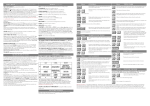
Press the Esc key twice to return to the data sheets of the Torso Belvedere.
Pressing the right arrow key displays the 'relationships' page of the monument. This data sheet
contains the links to all known renaissance documentations of the monument, and in addition, the
link to the images.
Position the cursor onto one of the entries and press 'f' to view images (if available) of the
documents.
Move the cursor to one of the entries and press 's' to obtain more information about individual
documents:
Press the right arrow key to view the first data sheet linked to the document 'document reference'.
Press the right arrow key again to display the following data sheet, 'document description'.
To obtain more information about the artist, we move the cursor to the heading 'artist' and press
's'.