1
PRODUCT PROFILE
6 / 2011
www.klinkmann.com
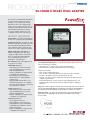
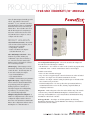
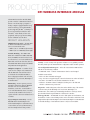
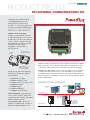
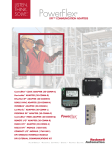
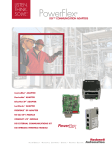
20-COMM-B BACnet® MS/TP ADAPTER
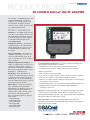
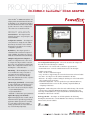
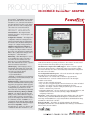
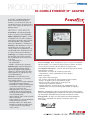
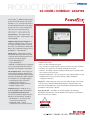
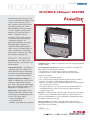
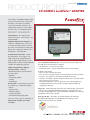
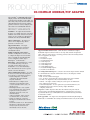
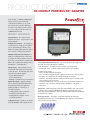
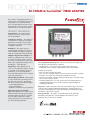
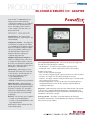
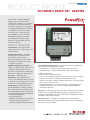
The PowerFlex™ 20-COMM-B adapter provides
an internal BACnet MS/TP connection to
PowerFlex® 70 (SC or EC), 700 (SC or VC),
and 700H drives. The adapter provides a
means to control, configure, and collect data
over a BACnet MS/TP network.
PRODUCT HIGHLIGHTS
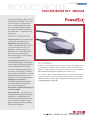
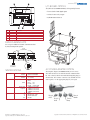
Installation – The adapter mounts internal
to the drive to save valuable panel space, and
is field installable. If an external connection
is needed, the adapter can also be installed
in a DPI External Communications Kit
(20-XCOMM-DC-BASE).
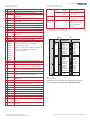
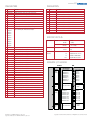
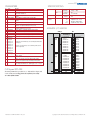
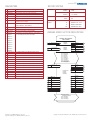
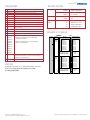
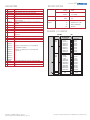
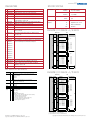
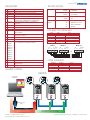
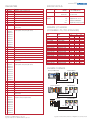
Configuration Switches – The adapter has
configuration switches for setting the MAC
address (addressable up to node 127), and
enabling/disabling the termination and
bias resistors.
Supported Data Rates – The adapter can
“autoband” out-of-the-box or be set to one
of four selectable baud rates (9600, 19200,
38400 or 76800 bps), and can be configured
using a parameter.
Multiple Configuration Tool Options – A
number of configuration tools can be used to
configure the adapter and the connected
drive. These tools include the PowerFlex DPI
HIM, or drive-configuration software such as
DriveExplorer™ or DriveExecutive™.
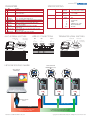
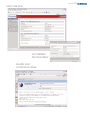
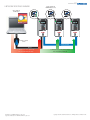
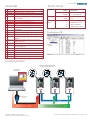
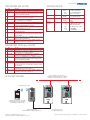
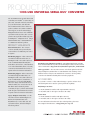
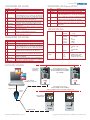
DPI Routing – Allows DriveExplorer to
connect to a PowerFlex drive using a 1203-SSS
or 1203-USB converter and then route over
BACnet MS/TP to access other Allen-Bradley®
drives. This eliminates the need for a separate
network connection and interface.
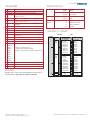
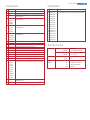
BACnet Objects – Unlike other PowerFlex
drive communication adapters, BACnet
MS/TP adapters use network objects to view
logic status, speed feedback and monitor
parameter values, and to send logic control,
speed reference and change parameter
values. The following objects are supported
by the adapter:
• Analog Input (AI)
• Analog Output (AO)
• Analog Value (AV)
• Binary Input (BI)
• Binary Output (BO)
• Binary Value (BV)
User Configurable Fault Responses – Selects the action that the adapter and
drive will take for the following two conditions:
• Idle Fault Action – the scanner is idle (controller in program mode)
• Comm Fault Action – network communications have become disrupted
Available actions include:
• Fault – the drive is faulted and stopped
• Stop – the drive is stopped using the current deceleration rate and is not faulted
• Zero Data – the adapter zeros the I/O data transmitted to the drive
• Hold Last – the adapter continues sending the I/O data prior to the fault and the
drive continues in its present state
• Send Fault Configuration – the user specifies the Logic Command, Reference, and
Datalink data that is sent to the drive, allowing complete flexibility in
configuring a fault action
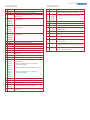
Diagnostics – Built-in diagnostics allow drive-side troubleshooting of the network
connection using a PowerFlex DPI HIM, DriveExplorer or DriveExecutive. View
actual Logic Command/Speed Reference, Logic Status/Speed Feedback and Datalink
data being transmitted to and from the controller.
Flash Upgradeable – The adapter can be flash updated in the field using
DriveExplorer, DriveExecutive or ControlFLASH to take advantage of new firmware
features as they become available.