1
1
GENERAL......................................................................................................................................................5
1.1
ESSENTIALS OF MOTIONBLITZ CUBE ....................................................................................................5
1.2
CUSTOMER INDICATIONS .........................................................................................................................5
1.2.1 For customers in the U.S.A. ....................................................................................................................5
1.2.2 For customers in Canada .......................................................................................................................5
1.2.3 Pour utilisateurs au Canada...................................................................................................................6
1.2.4 Life Support Applications .......................................................................................................................6
1.3
DECLARATION OF CONFORMITY ..............................................................................................................6
1.4
WARRANTY NOTE ...................................................................................................................................7
1.5
REMARKS, WARNINGS ............................................................................................................................7
1.6
SIDE AND BACKSIDE VIEWS OF CUBE CAMERAS.......................................................................................8
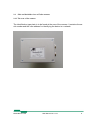
1.6.1 The rear of the camera............................................................................................................................8
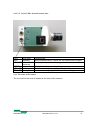
1.6.2 The right side of the camera ...................................................................................................................9
1.6.2.1 Connectors ........................................................................................................................................................9
1.6.2.2 Switches ..........................................................................................................................................................10
1.6.2.3 LEDs ...............................................................................................................................................................11
1.6.2.3.1
Upper LED: battery charging and power indication .........................................................................11
1.6.2.3.2
Lower LED: internal camera state ...................................................................................................12
1.6.3 The front of the camera.........................................................................................................................12
1.7
SCOPE OF DELIVERY ..............................................................................................................................13
1.8
MOTIONBLITZ CUBE VERSIONS: .........................................................................................................14
1.9
POWER SUPPLY AND CHARGING.............................................................................................................16
1.9.1 Battery charging ...................................................................................................................................16
2
OPERATING MODES................................................................................................................................17
2.1
STANDBY (FOR CUBE4 AND CUBE5 CAMERAS ONLY)............................................................................17
2.2
READY-TO-OPERATE .............................................................................................................................18
2.2.1 Live mode..............................................................................................................................................18
2.2.2 Prepare for recording ...........................................................................................................................18
2.2.3 Start recording......................................................................................................................................19
2.2.3.1 recording modes ..............................................................................................................................................19
2.2.3.2 Non circular mode...........................................................................................................................................19
2.2.3.2.1
Circular recording mode ...................................................................................................................19
3
INSTALLATION OF MOTIONBLITZ CUBE ........................................................................................20
3.1
MINIMAL SYSTEM REQUIREMENTS (PC) ................................................................................................20
3.2
INSTALLATION OF THE SOFTWARE .........................................................................................................20
3.2.1 Assigning an IP-address to the GigaBit Ethernet adapter ...................................................................21
3.2.2 IP-Adress of the camera .......................................................................................................................22
3.2.2.1 bootp-server installed ......................................................................................................................................22
3.2.2.2 No bootp-server installed ................................................................................................................................23
3.2.2.2.1
Assign IP-Address 192.168.2.1 to the GigaBit Network adapter ...........................................23
3.2.2.2.1.1 Assigning a different IP-Address to the MotionBLITZ Cube camera........................................23
3.2.3 The network configuration file "mfggb.ini". ........................................................................................24
3.2.3.1 Section [CAMERA_REL]...............................................................................................................................24
3.2.3.2 Section [IPORT_PARAMS] ...........................................................................................................................24
3.3
CONNECTING THE MOTIONBLITZ CUBE TO THE PC AND STARTING PROGRAM ....................................24
3.3.1 Selecting the network adapter...............................................................................................................24
3.3.2 Selecting the MotionBLITZ Cube camera.............................................................................................26
3.3.3 Camera name........................................................................................................................................26
3.3.4 Multi camera operation ........................................................................................................................27
3.3.4.1 Synchronizing cameras ...................................................................................................................................27
4
MOTIONBLITZ CUBE IN PRACTICE ...................................................................................................28
4.1
THE USER INTERFACE ............................................................................................................................28
4.2
SELECTING RESOLUTION, SPEED, GAIN, TRIGGER, SYNC, ARM AND WHITE BALANCE ..........................29
4.2.1 Gain ......................................................................................................................................................30
4.2.2 Black level.............................................................................................................................................30
4.2.3 Low Light Mode ....................................................................................................................................30
MotionBLITZ Cube
User Manual Ver. 1.8.0
2