1
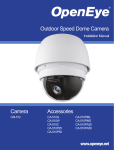
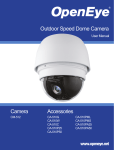
CM-512 | High Speed Dome Camera Quick Guide
This quick operation guide is a quick reference for users to install and operate the dome
camera and only provides basic information on the camera’s settings and operation. Before
attempting to connect, configure and operate the dome camera, please read the installation
guide and the user manual thoroughly.
Communication Switch Setting
The table below shows the function of each switch within the Communication Switch on the
dome back plate.
Communication Switch
Box Contents
SW 1
SW 2
RS-485 Setting
RS-485 Setting
Half-duplex
SW 3
Termination
SW 4
Line Lock
SW 5
System Initialization
SW 6
Reserved
Full-duplex
Dome Control Protocol Setting
CM-816 Camera
Optical Cover
Screws
Quick Start Guide
User Manual
Waterproof Gasket
Installation Manual
Refer to the table below and select a protocol and baud rate appropriate for your installation,
based on the control device. Adjust the Protocol Switch on the dome camera back plate. For
example, the protocol switch should be set as shown if you are using the Pelco D protocol,
with the switch number of 01 and a baud rate of 2400. For more switch configurtion details,
refer to the user manual
Lubricant
Dome Switch Definition
1
Alarm Inputs
2
BNC Output
3
Console Connector
(Reserved)
4
Communication Switch
5
Camera ID Setting
6
RS-485 Connector
7
Protocol Settings
8
Power Connector
Protocol
Baud
Rate
Setting
Switch Setting
1
2
3
4
5
6
VCL
9600
OFF
OFF
OFF
OFF
OFF
OFF
Pelco-D
2400
ON
OFF
OFF
OFF
OFF
OFF
Pelco-P
4800
OFF
ON
OFF
OFF
OFF
OFF
Chiper
9600
OFF
OFF
ON
OFF
OFF
OFF
Philips
9600
ON
OFF
ON
OFF
OFF
OFF
OPTIX-3
9600
ON
ON
ON
OFF
OFF
OFF
AD422
4800
OFF
OFF
OFF
ON
OFF
OFF
DP-P
9600
ON
OFF
OFF
ON
OFF
OFF
Pelco-D
4800
ON
ON
OFF
ON
OFF
OFF
Pelco-D
9600
OFF
OFF
ON
ON
OFF
OFF
Pelco-P
2400
ON
OFF
ON
ON
OFF
OFF
Pelco-P
9600
OFF
ON
ON
ON
OFF
OFF
JVC
9600
ON
ON
ON
ON
OFF
OFF
Kalatel-485
9600
ON
OFF
ON
OFF
ON
OFF
Kalatel-422
4800
OFF
ON
ON
OFF
ON
OFF
RS-485 Connector
The dome camera uses the RS-485 interface to communicate with a connected control device.
Connect a control keyboard to the speed dome using the terminal block. OpenEye recommends using CAT 5 cables for RS-485 communication with a maximum length of 4000 feet
(1219 meters) for 24-gauge wire. If the total cable length exceeds 4000 feet, use a repeater to
maintain the signals. Refer to the table below for pin definition and wiring.
Camera ID Setting
Change the camera ID if there is more than one camera on the same installation. The camera
ID is set using the camera ID switch on the back plate of the camera. For switch configuration
details, please refer to the user manual.
Note:
No two cameras should have the same
camera ID, or a communication conflict
may occur.
Pin
Definition
1
R-
2
GND
3
R+
4
T-
5
T+
Apply Alarm I/O
The CM-512 supports 4 digital alarm inputs and 2 digital alarm outputs. Please make sure
the alarm connections are properly wired before starting to configure alarm-related settings.
Please refer to this pin definition table for alarm system wiring.
Power Connector
Refer to the this diagram for power connector definition before wiring.
1
AC IN +
2
Frame GND
3
AC IN -
Pin
Power Wire Length Specifications
Definition
Pin
Definition
1
Alarm Out NO1
7
Alarm Out COM 2
2
Alarm Out NC 1
8
GND
3
Alarm Out COM 1
9
Alarm In 4
Wire Gauge
Maximum Distance
Wire Gauge
Maximum Distance
4
GND
10
Alarm In 3
22
27 feet
14
175 feet
5
Alarm Out NO 2
11
Alarm In 2
20
44 feet
12
279 feet
6
Alarm Out NC 2
12
Alarm In 2
18
69 feet
10
444 feet
16
110 feet
www.openeye.net
Dome OSD Menu Tree
The OSD setup menu structure of the CM-511 camera is listed below. The star symbol indicates the factory default.
Item
Layer 1
LANGUAGE
<ENGLISH>, <JAPANESE>, <PORTUGUESE>, <SPANISH>, <FRENCH>,
<GERMAN>, <ITALIAN>, <POLISH>, <RUSSIAN>, <TRADITIONAL
CHINESE>,<SIMPLIFIED CHINESE>, <TURKISH>
DEFAULT CAMERA
<ON>, <OFF>
BACKLIGHT
FOCUS
Layer 2
Layer 3
Default
ENGLISH
ON
<ON>
PATTERN
OFF
<OFF>
AUTO
Item
AF MODE <NORMAL>, <Z. TRIG.>,
<PT TRIG.>
NORMAL
EXIT + SAVE
HOME SETTING
MANUAL
EXPOSURE COMP.
<OFF>, EXPOSURE VALUE: <-10.5dB> ~
<10.5dB>
OFF
EXIT + SAVE: YES
AE MODE
EXIT + SAVE: YES
IRIS VALUE
<F1.6> ~ <F28>
IRIS
AUTO
ALARM SETTING
EXIT + SAVE: YES
BRIGHT VALUE: AUTO
SHUTTER SPEED: <1/60>
~ <1/10000> SEC.
MANUAL
GAIN VALUE <-3> dB ~
<28>dB
EXIT + SAVE: YES
EXIT + SAVE
YES
RECORD END
ENTER
RUN PATTERN
ENTER
EXIT
YES
HOME FUNCTION
<ON>, <OFF>
SELECT MODE
<PRESET>, <TOUR>, <AUTOSCAN>,
<PATTERN>
PRESET POINT
<001> ~ <256>
1
RETURN TIME
<1> ~ <128> MIN.
1
GO
ENTER
EXIT
YES
EXIT + SAVE: YES
IR MANUAL <ON>, <OFF>
<ON>, <OFF>
OFF
ALARM TYPE
<NO> (Normal Open), <NC> (Normal Close)
NC
ALARM ACTION
<PRESET>, <TOUR>, <AUTOSCAN>, <PATTERN>
PRESET
PRESET POINT
<001> ~ <256>
1
TOUR LINE
<1> ~ <8>
1
AUTOSCAN LINE
<1> ~ <4>
1
PATTERN LINE
<1> ~ <8>
1
DWELL TIME
<001> ~ <127> Sec., <ALWAYS>
EXIT
YES
NONE
<ON>, <OFF>
TELEMETRY CTRL
SLOW SHUTTER
<ON>, <OFF>
OFF
OFF
<ON>, <OFF>
OFF
TRANSPARENCY
<ON>, <OFF>
OFF
COLOR
<BLACK>, <WHITE>,<RED>, <GREEN>,
<BLUE>, <CYAN>, <YELLOW>, <MAGENTA>,
<MOSAIC 1>, <MOSAIC 2>, <MOSAIC 3>
EXIT + SAVE
<01> ~ <20>
3 D.N.R. <ON>, <OFF>
EXIT
YES
TIME DISPLAY
<ON>, <OFF>
SET YEAR
<00> ~ <99>
SET MONTH
<01> ~ <12>
SET DAY
<00> ~ <31>
EXIT + SAVE: YES
<ON>, <OFF>
OFF
FREEZE
<ON>, <OFF>
OFF
7
TIME SETTING
APERTURE
<01> ~ <16>
STABILIZER
<ON>, <OFF>
SET HOUR
<00> ~ <23>
EXIT
YES
SET MINUTE
<00> ~ <59>
<OFF>, <M.E.>, <IMAGE>
EXIT+SAVE
OFF
MIN ANGLE <-10 ~ +10 DEG>
0
MAX ANGLE <080 ~ 100 DEG>
90
SPEED BY ZOOM
<ON>, <OFF>
OFF
AUTO CALIBRATE
<ON>, <OFF>
OFF
PASSWORD
<ON>, <OFF>
OFF
OSD AUTO CLOSE
<OFF>, <10> ~ <30> SEC.
SCHEDULE
DEFAULT SYSTEM <YES>
EXIT <YES>
<ON>, <OFF>
ON
TITLE DISPLAY
<ON>, <OFF>
OFF
TITLE SETTING
<1> ~ <9>, <A> ~ <Z>, <:>, </>, <.>, <,>, <(>, <)>, <+>, <?>, <->
TOUR
AUTOSCAN
PRESET SET
<001>~<256>
ENTER
PRESET RUN
<001>~<256>
ENTER
EXIT
YES
TOUR LINE
<1> ~ <8>
TOUR POINT
<01> ~ <64>
PRESET POS.
<001> ~ <255>, <END>
SPEED
<01> ~ <15>
1
DWELL TIME
<000> ~ <127> SEC.
0
RUN TOUR
ENTER
EXIT
YES
AUTOSCAN LINE
<1> ~ <4>
START POINT
<PT MOVE>, <TO SAVE>
END POINT
<PT MOVE>, <TO SAVE>
DIRECTION
<RIGHT>, <LEFT>
SPEED
<01> ~ <04>
RUN AUTOSCAN
ENTER
EXIT
YES
EXIT OSD
OFF
SWITCH
<ON>, <OFF>
POINT
<01> ~ <32>
1
HOUR
<00> ~ <23>
0
MINUTE
<00> ~ <59>
0
OFF
NONE
NO FUNCTION
PRESET
PRESET POINT
<001> ~ <256>
TOUR
TOUR LINE
<1> ~ <8>
AUTOSCAN
AUTOSCAN LINE <1> ~
<4>
PATTERN
PATTERN LINE <1> ~ <8>
IR FUNCTION
IR FUNCTION <AUTO>,
<ON>, <OFF>
MODE
YES
ID DISPLAY
H SIZE <000> ~ <080>
V SIZE <000> ~ <060>
CLEAR MASK
SYSTEM RESET <YES>
PRESET
BLACK
V CENTER: D/U
<01> ~ <20>
2 D.N.R. <ON>, <OFF>
IMAGE INVERSE
EXIT
ALWAYS
PRIVACY SWITCH
SET MASK
OFF
SYSTEM RESET
1
H CENTER: L/R
<OFF>, <2x> ~ <12x>
ANGLE ADJUSTER
AUTO
EXIT + SAVE: YES
PRIVACY MASK
B GAIN <000> ~ <127>
MAX DIGITAL ZOOM
FLIP
PRESET
ALARM SWITCH
WDR FUNCTION
EXIT + SAVE: YES
IMAGE CTRL
OFF
THREADHOLD <MID>, <HI>, <LOW>
R GAIN <000> ~ <127>
D.N.R.
Default
<1> ~ <8>
ATW (Auto-tracing WBC)
MANUAL
Layer 3
ALARM PIN
AUTO
OUTDOOR
WBC MODE
ENTER
ALARM DETECT
AUTO (Auto White Balance)
INDOOR
RECORD START
<MANUAL>
SHUTTER SPEED: <1/60>
~ <1/10000> SEC.
AE MODE
<1> ~ <8>
IR FUNCTION
EXIT + SAVE: YES
SHUTTER
Layer 2
PATTERN LINE
<AUTO>
BRIGHT VALUE; SHUTTER
SPEED; IRIS VALUE; GAIN
VALUE: AUTO
AUTO
Layer 1
SCHEDULE
RESET
YES
EXIT
YES
NONE
YES
1
1
END
1
RIGHT
23221 E Knox Ave
Liberty Lake, WA 99019
1.888.542.1103
1
Copyright ©2013 OpenEye. All Rights Reserved. Information contained in this document is subject to
change without prior notice. OpenEye does its best to provide accurate information but cannot be held
responsible for typos or mistakes.
31450AC