1
16. You can repeat this process to insert as many audio clips into the note as you desire.
17. When you are finished, press <F10> to store your note. Note that the program automatically stores
the note Provisionally because it knows that there is at least one dictation inside your note which
has not yet been transcribed, and thus the note is incomplete and should not yet be stored
permanently.
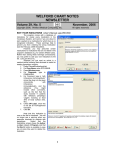
TRANSCRIBING DICTATION (User’s Manual, pgs. 1157-1158)
Let's see how to transcribe the dictation that was
previously stored:
1. Press View\Provisional Notes.
2. Press Options.
3. Under
Show
These
Notes:
check
Untranscribed Dictations and press OK.
4. Choose the note which was previously stored
provisionally that contains audio for Kelly
Erickson. Double-click it or press Edit to load it
into the Writer.
5. To jump to the first Audio clip inside the note, use
any of these methods:
a. click on the word AUDIO inside the note;
b. press <right mouse button>\Audio\Next
Dictation;
c. press <F6>
d. press <Alt-U>dio\Next Dictation; or
e. press the Audio Next Dictation button
6.
7.
8.
9.
after you have placed it on to your
Toolbar.
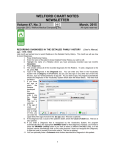
The Audio Recorder window opens and the
audio clip is automatically played for you. You
can press the Play button to listen to it again
and the Pause button at any time to interrupt the
play back.
After listening to the dictation and reading any
Comment the dictator left for you, type the
dictation into the note just before the AUDIO line
in the note. Do not erase the AUDIO line from
the note manually. (This allows the dictator to
listen to the audio later to verify the accuracy of
your transcription; the program will automatically
remove the AUDIO line from the note when the
note is stored permanently).
When you have finished typing your dictation,
press the Transcribed the button in the Audio
Recorder window. This records you as the
transcriptionist and removes this note from your
list of untranscribed dictations in Provisional
Notes once you have transcribed all of the
dictations inside the note.
Press OK to close the Audio Recorder. Repeat
step 5 and transcribe each remaining dictation
in the note. When you have finished, press <F10> to store the note. The note will still be stored
Provisionally so that the dictator can verify the accuracy of your transcription before storing it
permanently.
SEND US YOUR TIPS
If you have tips, shortcuts, questions, or suggestions for future newsletter topics, please send them to us at:
Welford Medical Computing, Inc.
or
MEDCOM Information Systems
3779 Hermitage Trail
2117 Stonington Avenue
Rockford, IL 61114
Hoffman Estates, IL 60195
8