1
PROFINET
USER MANUAL
4. Configuring with STEP7
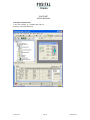
In the following chapter the configuration of the
315-2PN/DP or Simotion Scout with single axis
POSITAL encoder with the configuration tool
Hardwaremanager STEP 7 is shown exemplarily. In
controller D410 (PROFINET controller integrated)
are used. If there are questions about other
this example STEP 7 Version 5.4 SP1 and the CPU
software tools please contact the manufacturer.
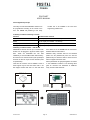
4.1 Installing the GSDML file
If POSITAL encoders are used for the first time it is
necessary to install the GSDML file to import
The GSDML file is supplied by POSITAL (free of
charge from www.posital.eu). In order to represent
encoder parameterization
catalogue of the tool:
hardware
the encoder with a bitmap in STEP7 the bitmap file
will be installed automatically with the GSDML file –
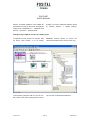
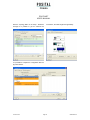
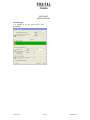
Choose “Install GSD File...” in the “HW Config”window of the project (menu item “Options”) and
both files must be in the same directory. The main
number of the “Software Release” in the GSDML
select the GSDML-file.
file and the Firmware must be the same, i.e. 4.xx.
Version 07/09
into
the
Page 22
UMUS-OCD-EI