1
2.3
OBP Debug Command
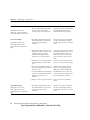
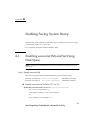
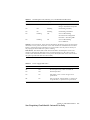
OBP Debug Commands on TABLE 2-2 show commands that are available at the OBP
(ok) prompt. They allow the user the ability to perform some low level data
gathering.
These commands are normally executed when a system was running Solaris and
then hung and was forced (aborted) into OBP, or the system panic’d and the panic
dump process failed.
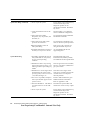
TABLE 2-2
2.4
OBP Debug Commands
OBP Command
Description
.registers
Display values in %g0 through %g7, plus %pc, %npc, %psr, %y,
%wim, %tbr.
.trap-registers
Display values in the trap related registers.
.locals
Display the values in the i, l and o registers.
.psr
Display the processor status register.
ctrace
Display the Solaris return stack showing C subroutines.
sync
Cause Solaris to attempt to save a system panic (vmcore).
kadb Command
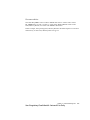
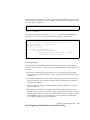
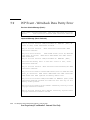
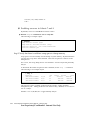
kadb is a low-level kernel debug tool that is available from the OBP level. In normal
operation, kadb is not enabled because it is not normally required. To enable kadb,
Solaris must be booted with the kadb option. The following command is an
interactive method to enable kadb for a single boot.
ok> boot kadb
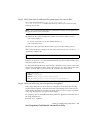
If the system is rebooted or interrupts (panic, Fatal Reset, etc.), the system will not
boot in kadb mode. You can set the boot-file OBP variable to enable kadb boots.
ok> setenv boot-file kadb
ok> boot kadb
Chapter 2
Failure Detection and Data Retrieval Tools
Sun Proprietary/Confidential: Internal Use Only
2-5