1
Last modified on 02.07.12
43
IBackup for Windows - User Guide
TABLE OF CONTENTS
Introduction ............................................................................................................................................................ 4
Features .................................................................................................................................................................. 5
System Requirements ........................................................................................................................................... 6
Install IBackup for Windows ................................................................................................................................. 6
Logging in ............................................................................................................................................................... 6
Settings ................................................................................................................................................................... 8
Main Screen ............................................................................................................................................................ 9
Menu Bar ............................................................................................................................................................... 11
File ........................................................................................................................................................ 11
Backup-Restore .................................................................................................................................... 12
Log ........................................................................................................................................................ 12
Tools ..................................................................................................................................................... 13
Help....................................................................................................................................................... 13
Tool Bar................................................................................................................................................................. 14
Wizards ................................................................................................................................................. 14
Backup Scheduler................................................................................................................................. 14
Restore Scheduler ................................................................................................................................ 14
Backup set Manager............................................................................................................................. 15
File Paths .............................................................................................................................................. 15
Sync ...................................................................................................................................................... 16
Multiple PC Backup .............................................................................................................................. 16
Other Options ....................................................................................................................................................... 18
Search................................................................................................................................................... 18
Save...................................................................................................................................................... 18
Refresh ................................................................................................................................................. 18
Recalculate ........................................................................................................................................... 18
Delete.................................................................................................................................................... 18
Share .................................................................................................................................................... 18
Backup Now.......................................................................................................................................... 18
Schedule............................................................................................................................................... 18
Restore ................................................................................................................................................. 18
Copyright © ProSoftnet Corporation. All Rights Reserved.
2
43
Trash .....................................................................................................................................................18
Working with IBackup for Windows....................................................................................................................19
Backup Files and Folders......................................................................................................................19
Schedule Backup / Restore...................................................................................................................19
Restore Files and Folders .....................................................................................................................21
Synchronize Data ..................................................................................................................................21
Backup and Restore Scheduler.............................................................................................................22
Backup Open Files ................................................................................................................................24
Backup System State Data ...................................................................................................................24
Versioning..............................................................................................................................................25
Share .....................................................................................................................................................27
Trash .....................................................................................................................................................29
Set Preferences.....................................................................................................................................31
Adjust Internet Bandwidth Usage ..........................................................................................................37
Send Error Report .................................................................................................................................38
Web Based Backup set / Schedule Management ..............................................................................................39
Using the Tray Icon...............................................................................................................................................41
Technical Support.................................................................................................................................................43
Copyright © ProSoftnet Corporation. All Rights Reserved.
3
43
Introduction
IBackup for Windows is a reliable online backup and restore application. It safeguards your critical data in case of
system crash, by automatically backing it up.
Customization options include the provision to modify the Backup set and schedule job, reporting options and more.
Data is secured using 256-bit AES encryption on storage and transfer with a user defined key that is not stored
anywhere on IBackup servers.
The graphical user interface makes it easy to navigate through the application. Key features include versioning,
bandwidth throttle, data compression and incremental backups that ensure fast backups, data sync and open/locked
file and mapped drive backup, among others.
You can backup or restore the data using mirror and relative path options you can also backup the data from multiple
computers to a single IBackup account.
You can share your backed up data for collaborative access, directly from your account. The IBackup for Windows
interface makes it easy to navigate through the application.
Copyright © ProSoftnet Corporation. All Rights Reserved.
4
43
Features
•
Incremental and compressed backups that greatly reduce the network bandwidth usage by transferring only
the modified portions of your files
•
Enhanced security with 256-bit AES encryption on transfer and storage with a user-defined encryption key that
is not stored anywhere on IBackup servers
•
Backup of critical data like 'Desktop', 'Documents', 'Pictures', 'Videos' and 'Music' folders with a provision to
customize the Backup set and its schedule
•
Provision to restore 30 previous versions of all backed up files
•
Option to retrieve deleted files from Trash within a 30 day period
•
Sync data between your PC and online account
•
Bandwidth Throttle that helps regulate the Internet bandwidth usage for the IBackup for Windows application
•
Backup and restore the data using mirror and relative path options
•
Share files / folders from your IBackup account with your associates
•
Backup data to a single IBackup account from multiple computers
•
Easy-to-use wizards for interactive backups, restores and scheduling
•
Receive email and desktop notifications after each scheduled backup
•
Backup open files – Outlook files (.PST), QuickBooks, Quicken, ACT, MS-Money, MS-Word, MS-Excel and so
on
•
Receive desktop alerts in case of a backup failure
•
Automatic power off after every scheduled backup
•
Backup critical system-related components using System State backup
•
Supports international character sets of most major languages including French, Spanish, German, Chinese,
Japanese, Hebrew and Italian
Note: Refer http://www.ibackup.com/old-version.htm for the details related to architectural / feature set changes to the
IBackup application (accounts created prior to 10th August 2011.)
Copyright © ProSoftnet Corporation. All Rights Reserved.
5
43
System Requirements
•
•
•
Microsoft Windows 7, Windows Server 2008, Windows Vista, Windows Server 2003, Windows 2003 Web Edition,
Windows XP Home/Professional, Windows SBS 2011
Internet Explorer 5.0 and higher
64 MB RAM, 30 MB Free Hard Disk space for installed program, 20 MB or more recommended for local caching
Install IBackup for Windows
Download and Install IBackup
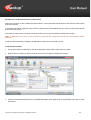
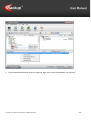
1.
2.
3.
4.
5.
Download the application at http://www.ibackup.com/ibackup-for-windows/
Next, double-click the IBackup for Windows executable file.
The ‘Install IBackup for Windows’ screen is displayed. Click ‘Next’ to proceed.
In the ‘License Agreement’ screen, click ‘I Agree'.
In the ‘Where to Install‘screen, ‘Browse’ to select a folder to install the application and click the ‘Next’ button.
Logging in
After installation, you can login to the IBackup for Windows application in two ways:
Double-click the IBackup for Windows icon on your Desktop
Start > Programs > IBackup for Windows > IBackup for Windows > the Login window is displayed.
Login window options
The Login window contains the following options:
•
Username or Email address: Enter the 'Username' or 'Email address' provided while registering your IBackup
account.
Copyright © ProSoftnet Corporation. All Rights Reserved.
6
43
•
•
•
•
•
•
•
•
SSL Encryption: Provides secure transmission of data using the 128-bit Secured Socket Layer encryption
technology. Note: Data is secured using 256-bit AES encryption during transfer and storage for users, who have
registered for an IBackup account after 10th August 2011.
Remember Username/Email address and Password: Saves the 'Username' and 'Password'. This option is
selected by default, and can be changed.
Connect: Login to the IBackup for Windows application.
Close button: Cancel the login operation and close the Login window.
Settings button: Specify the proxy server settings and provide authentication.
New user sign up: Sign-up for an account on the IBackup website.
Forgot password: Retrieve your password, which is mailed to your email address provided during registration.
Firewall guidance: Obtain information on the port number, IP address and executable files that require firewall
access.
Logging out from IBackup for Windows
To logout, go to the File menu and select the 'Disconnect' option.
To exit the application, go to the File menu and select the 'Exit' option.
Note: Closing the IBackup for Windows will not log you out from IBackup for Windows application.
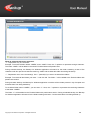
Encryption on Storage
Your data is stored in world-class data centers, using 256-bit AES encryption. You can opt for a "private encryption
key" that is not stored anywhere on IBackup servers to maximize data security on storage. The following screen is
displayed on login.
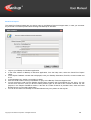
You can either opt for a default encryption key or enter a private encryption key. Once you have assigned an
encryption key to your IBackup account, it cannot be changed. However, you can create a new account and start
using it with an encryption key of your choice. The default encryption key is set by default.
Note: IBackup does not store your key anywhere on its servers. Without this encryption key, you will not be able to
retrieve your data.
Copyright © ProSoftnet Corporation. All Rights Reserved.
7
43
Settings
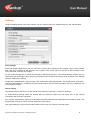
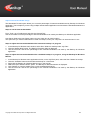
Using the Settings option in the Login window, you can configure the proxy settings and proxy user authentication.
Proxy settings
Select the 'Enable CERN Proxy' from the check box to set the proxy settings of the computer. In the 'Proxy Address'
field, enter the IP Address of the computer or the system name, where the proxy server has been installed. In the
'Proxy Port' field, enter the port number.
For the Local Area Network, if a connection has been made through a proxy in your Internet Explorer browser, then on
clicking the 'Get IE Settings' button, the proxy information (the IP and the port number) is set to default in the Settings
dialog for CERN proxy settings.
'Enable Proxy authentication' grants access to the Internet after valid authentication. The authentication information Username and Password - provided in the proxy server must be same as those provided in the 'Proxy Username' and
'Proxy Password' fields.
Dial-up setting
This allows access to the server, via the Internet using a dial-up connection – manual or automatic.
To enable dial-up settings, select the 'Enable Dial-up Connection' option from the check box. In the 'Choose
Connection' field, enter the connection.
The 'Connect Automatically' check box is selected by default on selecting the 'Enable Dial-Up Connection' option. This
automatically connects you to the Internet, without any proxy server.
Click 'Save Settings' to save the information entered in the screen and 'Close' to exit the screen.
Copyright © ProSoftnet Corporation. All Rights Reserved.
8
43
Main Screen
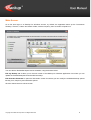
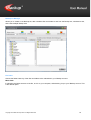
On a first time login to an IBackup for Windows account, by default, the application backs up the ‘Documents'
'Desktop', 'Pictures', 'Videos' and 'Music’ folders, with the frequency set to a random off-peak hour.
You can edit the 'Default Backupset' and its schedule, using the buttons below:
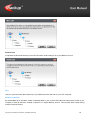
Edit my Backup set: It takes you to the main screen of the IBackup for Windows application from where you can
update the 'Default Backupset' and schedule its backup.
Edit Schedule Parameter: It opens the 'Scheduler' screen from where you can modify the scheduled backup options
like day, time, frequency and notification options
Click the 'Close' button to exit the screen.
Copyright © ProSoftnet Corporation. All Rights Reserved.
9
43
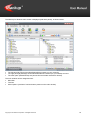
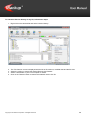
The IBackup for Windows main screen is displayed (with three panes), as shown below:
•
•
•
The left pane (My Files) shows files/folders/drives present on your computer.
The right pane (My IBackup) shows files/folders/drives backed up to your IBackup account.
The lower pane (Default Backup set) shows files and folders selected for backup.
The main window can be categorized into:
• Menu Bar
• Tool Bar
• Other Options (consists of various buttons present on the main window)
Copyright © ProSoftnet Corporation. All Rights Reserved.
10
43
Menu Bar
It has the following options:
•
•
•
•
•
File
Backup-Restore
Log
Tools
Help
File
The File menu has the following options:
Connect
Logs you into the IBackup for Windows application.
This option is enabled on disconnecting from the application.
How to Connect?
File Menu > Connect > The 'Login' window is displayed > Enter your 'Username/Email address' and 'Password' >
Click the 'Connect' button.
Disconnect
Disconnects you from your IBackup account.
This option is enabled on connecting to the application.
How to Disconnect?
File Menu > Disconnect > A message 'Do you want to disconnect?' with 'Yes' and 'No' options is displayed > Click
'Yes' to disconnect (Log off).
Exit
Closes the IBackup for Windows application, without logging you off.
Note: A scheduled backup / restore operation will continue even after exiting the IBackup for Windows application.
Copyright © ProSoftnet Corporation. All Rights Reserved.
11
43
Backup-Restore
The Backup-Restore menu has the following options:
Restore
Restores data from your IBackup account to the desired location on your computer.
System State data
Backup system components like Boot files, COM+ CLASS registration database and so on and view the backup
details of the system state components and their status.
The sub-menu options are:
System State Backup: Lets you Backup system components to your IBackup account.
Session log: View the backup transaction details of System State components and their status.
Log
The Log menu has the following options:
Session log
View the detailed logs of the entire interactive and scheduled backup / restore sessions.
Interactive log
View the logs of the interactive backup and restore operations.
It has two sub-menu options:
View: View the detailed logs of the interactive backup and restore operations.
Clear: Delete the log details of the interactive backup and restore operations.
Scheduled Backup/Restore log
View the logs of scheduled backup and restore operations.
It has two sub-menu options:
View: View the detailed logs of the scheduled backup and restore operations.
Clear: Delete the log details of scheduled backup and restore operations.
Copyright © ProSoftnet Corporation. All Rights Reserved.
12
43
Tools
The Tools menu has the following options:
Preferences
Customize the default settings of the IBackup for Windows application; exclude files and folders from the Backup set.
Help
The Help menu has the following options:
Help Topics
Provides access to the IBackup for Windows Help Guide.
Send Error Report
Allows you to contact the support team for any technical issues / suggestions pertaining to the application.
Quick Demo
Takes you through a guided tour on how the IBackup for Windows application works.
Website
Allows direct access to the IBackup for Windows website.
About IBackup for Windows
Displays information about the IBackup for Windows application installed on your computer.
Copyright © ProSoftnet Corporation. All Rights Reserved.
13
43
Tool Bar
It has the following options:
•
•
•
•
•
•
•
Wizards
Backup Scheduler
Restore Scheduler
Backup set Manager
File Paths
Sync
Multiple PC
Wizards
The Wizards Tool Bar button has the following options:
Restore
Restore files / folders from your IBackup account to your computer.
System State Data
Lets you backup your System State Data components to your IBackup account.
Backup Scheduler
Use the Backup Scheduler to create new Backup set(s) and schedule its backup for a future date and time.
Restore Scheduler
Use the Restore Scheduler to restore your Restore ItemSet from your IBackup account to your computer.
Copyright © ProSoftnet Corporation. All Rights Reserved.
14
43
Backup set Manager
Allows you to create a new Backup set, add or deletes files and folders to and from the Backup set, calculate its size,
and create multiple Backup sets.
File Paths
Choose the folder hierarchy of the files and folders to be maintained in your IBackup account.
Mirror Path
It maintains the folder structure of the file, as it is on your computer, while backing it up to your IBackup account. This
is the default option.
Copyright © ProSoftnet Corporation. All Rights Reserved.
15
43
Relative Path
It replicates the last folder hierarchy where the file exists, while backing it up to your IBackup account.
Sync
Lets you synchronize the data backed up to your IBackup account with that on your local computer.
Multiple PC Backup
By default IBackup for Windows creates a separate folder in your account that retains the same name as that of your
computer to backup data from multiple computers to a single IBackup account. This prevents data overlap during
multiple computer backup.
Copyright © ProSoftnet Corporation. All Rights Reserved.
16
43
Select any of the options to create a folder in your account:
1. Create a folder with the machine name: This option enables you to backup your data to a folder that retains the
same name as that of your computer
2. Select from the existing machine(s) list: This option enables you to select any existing machine name from the
list
3. Enter a name of your choice: This option enables you to enter any folder name of your choice
You can change the name of the folder for the Multiple Computer backup on the ‘Preferences’ screen with the help of
the ‘Multiple PC backup settings’ option.
Copyright © ProSoftnet Corporation. All Rights Reserved.
17
43
Other Options
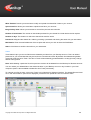
Search
Lets you locate files / folders available in your local computer and IBackup account
Save
Lets you save files / folders as a Backup Set on your computer
Refresh
Lets you refresh the contents of the files on your computer / IBackup account with the latest changes
Recalculate
Lets you know the amount of space used in your IBackup account
Delete
Lets you delete files and folders from your IBackup account; deleted files are moved to Trash
Share
Lets you share files / folders from your IBackup account
Backup Now
Lets you perform an immediate backup of your files and folders
Schedule
Lets you schedule the backup of your files and folders for a future date and time
Restore
Lets you restore files and folders from your IBackup account to your computer
Trash
Lets you restore/move files and folders from Trash to the local computer or original location in your IBackup account
Copyright © ProSoftnet Corporation. All Rights Reserved.
18
43
Working with IBackup for Windows
Backup Files and Folders
You can take an immediate backup of files and folders in two ways:
Using the Backup Now button
1. On the main application window, select a file/folder under 'My Files'.
2. Click the 'Backup Now' button.
Using the drag-n-drop option
1. On the main application window, select a file/folder under 'My Files'.
2. Drag-n-drop the file to the desired destination under 'My IBackup.
Schedule Backup / Restore
You can schedule the backup and restore of your data in the following ways
From the Tool Bar
Go to Backup or Restore Scheduler on the application Tool Bar.
Using Schedule Backup Button
Click the 'Schedule Backup' button on the main application screen.
Setting different options
You can set day, time and notification options for backup, using the Scheduler wizard, as shown below:
Copyright © ProSoftnet Corporation. All Rights Reserved.
19
43
•
•
•
•
•
•
•
•
•
•
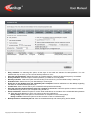
Daily schedule: On selecting this option, all the days of the week are selected for backup/restore. You can
deselect the day on which you do not want backup /restore to occur.
Start the job immediately: Select this option to schedule backup / restore job with the frequency 'Immediate'.
Hourly schedule: Select this option to backup/restore your data on an hourly basis.
Monthly schedule: Select this option and set the day of the month for your scheduled backup / restore job.
Schedule Time: Set the time for your data backup or restore jobs.
Notify me on the desktop when the scheduled job is complete: Receive notifications on the desktop regarding
the status of scheduled backup/restore job.
Cut-Off time: Set the time at which your scheduled backup/restore should stop.
Start the missed scheduled backup when the computer is turned on: Select this option to resume a missed
scheduled backup job due to your computer being turned off.
Email notification: Select this option to receive email notifications on the status of the scheduled backup/restore
job. Enter the email address on which you want to receive the notifications.
Notify always: Select this option to receive alerts on completion on the backup job(s).
Notify on failure: Select this option to receive an alert in case of a failed backup.
Backup/ Restore scheduled jobs list: Lists the scheduled backup and restore job(s) and its details.
Copyright © ProSoftnet Corporation. All Rights Reserved.
20
43
Restore Files and Folders
You can perform an interactive and scheduled restore of files and folders in the following ways:
Using the Restore sub-menu option
Steps
1. From the Backup-Restore menu item or Wizards Tool Bar button, select the 'Restore' option.
2. From the 'What to Restore?' wizard that is displayed, select the files / folders under 'My IBackup' and click the
'Next' button.
3. In the 'Where to Restore?' wizard that is displayed, select the destination to which you want to restore your data to
it and click the 'Restore' button.
Using the Restore button
Steps
1. Select the files / folders present on the 'My IBackup' pane.
2. Click the 'Restore' button on the main screen.
3. In the 'Where to Restore?' wizard that is displayed, select the destination folder under 'My Files', to restore your
data to it and click the 'Restore' button.
Using the drag-n-drop option
Steps
1. Select a file/folder present on the 'My IBackup' pane.
2. Drag-and-drop the file to the desired destination on the 'My Files' pane.
Synchronize Data
Use this feature to bring the contents in your account in sync with that on your local computer, for the selected
folders/drives.
Steps
1. In the main application window, select the folder(s)/drive(s) in the 'My IBackup' pane.
2. Click the 'Sync' button on the Tool Bar. The following screen is displayed
Copyright © ProSoftnet Corporation. All Rights Reserved.
21
43
3. Click the 'Continue' button to proceed.
4. A list of files and folders present in your IBackup account but not on your computer is displayed.
5. Click the 'Sync' button to delete your files.
Any modifications to existing files and newly added files and folders will also be backed up to your online account, for
the selected folder(s)/drive(s) upon confirmation.
Backup and Restore Scheduler
Use the backup or restore scheduler to edit / create / delete a backup or restore job and schedule / terminate / refresh
a scheduled job.
In the main window, go to the Tool Bar and click the ‘Backup Scheduler’ button. The following screen is displayed.
Backup Scheduler window options
•
•
•
•
•
•
Edit: Edit the selected backup job.
New: Schedule a new backup job for the selected Backup set.
Delete: Delete the selected backup job.
Immediate: Select a scheduled backup job and set it up for an immediate backup.
Stop: Stop the backup job that is 'In Progress'
Refresh: Refresh the scheduled job(s) list with the latest changes.
Note: You cannot edit or delete the backup job with the status 'In Progress'.
Copyright © ProSoftnet Corporation. All Rights Reserved.
22
43
Schedule a backup job
1. Click the 'Schedule New Job' button on the Backup Scheduler window.
2. In ‘Create Backup set' window that is displayed, select an existing Backup set (from Backup set list) or create a
new Backup set by selecting files and folders.
Note: Select the destination folder if your data has been backed up in the 'Relative Path'.
3. In the 'Schedule Backup' window, set the day(s) and time of backup.
4. Click 'Close' to complete the process.
Schedule a restore job
1. Click the 'Schedule New Job' button on the 'Restore Scheduler' window.
2. In the ‘Create Restore set' window that is displayed, select the 'Restore ItemSet' (from Restore Set list) or modify
its contents by selecting files and folders from the check boxes under ' My IBackup'.
Note: Select the destination folder on your local computer.
3. In the 'Schedule Restore' window, set the day and time of restore.
Copyright © ProSoftnet Corporation. All Rights Reserved.
23
43
Backup Open Files
Backup open files like Outlook files (.pst), QuickBooks, Quicken, ACT, MS-Money, MS-Word, MS-Excel, MS-Access,
MS FoxPro and so on, without closing it.
Steps
1. From the application Tool Bar, go to Preferences and click the 'General Tab'.
2. Select the check box for 'Open file Backup'. This option is only available with Windows 2003, Windows XP
Windows Vista, Windows 2008 and Windows 7.
3. Set the 'Temporary Folder for Open File Backup'.
Note: You cannot set a temporary folder from a remote location.
4. Click the' Close' button.
5. Select the folders containing the open files on your local computer.
6. Select the folder in your IBackup account and schedule the backup or take an immediate backup.
Note: Do not use this feature for backing up MS Exchange Server and MS SQL Server related files. A separate
feature has been provided for the same.
Backup System State Data
Take backups of system components like Boot files, COM+ CLASS registration database and so on.
You can access the System State Backup option in two ways.
From the Menu Bar
Click Backup-Restore > System State Data > System State Backup
From the Tool Bar
Click the Wizards button > Advanced Backup > System State Data > System State Backup
Steps
1. Browse to select a temporary location on your computer for the System State data backup.
2. From the 'System State backup destination' window that is displayed, select the folder in your IBackup account
where the System State Data / Components will be stored and click the 'Next' button.
3. In the 'Schedule Backup/ Restore' window, schedule the backup for a future date and time or take an immediate
backup.
Copyright © ProSoftnet Corporation. All Rights Reserved.
24
43
Versioning
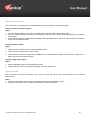
Versioning feature maintains upto 30 previous versions of all the files in your IBackup account on an everyday basis.
This implies that in case you had a prior version that was backed up in the last 30 days, you should be able recover
via the Versioning option. You can see the version of a file that is listed under 'Version' column on the 'My IBackup'
area. The version number increases as you update the file.
Copyright © ProSoftnet Corporation. All Rights Reserved.
25
43
To check the Version History of any file, follow these steps:
1. Right-click on the desired file and select 'Version History'.
2.
3.
4.
5.
The 'File Version' screen is displayed with the list of file versions, modified date and the file size.
Select the version to restore the desired file and click 'Restore'.
Select a drive/folder in your local computer to restore.
Click on the 'Restore' button to restore the selected version of a file.
Copyright © ProSoftnet Corporation. All Rights Reserved.
26
43
Share
The Share file/folder feature in IBackup for Windows allows you to share data with your associates in the following
ways for collaborative access.
Note:
Sharing option is available only for IBackup accounts with default encryption. Private encryption key holders will not
be able to share files / folders.
Select files/folders and click the 'Share' icon on the tool bar.
Alternately, right click on the files/folders you wish to share and from the menu displayed, click on the 'Share
File/Folder' option.
Copyright © ProSoftnet Corporation. All Rights Reserved.
27
43
This takes you to the 'Share Files and Folders' window from where you can set the share parameters and enter the
email address of the recipient(s).
Location: Shows the location of shared file / folder in your account.
Copyright © ProSoftnet Corporation. All Rights Reserved.
28
43
Write Enabled: Permits your associate to modify and upload the shared file / folder to your account.
Upload new file: Allows your associate to upload a new file to your account.
Image Gallery View: Allows your associate to view all the pictures as thumbnails.
Number of Downloads: The number of downloads permitted for your shared file / folder before the link expires.
Number of days: The duration for which the shared link would be active.
Password: Safeguard the shared file / folder by providing a password and sharing the same with your associates.
Mail Details: Enter the email addresses of the recipient with whom you wish to share the files/folders.
Share: Click Share to email the share link to your associates.
Trash
Trash feature helps you recover files that are deleted by accident from your IBackup account. This is an added
protection for your critical data that may be lost due to unintentional events. By default, files deleted using delete
command will be moved to Trash. The files in Trash will automatically get deleted after a 30 day (this may change
without notice) period.
Note: While deleting a particular file, all its previous versions will be deleted from the IBackup for Windows account.
You can restore your deleted files to the desired location in your IBackup account or any location in your local
computer. Option is also available to delete files from Trash permanently.
To manage your files in trash, click on the 'Trash' icon in IBackup for Windows interface. The deleted files are listed
out. In the 'Trash Search' option that is displayed, provide the full / partial file name to locate the same.
Copyright © ProSoftnet Corporation. All Rights Reserved.
29
43
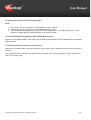
To restore files from the Trash, follow these steps:
Steps:
1. Click 'Trash' icon on the toolbar. The files available in Trash are listed.
2. Select the check box to restore / move the desired files from Trash.
3. Click the 'Move to Original' button to move files to the original location in your IBackup account or click
Restore' to restore files to the desired location in your local computer.
To view files deleted from a specific folder in the IBackup account:
Right-click on the desired folder > click 'View Trash' from the menu displayed. The files deleted from the respective
folder are listed.
To restore the previous version of a file from trash:
Right-click on the desired file in Trash and select the ‘View Version’ option. Select the required version and click on
‘Restore’.
Click ‘Delete Forever’ to delete the files permanently from Trash, if it is no longer required. To clear all the files in
Trash, click ‘Empty Trash’.
Copyright © ProSoftnet Corporation. All Rights Reserved.
30
43
Set Preferences
The Preferences option allows you to change the default settings of IBackup for Windows.
To access the Preferences option, go to Tools menu > Preferences.
It has three tabs:
•
•
General
Exclude files/folders
General tab Options
Enable 'Mirror Path'
Select this option to maintain the folder hierarchy on your local computer, in your IBackup account.
Note: The 'Mirror Path' or 'Relative Path' can be set directly from the application Tool Bar.
Multiple PC Backup
On selecting this option, you can backup data from multiple computers to a single IBackup account. You can change
the name of the folder for the Multiple Computer backup with the help of the “Mutiple PC backup settings” option in the
“preferences” screen.
Copyright © ProSoftnet Corporation. All Rights Reserved.
31
43
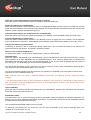
Notify me on the Desktop when the scheduled job is complete
Select this option to receive desktop alerts on completion of the scheduled jobs.
Enable Cut-Off time for scheduled jobs
Select this option and set a time at which you want your scheduled backups to come to a halt. The backup is resumed
at the next scheduled time, from the point it was stopped. This ensures that the scheduled backups are not executed
when the normal computer operations are going-on.
Automatic power off after the completion of the scheduled jobs
Select this option to shut down the system automatically on completion of the scheduled backup and restore jobs.
Connect automatically on reboot/logon
Select this option to automatically connect to your IBackup account on logging into your computer. This is applicable
only if the 'Remember Username / 'Email address' and 'Password' options have been enabled on the 'Login' screen.
Compresses data during transmission
In IBackup for Windows, data is compressed during transmission. This increases the speed of file transfer and
reduces the load on the network. This option is enabled by default.
Alert me if the scheduled backup fails
On selecting this option, you will receive desktop alerts in case your backup fails.
Automatic Sync
Select this option to automatically sync folders between your PC and IBackup account with a minimum lag of 10 days
and a maximum of 30 days (applicable only for scheduled backups). Thus, if data is deleted from your desktop that
has already been backed up previously, the corresponding data in your account would be deleted after the number of
days set by you. This helps keep your account size at optimal levels.
You can set the percentage of files* (minimum of 5% and a maximum of 25%) to be considered for Automatic Sync
with reference to the total backed up data in your account.*
You will receive email intimation once the automatic sync operation is completed if you have opted to receive email
notification for your scheduled backup job.
Note: Automatic Sync may result in automatic deletion of data from your IBackup account, use/set this option
carefully.
* The percentage mention refers to files considered for deletion in your account as a percentage of total number of
files. The purpose of this percentage-based control is to avoid large deletion of files in your account due to some
unforeseen event on your PC.
Open file Backup
Select this option to backup open files like Outlook files (.pst), QuickBooks, Quicken, ACT, MS-Money, MS-Word, MSExcel, MS-Access, MS FoxPro and so on.
Bandwidth Throttle
This option allows you to set the percentage of Internet bandwidth used by the IBackup for Windows application. It is
helpful if you are using multiple Internet-based applications. This effectively divides the Internet bandwidth between
the applications and maintains their efficiency.
You can adjust the bandwidth usage from the scroll bar.
On selecting 'Auto Pause' from the check box, you can set the bandwidth to be used for backups, when your
computer is in use and when it is not.
Copyright © ProSoftnet Corporation. All Rights Reserved.
32
43
Bandwidth throttle can be adjusted during the interactive and scheduled backup process in the Backup Progress
dialog. This can also be done through the IBackup for Windows tray icon.
Note: This feature is only available for Windows XP, Vista, 2003 and 2008.
Exclude Files and Folders
IBackup for Windows allows you to exclude files/folders from being backed up even during interactive and scheduled
backup.
For this, go to Tools > Preferences > click the Exclude Files/Folders tab.
You can exclude files/folders in the following ways:
Exclude files / folders based on full path name
Right-click anywhere on the 'Folders with full path names' / 'File with full path names' list box and click the 'Insert'
option from the sub-menu.
Browse to select a folder / file under 'My Files' and click the 'OK' button.
The selected folder / file is visible in the list box and will be excluded from backup.
Copyright © ProSoftnet Corporation. All Rights Reserved.
33
43
Exclude files / folders based on full / partial name
Right-click anywhere on the 'Folders with partial names' / 'Files with partial names list box' and click the 'Insert' option
from the sub-menu.
In the dialog box that is displayed, enter the full or partial name of the folder/file that you want to exclude from backup
and click the 'OK' button.
The folder(s) / file(s) with the exclude criteria are visible in the list box and will be excluded from backup.
Note: To backup an item, which is on the exclude list, right-click the corresponding list box and click 'Delete' from the
sub-menu.
Folder and files excluded by default by the application cannot be removed from the list.
From the main window
1. On the main window of IBackup for Windows application, select a file / folder under ' My Files'
2. Right click on the folder you wish to exclude and click on 'Exclude this folder from backup'.
3. View the excluded files/folders from the Default BackupSet pane. Right click on the file/folder and click on 'View
Exclusions'.
Copyright © ProSoftnet Corporation. All Rights Reserved.
34
43
4. The 'Excluded files/folders list' window is displayed. Right click to remove files/folders from exclusion.
Copyright © ProSoftnet Corporation. All Rights Reserved.
35
43
What do wildcard characters represent?
‘?’ - Represents only one character.
Example: To exclude a folder named “JAMES”, enter “JAME?” Here, the “?” replaces or represents a single character.
The folder “JAME?” will be added in the section Exclude folders with partial name.
During schedule backup, the IBackup for Windows application will search for the folder containing a total of five
characters with four previous characters matching “JAME” and excludes this folder from being backed up.
“*” - Represents one or more character(s). Use “*” (asterisk) if you want to include all the folders.
Example: To exclude all the folders, just enter “*” and click OK. The folder “*” will be added to the Exclude folders with
partial name section.
During schedule backup, the IBackup for Windows application considers all the folders present in My Computer and
excludes them from being backed up.
To exclude a folder named “JAMES”, you can enter “J*”. Here, the “*” replaces or represents the remaining characters
of the folder “JAMES”.
The folder “J*” will be added to the Exclude folders with partial name section. During scheduled backup, the IBackup
for Windows application will search for the folders starting with letter “J” and exclude them from being backed up.
Copyright © ProSoftnet Corporation. All Rights Reserved.
36
43
Adjust Internet Bandwidth Usage
The 'Bandwidth Throttle' option allows you to set the percentage of Internet bandwidth used by IBackup for Windows
application. This is helpful if you are using multiple Internet-based applications as it divides the bandwidth between the
applications.
Steps to set the Internet bandwidth
From 'Tools', go to 'Preferences' and click the 'General Tab'.
Use the scroll bar to set the percentage of Internet bandwidth to be used by the IBackup for Windows application.
Auto Pause: Select the 'Auto-Pause' option from the check box to use this option.
This option lets you set the bandwidth to be used for backups, when your computer is in use and when it is not.
Steps to adjust the Internet bandwidth while Interactive backup is in progress
1. In the IBackup for Windows main window, select files / folders for backup under ' My Files'.
2. Click the 'Backup Now' button. The 'Backup Progress' dialog is displayed.
3. Use the scroll bar and set the percentage of the Internet bandwidth to be used by the IBackup for Windows
application.
Steps to adjust the Internet bandwidth while scheduled backup is in progress, using the IBackup for Windows
Monitor
1.
2.
3.
4.
5.
6.
In the IBackup for Windows main application window, on the 'My Files' pane, select the files / folders for backup.
Click the 'Schedule' button and schedule the backup for a future time.
Right-click the IBackup for Windows Monitor icon in the tray bar.
Select the 'Open Status Indicator' option. The IBackup for Windows Monitor is displayed.
Click 'Refresh' to view the details of the current scheduled backup job.
Use the scroll bar and set the percentage of the Internet bandwidth to be used by the IBackup for Windows
application.
Copyright © ProSoftnet Corporation. All Rights Reserved.
37
43
Send Error Report
The Send Error Report feature lets you send a query to the IBackup Technical Support team, in case you encounter
any technical or functional problem while working with IBackup for Windows.
1. Login to your IBackup for Windows application.
2. In the main window of IBackup for Windows application, from the Help menu, select the 'Send Error Report'
option.
3. In the 'Report Feedback' window that is displayed, enter your IBackup Username, Email ID, Contact number and
so on.
4. In the 'Message' box, explain your problem in detail.
5. Click the 'Send' button to send your feedback or query to the IBackup Technical Support team.
6. You will receive an email from the IBackup support team containing the Ticket Number for your query. You can
use this as a referral in case you face the same problem again or find that it has not been resolved. For this
purpose, in the 'Reports Feedback' window, a text box for Trouble Ticket No is provided. Here, enter the Ticket
Number sent to you from the support team.
7. You can do the same from IBackup for Windows Monitor tray icon present on the tray bar.
Copyright © ProSoftnet Corporation. All Rights Reserved.
38
43
Web Based Backup set / Schedule Management
You can manage your Default Backup set, schedule backup jobs and view detailed logs from the IBackup web
interface, using any web browser.
Manage Default Backup set contents online:
Login to your IBackup account via any web browser and click the ‘Remote Manage’ icon. This opens the Backup
Manager screen, from where you can perform the following functions:
Add data to Default Backup set
Steps
1. Select the files/folders to be backed up, using the check boxes.
2. Click the 'Update Default Backup set' to update your Backup set.
Schedule a Backup
Steps
1. Click the 'Schedule Manager' button. Select the backup day(s), time and notification type among other options.
2. Click 'Update Scheduler' to update the scheduled backup details
Logs:
You can also view the following logs:
Session Log
Lists the log files created for each of your backup and restore sessions.
Copyright © ProSoftnet Corporation. All Rights Reserved.
39
43
Steps to view the Session logs
1. Click the 'View Session Log' button. The list of session logs is displayed.
2. Click the specific Session log that you want to view. A 'File download' dialog box is displayed.
3. Click 'Open' to view the log, 'Save' to save the log file on your computer or 'Cancel' to cancel it.
Schedule Log
This option allows you to view the schedule log history of your backup and restore functions performed using the
IBackup for Windows desktop application.
Steps to view the Schedule logs
1. Click the 'View Schedule Log' button. A 'File download' dialog box is displayed.
2. Click 'Open' to view the log, 'Save' to save the log on your computer or 'Cancel' to cancel it.
Delete data from the Default Backup set
1. In the 'Contents of Default Backup set' section, deselect the files/folders that you wish to remove from your Backup
Set, using the check boxes provided.
2. Click the 'Update Default Backup set' to update your Backup set.
Note: You can disable the 'Web Management' option by right clicking on the IBackup for Windows tray icon and unchecking the option.
Copyright © ProSoftnet Corporation. All Rights Reserved.
40
43
Using the Tray Icon
On installing IBackup for Windows application, the IBackup for Windows Monitor tray icon
system tray of your computer.
is displayed on the
On right-clicking the IBackup for Windows Monitor tray icon, a shortcut menu appears as shown below.
Open Status Indicator
Selecting the 'Open Status Indicator' option opens the IBackup for Windows Monitor as shown below:
The IBackup for Windows Monitor displays the status of the service:
Copyright © ProSoftnet Corporation. All Rights Reserved.
41
43
•
•
•
Stopped - Red-color indicator
Unknown - Yellow-color indicator
Running - Green-color indicator (it indicates that the service is running).
IBackup for Windows Monitor Options
View Log
View log entries of all the recent sessions. In the log pane of the IBackup for Windows Monitor, log details of the last
20 sessions are displayed.
Refresh
Update the service status and the log entries.
Stop Transfer
Stop the scheduled backup task in progress. Stopping the transfer updates the scheduler entry. The transfer will not
be attempted till the next transfer time.
Details
View the details of recent logs generated by the application.
Close
Close the IBackup for Windows Monitor dialog.
Help
Access the IBackup Help Guide.
Launch IBackup for Windows
Opens the IBackup for Windows application.
Backup Now
Take an immediate backup of the selected Backup set without logging into the application.
Update Password
Update your password for the scheduled backup/restore job, without logging into the application
Manage all the Scheduled jobs
Manage the scheduled backup/restore jobs and view the scheduled backup/restore jobs of other users. You can also
delete the scheduled backup/restore jobs of the expired IBackup accounts.
Enable / Disable all the scheduled jobs
Enable or disable all the scheduled backup and restore jobs.
Web Management
Manage your default Backup set and its schedule from the web.
Send Error Report
Contact IBackup support team for queries, suggestions or feedback.
View Log
View the recent session logs.
Shutdown Indicator
Closes the IBackup for Windows Monitor tray icon.
Copyright © ProSoftnet Corporation. All Rights Reserved.
42
43
Technical Support
Pro Softnet Corporation,
IBackup Division,
26115 Mureau Road, Suite A,
Calabasas, CA 91302.
Telephone
1-800-949-3555 ext 3 within USA
1-818-251-4200 ext 3 outside USA
Monday - Friday, 6:00 AM to 6:00 PM PST
Fax
1-818-878-9208
Email address
[email protected]
For more information visit: http://www.ibackup.com/
Copyright © ProSoftnet Corporation. All Rights Reserved.
43