1
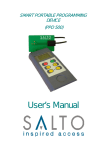
SALTO PPD 200
Page: 3
5,6 and 7. ACTIVE KEY ICONS: Represent which PPD keys are
active.
PPD KEYS
This key has two functions .It turns the PPD on when
pressed, and also works like the ESCAPE key on a
computer, ie, it returns you to the previous screen.
If you press and hold down this key for 3 seconds, the
PPD turns off.
This key works like the ENTER key in a computer. It
validates any menu option shown in the display when
pressed. If you press and hold down this key for 3
seconds, it enable/disables the PPD back lighting.
This key is used to go through several menu options.
(upwards ).
This key is used to go through several menu options.
(Downwards).
-
This key is used to decrease the LCD contrast.
+
This key is used to increase the LCD contrast.
A PPD key function will be active if the relevant icon is shown in the
display.
The PPD turns off automatically after two minutes without activity.
The PPD back light will turn off automatically, after twenty seconds
if no key is pressed.
3