1
3.2.1 Menu Selections
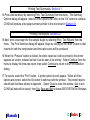
Print menu selections:
Test Reports - begins the process of printing or previewing test reports by displaying
the print selection dialog. Refer to Section 4.2 for details on this option.
Test Summary - begins the process of printing test summaries. Refer to Section 4.1
for details on this option.
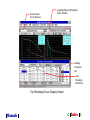
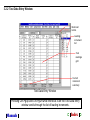
Window menu selections: lists the four available windows on the test readings data entry
screen. Selecting a window from the list will shift the focus to that window.
The window that currently has the focus is listed next to a check mark.
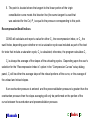
Edit menu selections: The edit menu allows you to make additions or deletions to be made
to the data entered into the test readings window.
Note that this menu may also be displayed by clicking the right mouse button
anywhere within the test readings data entry window.
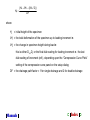
Insert a Readings Line - this menu option allows the insertion time/dial reading data
into an existing loading increment. To do this, position the cursor at the beginning of
the line that will appear AFTER the line to be inserted, and select Insert a Readings
Line.
Manuals
➲ Index ➲