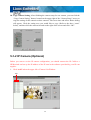
1
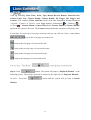
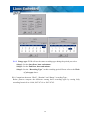
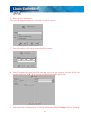
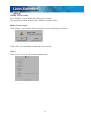
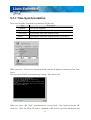
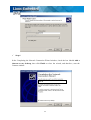
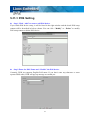
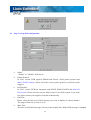
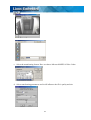
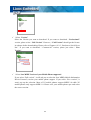
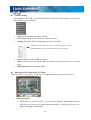
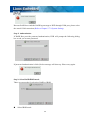
Step #2 Click “ Verify files in disc after burning” and enter “OK” button to save the
burning configuration.
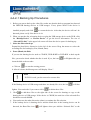
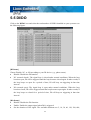
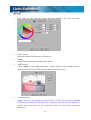
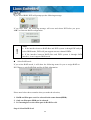
Step #3 Start to proceed with file burning. Please refer Chapter 4-4-2-1 Backing Up
Procedures.
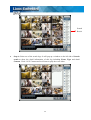
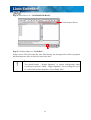
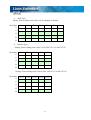
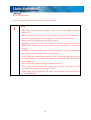
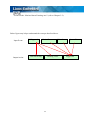
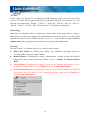
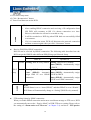
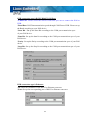
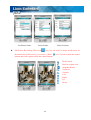
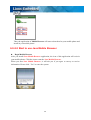
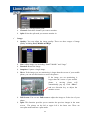
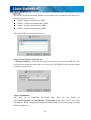
Step #4 Verification Report
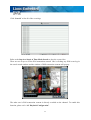
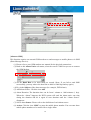
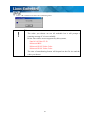
After files burning are complete, the DVR will automatically create a verification report
as below.
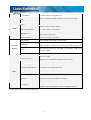
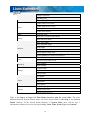
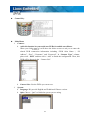
Verification Progress
Current
Status
Verification Summary
List of
Unverifiable Files
Failed
to
verification
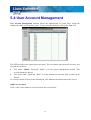
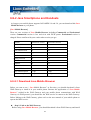
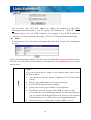
Verification Summary:
Total Files: The numbers of files that should be verified.
Unchecked Files: The numbers of files that are not checked.
Successful Files: The numbers of files that are successfully checked.
Failed Files: The numbers of files that are failed to burn to the disc or failed to
add digital signature.
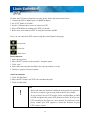
Unverifiable Files: The numbers of unverifiable files. If you don’t enable
“ Digital Signature” when recording, the recording files can’t be verified
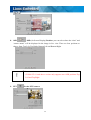
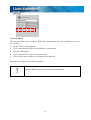
Manual verification after files burning
41