1
Contents
Features .................................................................................................................................................... 3
Hardware Overview .................................................................................................................................. 4
Quickstart Guide ........................................................................................................................................... 5
Android Application Operation ..................................................................................................................... 6
Launching and Connecting ........................................................................................................................ 6
Main Display.............................................................................................................................................. 7
Configuring Channels ................................................................................................................................ 7
Quadrature Devices .............................................................................................................................. 8
Digimatic Devices .................................................................................................................................. 9
External Data Connection ............................................................................................................................. 9
PC USB Connection ................................................................................................................................... 9
RS-232 Serial Connection ........................................................................................................................ 12
Communication Protocol ........................................................................................................................ 12
Parameter List ......................................................................................................................................... 13
File Transfer from Tablet......................................................................................................................... 14
Transfer via SD Card (microSD cards can be purchased from you local computer store) .................. 14
Transfer via USB Connection............................................................................................................... 16
Transfer to Cloud Storage ................................................................................................................... 16
Supplemental Information .......................................................................................................................... 18
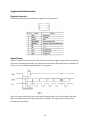
Digimatic Interface .................................................................................................................................. 18
Signal Timing ........................................................................................................................................... 18
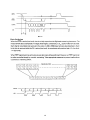
Data Ordering.......................................................................................................................................... 19
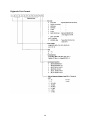
Digimatic Data Format ............................................................................................................................ 20
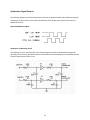
Quadrature Signal Format ...................................................................................................................... 21
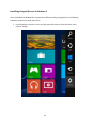
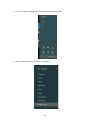
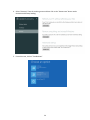
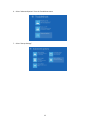
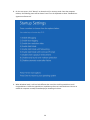
Installing Unsigned Drivers in Windows 8 .............................................................................................. 22
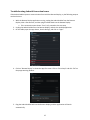
Troubleshooting Android Connection Issues .......................................................................................... 27
2