1
windows, tracking, image sharpening and blur, matte blur, etc. Serial nodes are
added one after the other in a cascade mode similar to adding one layer of
correction on top of the last. All grades in a preceding node(s) will impact the
source image and therefore the grades in following nodes.
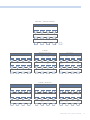
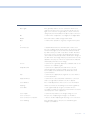
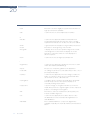
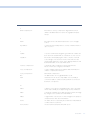
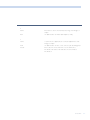
Add Parallel: Unlike adding serial node, adding a parallel node actually adds two nodes. One
behaves like a Serial node with full color correction capabilities. The second
is a Parallel Mixer node. This mixer accepts the image from the original Serial
node and from the new Serial node and the output is a mix of these two. If the
current node is one of these Serial nodes immediately preceding the Parallel
Mixer node and you select ‘Add Parallel’ again, another input to the mixer will
be created as will another preceding Serial node. In each case, the input to
these Serial nodes will be common, effectively making them in parallel to each
other. The key advantage here is that the source image is available to many
nodes whereas in a straight Serial Node Graph, each time you restrict a color in
a node the following nodes have little ability or limited range to use that color.
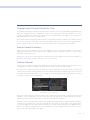
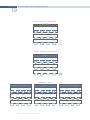
Add Layer: The Layer node is similar to the Parallel node in that it accepts the image
inputs from more than one node. The key difference to a parallel is that the
mixing of the inputs is prioritized towards the latest additions to the input list
of the Layer node. As an example, select Add Layer and DaVinci Resolve will
add a node in parallel to the current node and link the output of the current
and the newly made Parallel node to the two inputs of the Layer node. The
previous current node will have the lowest priority in the mix, and the newly
made Parallel node the highest priority. Add one more Layer node, a third input
node will be created with a higher mix priority than the first two nodes.
Append Node: Often when navigating around the Node Graph and making correction trims,
the Colorist decides he/she needs an additional node for more correction.
Using the ‘Append Node’ key will always add a Serial node to the very end of
the Node Graph, regardless of which node in the graph is the current node.
DAVINCI RESOLVE CONTROL SURFACE
295