1
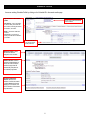
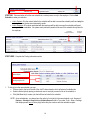
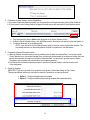
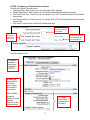
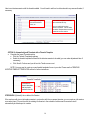
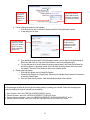
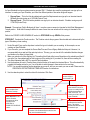
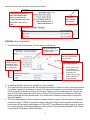
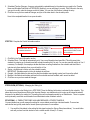
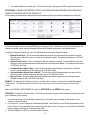
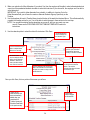
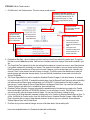
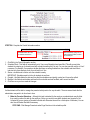
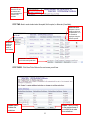
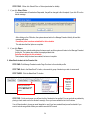
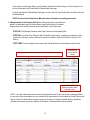
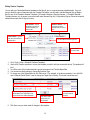
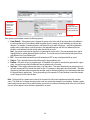
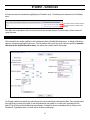
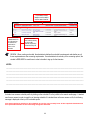
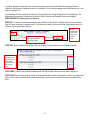
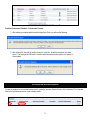
Each packet template contains the following options: From (Default) – If a packet is e-mailed by an administrator or employer the e-mail will sent using the e-mail address in the administrator’s or employer’s profile as the From address unless the profile does not contain an email address then it will use this address. Subject – This is the default subject that will be used if a packet is e-mailed. Body – This is the default text that will be used in body of the e-mail if a packet is e-mailed. You can used the HTML editor controls to add formatting such as bold and italics, bulleted lists, or inserting web links. SYSTEM EVENTS (EMAILS) The events listed in the Manage System Events section are system emails. Each event listed is an email that is sent by the system based on when that event occurs and certain options in that event. To access these Templates go to Tools > Setup > Templates > Manage System Events. Here are the system event (email) templates you will want to review, possibly customize and enable when working with Interview Schedules. ADMIN - Employer Submitted Schedule Preselect Picks Occurs when an employer submits preselection picks. [Edit] ADMIN - Preselects Incomplete (nightly) Occurs if preselect picks have not been completed. It is sent when the preselect due date is the number of lag days away. [Edit] ADMIN - Schedule Full Occurs once all sessions for a schedule are full. [Edit] ADMIN - Student Cancelled Infosession RSVP ADMIN - Student Cancelled Interview ADMIN - Student Changed Interview Time Occurs when a student cancels an information session RSVP. Occurs when a student cancels off an interview timeslot. EMPLOYER - Preselects Incomplete (nightly) EMPLOYER - Schedule Approaching PRS Closed (nightly) EMPLOYER - Schedule Approaching PRS Pick Date (nightly) EMPLOYER - Schedule Approved EMPLOYER - Schedule Full Occurs when a student changes an interview timeslot. Occurs if preselect picks have not been completed. It is sent when the preselect due date is the number of lag days away. Occurs to notify an employer that a preselect schedule is about to close to allow pick submission. It is sent when the closed period is the number of lag days away. Occurs to remind an employer when preselect picks are due on a schedule. It is sent when the due date is the number of lag days away. Occurs when a schedule is changed from a pending to active status. Occurs once all sessions for a schedule are full. Occurs to remind a student of an upcoming interview. STUDENT - Schedule It is sent when the interview is the number of lag days Approaching Interview (nightly) away. Occurs to remind an accepted student that the FCFS STUDENT - Schedule sign-up period for a schedule is approaching. It is sent Approaching Sign up for FCFS when the sign-up period is the number of lag days (nightly) away. Occurs to remind an alternate student that the FCFS Alt STUDENT - Schedule sign-up period for a schedule is approaching. It is sent Approaching Sign up for FCFS when the sign-up period is the number of lag days Alt (nightly) away. STUDENT - Schedule Picks Occurs when preselect picks are submitted. It is sent to Submitted - Alternate those students that are accepted as alternates. STUDENT - Schedule Picks Occurs when preselect picks are submitted. It is sent to Submitted - Approved those students that are accepted. STUDENT - Schedule Picks Occurs when preselect picks are submitted. It is sent to Submitted – Not Accepted those students that are rejected. 59 [Edit] [Edit] [Edit] [Edit] [Edit] [Edit] [Edit] [Edit] [Edit] [Edit] [Edit] [Edit] [Edit] [Edit]