1
Table of
Table of Contents
G-CONNECT Wireless Storage..................1
Table of Contents......................................2
Safety & General Use................................3
Safety Precautions........................................................ 4
FCC Statement............................................................... 5
Removing the Battery for Recycling...................... 7
Welcome to G-CONNECT..........................8
Introduction.................................................................... 9
System Requirements................................................10
Hardware Specifications ..........................................11
Setting Up G-CONNECT......................... 13
STEP 1: Turn on G-CONNECT ..................................14
STEP 2: Connect to Wireless Network..................14
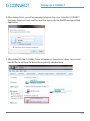
STEP 3: Setup Your Device.......................................16
Add Content to G-CONNECT..................................19
Copy Content in USB Mode.....................................20
Copy Content as a Network Drive (Mac).............21
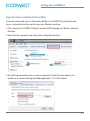
Copy Content as a Network Drive (Win).............22
Upload Files with Web Application......................24
Overview of Web Application............... 25
Sign into Web Application.......................................26
Admin and Guest Users............................................26
Getting Started............................................................27
User Interface...............................................................28
Navigation Bar..............................................................29
Header Bar.....................................................................30
Main User Interface (UI) Screen.............................31
File Browser...................................................................33
Media Browser.............................................................34
Overview of iPad/iPhone App.............. 35
Launch the iPad App..................................................36
Getting Started............................................................39
Navigation Bar..............................................................40
Preferences: iPad App................................................41
Main User Interface (UI)............................................42
Header Bar.....................................................................43
Offline Mode.................................................................44
Unique G-CONNECT Features............... 45
Stream Content to Other Devices.........................46
Create a Wi-Fi Hotspot...............................................46
Private and Public Content......................................47
Provide Guest Access.................................................47
Offline Mode for iPad ................................................48
Additional Resources............................ 49
Connecting to the Internet......................................50
Web Application Preferences ................................50
How to View Files: Web Application.....................55
How to View Files: iPad App....................................56
Sharing Files..................................................................57
Uploading Files: Web Application.........................57
Downloading Files......................................................58
Frequently Asked Questions................ 59
Supported iPad Video Formats..............................60
Enable Gigabit Ethernet Connection...................60
Factory Reset/Reset Your Device...........................61
Problems with Connectivity....................................62
Use with Apple Time Machine®........................... 62
Drive Formatting.........................................................62
Links to Support Page ..............................................62
Support & Warranty............................... 63
Technical Support.......................................................64
Limited Warranty.........................................................65
Copyright.......................................................................67
p.2