1
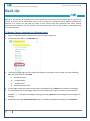
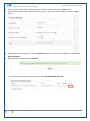
Al Maarefa Colleges for Science and Technology User Manual-Introduction to Moodle Back Up Backup is the activity of copying your course materials so that they will be preserved in case of any failure. A course can be saved with some or all of its parts by using the course backup. Backup and Restore of a course can be used to create a new course using the material from other course. Resources and activities can be “copied” into the new course, but not the students’ information and their contributions. To Backup Course, complete the following steps: 1. Log in to Moodle and then select the course you want to back up. 2. In administration block, click Backup link. 3. In backup setting page you first select the elements you want to save, make sure that following data are checked then click Next Include activities Include blocks Include filters Include question bank 4. In next page, select the resource you want to backup then click Next at the bottom of the page. 5. In confirmation and review page, make sure that all data you want to include in your backup is checked . If you want to change anything, click the previous button and go back to change the settings. 6. Scroll down and click perform backup button. If backup completed successfully click Continue. 2 Email: [email protected]