1
Navigating the Provider Mode Screens
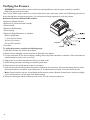
To navigate these display screens:
Turn the wheel to toggle between options and settings on the screen. Press the wheel to choose an option or setting that is
highlighted. If you choose “Back” on any screen, it will take you back to the previous screen.
Note: Choose “EXIT” from the Provider Screen will exit provider mode and the device will return to the Home Screen
in the patient mode.
Note: Provider mode will time out after 1 minute of inactivity and automatically exit the provider mode and return to the
Home Screen in the patient mode.
Provider Mode Screen Descriptions
The following sections will describe the options available under the 3 choices from the Provider Screen (Reminder, Setup, and Info).
Reminder Screen
Reminder
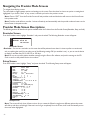
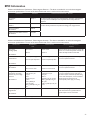
From the Provider screen, highlight “Reminder” and press the wheel. The following Reminder screen will appear.
Back
Reminder off 30 90
180 270 365
Reminder Screen
• Reminder - You can set a reminder on this screen that will let patients know when it is time to perform a certain task,
such as replacing the mask.You can select one of the following settings: Off (no reminder is set), or you can set the device
to display a reminder after 30, 90, 180, 270, or 365 days.
Note: You can set a specific patient reminder message using the Encore Pro software, and put this message on the SD
Card or send it to the patient’s device via a modem.
Setup Screen
Setup
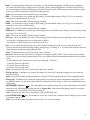
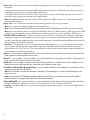
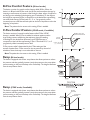
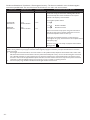
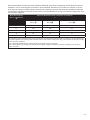
From the Provider screen, highlight “Setup” and press the wheel. The following Setup screen will appear.
Back
Mode
BiLevel CPAP
IPAP
(EPAP) - 25.0
EPAP
4.0 - (IPAP)
CPAP pres
4.0 - 20.0
Flex type
None
Bi-Flex / C-Flex
Flex
1
2
3
Rise time
0
1
2
3
Tubing type lock on off
Tubing type
15 22
SYSTEM ONE resistance
0 X1 X2 X3 X4 X5
Lock SYSTEM ONE on off
Ramp time
0:00 - 0:45
Ramp start
4.0 - (EPAP / CPAP pres)
SYSTEM ONE humidification on off
Humidifier
0 1 2 3 4 5
Auto on
on off
Auto off
on off
Mask alert
on off
Humidifier LED Backlight on off
Show AHI/leak/PB
on off
Language
EN ES
Back
Setup Screen
Note: The screen will only show 4 lines at a time. As you rotate the Wheel to toggle over different options the screen
will slide up and down accordingly. If the text is too long to completely fit on the screen, it will scroll horizontally across
the screen when highlighted.
-2-