1
User Manual RFEX
User Interface
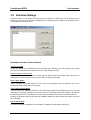
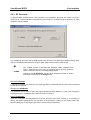
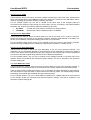
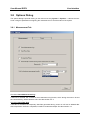
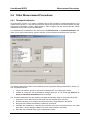
Selection box Type
The following devices can be selected as switch unit:
•
None. In this case, antenna polarisation must be changed by hand. The user will be prompted
to do so if polarisation is due to change during the measurement.
•
Automatic Antenna Switch Unit, Type DEV 9801
•
Tri-Axis Probe (only for TS-EMF; is used to switch the three axis of the sensor)
Availability of the other control elements depends on which instrument is selected.
Selection box Interface
This selection is only active for the device DEV 9801 and allows to select the serial interface port to be
used (COM1 to COM4).
*
The TS-EMF tri-axis probe is switched via a USB interface. Therefore, no
address selection is required.
TS-EMF
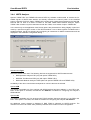
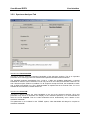
Button Test…
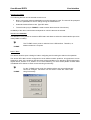
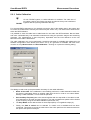
This button allows to open a dialog for further configuring and for testing the switch unit’s operation.
The device DEV 9801 can be configured for seven different switch positions. A logical name can be
assigned to each of the positions and this name will be used later on for switching. RFEX requires the
logical names „Position 1“ to „Position 7“ for correct switching. For each switch position a button Test
is available which allows to check correct switching functionality.
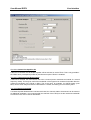
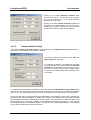
*
TS-EMF
For the TS-EMF tri-axis probe, the switch positions are pre-configured and
cannot be changed. This button can be used to check the correct switching functionality.
21
E-1