1
PCAN-Wireless Gateway – User Manual
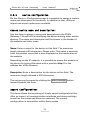
Gateway 1 > Send Route A
Route Direction
Send: CAN > IP
Status
Activate
CAN
Channel 1 (connected to CAN bus A)
IP Interface
IP-Address
192.168.1.202 (address of Gateway 2)
Port
50000
Protocol
TCP
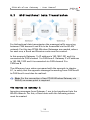
Gateway 1 is to accept the data packets sent via WLAN network by
Gateway 2, and pass the containing CAN messages through CAN
channel 1 into CAN bus A. For this, a Receive route with the
following values must be created.
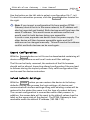
Gateway 1 > Receive Route B
Route Direction
Receive: IP > CAN
Status
Activate
IP Interface
Port
25000 (like the Send route B)
Protocol
TCP (like the Send route B)
CAN
Channel 1 (connected to CAN bus A)
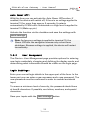
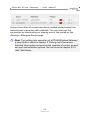
After saving, the routes on Gateway 1 will be displayed on the
Routing > Manage Routes page as follows.
The Routes on Gateway 2:
Gateway 2 is to accept the data packets sent via WLAN network by
Gateway 1, and pass the containing CAN messages through CAN
60