1
Well, corruption of a database can occur for a variety of reasons. It is difficult to identify all the
possible reasons, but here are some issues that will almost certainly cause you difficulties.
5.
Shutting down Windows without following the prescribed shut down process. This can typically
happen when you suffer power failures. Whether or not a power failure will impact you depends on
what was happening in your database at the moment the power failure occurred.
6.
Shutting down Windows without first closing DXbase and allowing it to store your statistics.
7.
Flakey hardware. This covers hard disks with bad sectors, corrupted or failing memory, controller
board problems, and other hardware issues.
8.
Viruses. If you access the web and do not have antivirus software running, you will certainly
encounter viruses on your machine that can destroy your database.
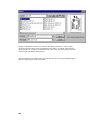
DxbPSK Performed Illegal Operation
If you attempt to run the DxbPSK program and receive an error message before the program boots up that says
DxbPSK attempted to perform an illegal operation, it probably means that the WinPSKX.DLL file did not get
registered properly during our installation. You can register the file yourself by following these steps:
Locate the file called regsvr32.exe that will be located in your Windows/System folder on
Win95/98/ME. On NT and Win2000 it is located in your WinNT/System32 folder. Copy
regsvr32.exe into your DXbase folder.
Open a command box ( sometimes called a DOS box ) and using the standard MSDOS command
for change directory, perform a CD to the full path of your DXbase folder. At the DOS prompt in
your DXbase folder, type the following command:
Regsvr32 WinPSKX.dll
( note there is one space between the 2 and the W ).
You should see a message that indicates that the file was successfully registered.
Now, you can try to run the DxbPSK program again. If you continue to have the same problem,
then there is some other problem.
90