1
EVALAg6400 Evaluation Board User Manual
1
1 Table of Contents
1 2 3 4 Table of Contents
1 Table of Figures
1 Introduction
2 Board Description
2 4.1 Input Power ......................................................................................................... 4 4.2 Data Inputs .......................................................................................................... 4 4.3 Data and Power Outputs ..................................................................................... 4 4.4 Ag6400 Power Supplies ...................................................................................... 6 4.5 Output Status LEDs............................................................................................. 6 4.6 Selection Switches .............................................................................................. 6 4.7 Software Interface ............................................................................................... 7 5 Equipment Required
8 6 Using the Board
9 6.1 Hardware Mode ................................................................................................... 9 6.2 Software Mode (on-board) .................................................................................. 9 6.3 Software Mode (external) .................................................................................. 10 2 Table of Figures
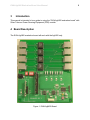
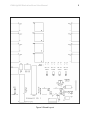
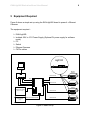
Figure 1: EVALAg6400 Board ......................................................................................... 2 Figure 2: Board Layout .................................................................................................... 3 Figure 3: Output Power Selector Links ............................................................................ 5 Figure 4: Selection Switches ........................................................................................... 6 Figure 5: I2C Control Circuit ............................................................................................ 7 Figure 6: Basic set-up ..................................................................................................... 8 Figure 7: External I2C Connections ............................................................................... 10