1
3
Introduction
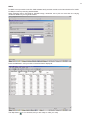
When installing PC-AXIS 2006 a new folder Pcaxis2006 and some files into the system folder are created on
the hard disk. File Pcaxis.exe in the folder Pcaxis2006 must be started to use PC-AXIS.
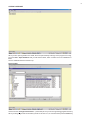
To create your own database it is recommended to create a folder for database and subfolders for subject
areas in the database. The tables in database are organised and displayed like any other files in Windows.
PC-AXIS allows presenting statistical tables and graphs. Usually statistical indicator is expressed using
specified characteristics called classification variables. In the title of the table, the list of classification
variables is automatically generated after “by”. One or more indicators can be presented in the table.
This instruction has been compiled according to those published in Denmark and Sweden.
The most important news in PC-AXIS 2006:
<
<
<
<
<
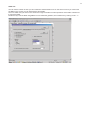
The table cells can get a thousand delimiter
Optional menu for long texts in variable values
A link between PC-AXIS and Excel is automatically established when istalling PC-AXIS
New function to produce HTML list of contents for PC-AXIS database
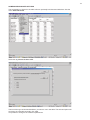
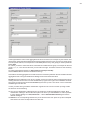
The possibility to save queries towards px-files and run them in batch. Start by selecting File Start
recording. Give the bat file a suitable name. Then do the selection, editing, calculation and conversion
you need and select File Stop recording. Go through all the pxq-files you see in the list and give them
suitable names. The saved queries can be run from PC-AXIS by Run saved query....
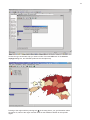
Instruction for creating maps has been added.