1
DIGITAL YACHT
WL400 Quick Start Guide
1. Introduction
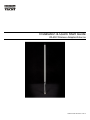
Congratulations on the purchase of your WL400 Wireless Adaptor/Antenna. This unit is designed for permanent or semipermanent installation on sail or motor vessels. The base of the WL400 is threaded and designed to be screwed in to a
suitable 1” x 14 TPI threaded VHF antenna mounting bracket (not supplied).
Before operating the unit you should familiarise yourself with this Quick Start Guide and the User Manual
of the computer equipment you wish to connect this product to
2. Before you start
The WL400 comes complete with a USB Memory Stick that includes all necessary Realtek drivers/software for the
following operating systems;
®
®
®
• Microsoft Windows XP , Windows Vista and Windows 7
• Apple Mac OS X 10.3, 10.4, 10.5, 10.6 and 10.7 (for Snow Leopard and Lion see Tech Note)
Note:
Compatible drivers for the WL400 are also included with some LINUX distributions such as the latest version of
Ubuntu. However, due to the wide variety of LINUX distributions available we cannot guarantee that the WL400
will work on all LINUX computers and suggest that users search for compatibility with the Realtek wireless
chipsets that the WL400 uses.
Do not plug in the WL400 to the USB port of your computer until you have inserted the driver USB
Memory Stick or CD-ROM.
3. Mounting the WL400 Antenna
The WL400 should be mounted at deck level, on the wheel house roof or radar arch. Unlike VHF, Wifi signals do not
benefit from being mounted at the top of a mast and this is not to be recommended. The WL400 is designed to be
screwed on to a standard 1” x 14 TPI threaded VHF mounting bracket (not supplied).
Ensure the USB lead is not connected and is coiled before attempting to attach the WL400 to the threaded mounting
bracket. Holding the coiled USB against the WL400, carefully screw the WL400 to the bracket, ensuring that the USB
lead does not become twisted.
The WL400 is supplied with a 5m USB cable. This is the maximum recommended length of USB cable and should not be
extended. If you do need to extend the cable, use a powered USB extension cable and only use one of these. Adding
multiple powered extensions has been found to affect the timing and power to the WL400 and can result in very poor
performance.
Getting the USB cable in to the boat can either be done in a temporary manner; feeding the cable through a partially
opened window or in a more permanent manner; drilling a hole through the boat’s wall or deck and fitting a suitable multipin connector – not supplied. This more permanent installation method should only be conducted by a suitably qualified or
experienced installation engineer.
Route the USB lead through to the computer that you wish to connect the WL400 to but DO NOT plug the USB lead in to
the computer. Proceed to the relevant “Getting Started Guide” section of this guide, that is applicable to the operating
system you are using.