1
• Attach the battery.
attery cover until it clicks into place.
• Push the ba
Installing Mem
mory Card
The phone su
upports T-Flash carrd, which is a multimedia memory card
used to multiply the memory of tthe phone. The T-fla
ash card is small and
should be pu
ulled out and installed carefully and prudently in order to
avoid any kind of damage.
• Switch off your
y
phone.
• Remove the battery cover.
• Open the external
e
cover of the
e T-Flash card slot.
• Slide the T-Flash card into the slot.
• Attach the battery.
• Push the ba
attery cover until it clicks into place.
Charging the Battery
The phone prompts
p
a warning tone and message
e stating insufficien
nt
battery when the battery power o
of your phone is low
w.
entioned below to ch
harge your phone:
Please follow the instructions me
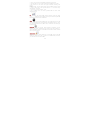
• Plug the co
onnector of the charrger into the jack of the phone.
• Plug the ch
harger into a standard AC wall outlet.
Note:
en, it indicates that there is not enough
When
is shown on the scree
y
should now ch
harge your phone.. When charging is
power and you
complete, the
e battery icon will sttop flashing.
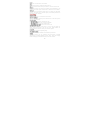
Charging…….
Fully Charged…
…….
ery before using the
e phone for the firs
st
You must fully charge the batte
time. It is re
ecommended to cha
arge the battery fo
or four hours before
using the pho
one for the first time
e.
If the phone is turned on during charging, you can still make or answe
er
calls, but this
s will consume batte
ery power, thus will extend the charging
time of the ph
hone.
Switch On/Offf the Phone
To turn on/offf the phone, press a
and hold the End/Po
ower key.
If you have enabled
e
the SIM Locck function then enter the PIN code (the
4 to 8 digits
s secret code of yo
our SIM card). It is
s preconfigured and
provided to you
y
by your networrk operator or retaiiler. If you enter an
incorrect PIN code 3 times in su
uccession, your SIM card will be locked
d.
y
must obtain a ccode from your netw
work operator.
To unlock it, you
6