1
Configuring the Printer in Media Client
Before you can print labels from Media Client, you need to first configure the printer properly. You will
need to have the proper security permissions in Media Client (check with your administrator if needed.)
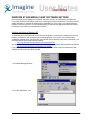
1. If Media Client is not running already, start it and log in.
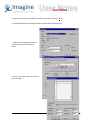
2. Click Properties>Barcode…
3. If you installed the intermec inter driver and are using the default capabilities of Media Client continue
with step 4 below. If you installed the “Generic / Text Only” driver then continue to step 11 below.
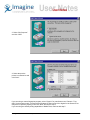
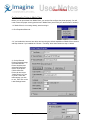
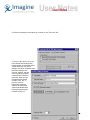
4. On the Barcode
Printing Properties page,
check the Barcode
Printer checkbox and
select the EasyCoder
601XP as the printer.
Click the Barcode
Printer tab and select
“Other Printer” as Type
of printer. Select the
label settings you wish
to use. Then click on the
Label Settings button.
© Imagine Communications Corp.
9