1
NETWORK II.5 User’s Manual
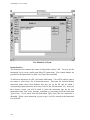
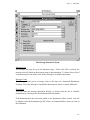
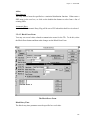
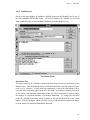
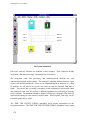
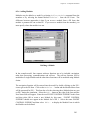
Most Message Instructions will send a message to a Destination using a Transfer Device.
This device must connect the sender and receiver, either directly or indirectly. To
transfer a message over more than one Transfer Device from source to destination
requires use of a Route. A Route defines a path from source to destination. The path
consists of a list of PE names with an optional allowed TD list for each PE. Routes are
covered as a separate topic in Section Routes.
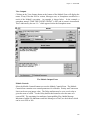
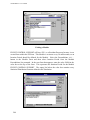
Sending a message to the Destination GLOBAL MESSAGE LIST does not send it to any
PE at all! Instead, it sends the message to a phantom list that all PEs have access to.
Since it is not sending a message to an actual PE, this instruction does not use a Transfer
Device and therefore executes in zero simulated time. This feature is very valuable when
you would like to schedule a fixed number of tasks (perhaps a number randomly chosen)
which have a choice of host processors. As an example, to model a parallel processor
that spawns n copies of a task that run on the first available of y PEs, just send n
messages to the Global Message List and define one Module that waits for that message
and runs on any of the y PEs.
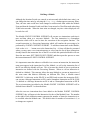
If the Destination is the reserved word ECHO, this instruction will send its Message Text
to the Processing Element that sent the “original message” (as previously defined) via the
same Transfer Device(s) on which it was received. If a message that arrives via the
Global Message List is to be ECHOed, a Transfer Device will be dynamically selected
from those TDs that link the source PE to the Destination. If no such TD exists, a
runtime warning message will be issued and the message will not be delivered.
If the Destination is the reserved word NEXT, this instruction will send its Message Text
to the Processing Element that appears next in the Route of the original message. If the
original message is not traveling along a route, a runtime warning message is produced.
If the Destination is a , this instruction will send the Message Text to every PE on the
selected Transfer Device whose name matches the given wild card name. The
Destination may also be the host PE executing this instruction. In this case, the PE is just
sending the message to itself. This takes zero time, and does not require a Transfer
Device.
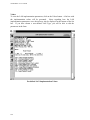
Finally, if the Destination is a Destination Mix, the ultimate destination for the message is
selected randomly according to the percentages specified in the mix.
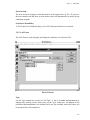
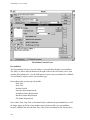
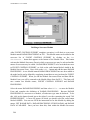
If the Allowed Transfer Device List is set to ANY (the default), it will be presumed that
any Transfer Device that connects the source and destination will be an acceptable path.
28