1
ENGLISH
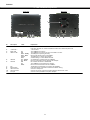
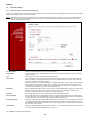
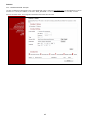
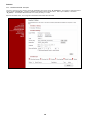
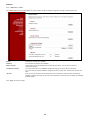
2. The CH3MNAS explained
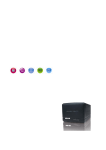
Back view
Front view
7
1
Nr
Description
1.
Power button
2.
3.
4.
< Reserved >
Power LED
HDD1/2 LED
5.
USB LED
6.
LAN LED
7.
8.
9.
10.
11.
Fan
Reset button
USB connection
LAN connection
DC Input
2
3 4 4 5 6
State
On
Off
Blue - Steady
Blue – Blink
Green
Red
On – Steady
On – Blink
Off
On
Blink
8
9
10
11
Explanation
Turn on or off the CH3MNAS.
Press once to power on. Press and hold the button for 5 seconds to power off.
< No function >
The CH3MNAS is turned on.
The CH3MNAS is turned off, or there is no HDD in the slot.
The HDD(s) are operating normally.
Data is read/written from/to the HDD(s).
The HDD(s) are in power saving mode.
A HDD is failing or a new HDD is installed.
An USB device is connected to the CH3MNAS.
Data is transmitted/received through the USB port.
No network connection is established.
The CH3MNAS is connected to the network.
Data is send/received to/from the CH3MNAS.
Temperature controlled fan for cooling the CH3MNAS.
Press and hold for 5 seconds to restore the default setting.
Connect a USB printer.
Connect the server to the local network through the Ethernet cable.
Connect to the provided AC/DC power adapter.
2