1
List Windows
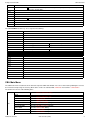
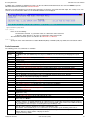
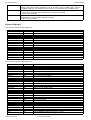
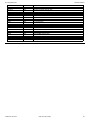
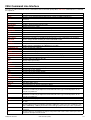
Prefix Commands
L
Open a Dataset List window for the entry.
Supported for Execute CBLVCAT windows only.
For VSE LIBR Library member list windows only, lock the LIBR member.
M
Open a Library List window for the entry.
Supported for MVS PDS/PDSE, VSE LIBR library and sub-library entries only.
Q
List dataset enqueues (major name SYSDSN) for the entry.
Supported for MVS only.
R
Rename the entry.
SD
Open the SDE BROWSE/EDIT Dialog Window to edit or browse the entry's data within a Structured Data Environment
window view.
Supported for MVS SELCOPY licensees only.
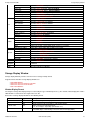
T
Issue a LISTVCAT operation against the entry with parameters TUNE and DEFINE.
For DASD Listwindows only, open the VTOC list window for the volume entry.
U
Unallocate the MVS DD name or UNLOCK the VSE LIBR member entry.
Entries may only be unallocated or unlocked by the user that originally allocated or locked it.
UT
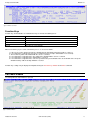
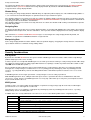
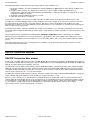
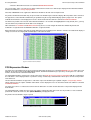
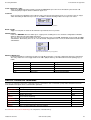
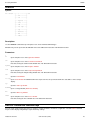
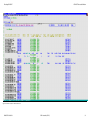
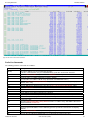
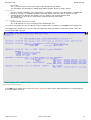
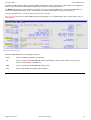
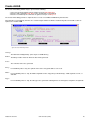
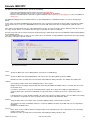
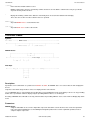
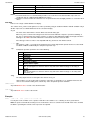
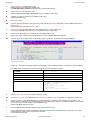
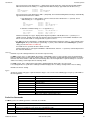
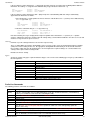
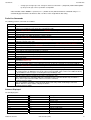
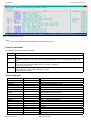
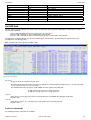
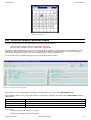
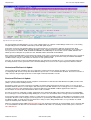
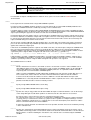
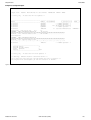
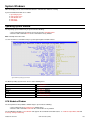
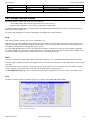
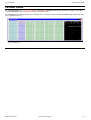
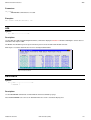
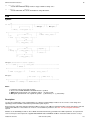
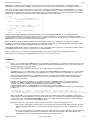
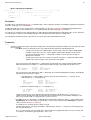
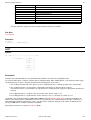
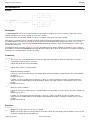
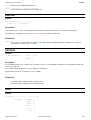
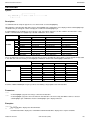
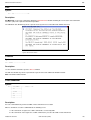
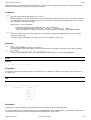
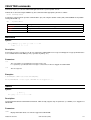
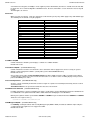
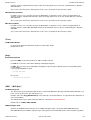
Opens the general file utilities menu to ultimately generate specific line commands in a temporary CMX file.
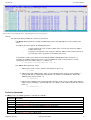
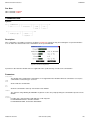
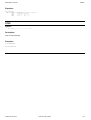
Figure 38. File Utilities Menu.
Options are selected by entering the required option number at the command prompt or executing the equivalent PFKey.
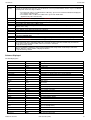
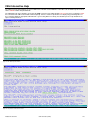
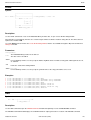
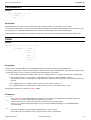
Executable CLI line commands are generated using the selected entry fileid as follows:
1. Text Edit
<edit
2. ALLOCate
<alloc f(MYDDNAME) reuse shr dsn('fileid')
4. EQU (%VariableName%)
<equ MyFile
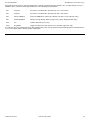
5. List ALLOCs for fileid
LA;
6. Create // DD card
//MYDDNAME DD DISP=SHR,DSN=fileid
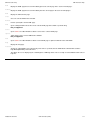
7. Create SELCOPY batch job
//FILEUTIL EXEC PGM=SELCOPY
//MYDDNAME DD DISP=SHR,DSN=NBJ.APFLIB
//SYSPRINT DD SYSOUT=*
//SYSIN
DD *
option worklen=65536 NoRdw
read MYDDNAME
print len=100 type=b stopaft=22
/*
'fileid'
'fileid'
where DsN=fileid
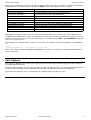
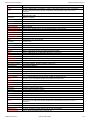
V
Open the CBLe text editor to View (edit read/only) the entry.
VC
Open an Execute CBLVCAT window and issue a LISTVCAT and/or LISTVTOC operation (as appropriate) for the entry.
Z
Perform a compress of an MVS PDS library to reclaim disk space occupied by replaced (back-level) members. This
action performs an IEBCOPY to itself. No action is taken for PDSE entries, however, the IEBCOPY dialog is opened with
an error message if executed against any non-PDS(E) entry.
Supported in MVS environments only.
?
Open the DASD Volume Statistics window for the volume in the list entry.
/
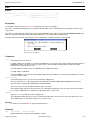
Open a drop down menu containing valid prefix command functions for the list window entry. Position the cursor on the
required function and hit <Enter> to action the command.
Assigned to PF4 by default.
2009/07/20 16:03:29
CBL Interactive (CBLi)
57