1
GPRS TRACKING(Only for VR8800GP)
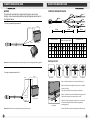
1.Install the SIM card
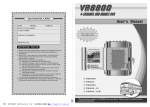
In order to do GPS tracking with VR8800GP, you need to install a SIM
card in VR8800GP. Please refer to the following pictures;
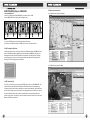
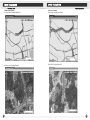
3.1 GP80 software Interface
3.1.1 GP80 Interface (Open Street Map)
Note:
(1). Install the SIM card correctly referring to the pictures above ;
(2). Make sure the SIM card supports GPRS function, and is in active condition.
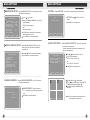
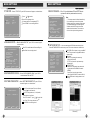
2. GPS Tracking by Cell Phone
Cell phone tracking is easy. Just make sure there is a SIM card installed in VR8800GP , and
then call the SIM card number. Whenever you call the number, VR8800GP will reply you a
message with the real-time GPS information of the vehicle, including latitude, longitude,
and moving speed, so that you can learn exactly where the vehicle is and what place it is
heading for. See following picture for reference;
Latitude=23 35 30.50N
Longitude=123 59 46.61E,
Speed= 70.54Km/h,
2010-08-05,
13:30
3.1.2 GP80 Interface (Satellite Map)
3. GPS Tracking by PC
To do this, you need to buy a software called GP80 from us and use it with VR8800GP. This
software can be used in Windows 98, Windows 2000, Windows XP and other operating
systems and will be able to draw on the Map (you can select satellite map, Open Street map
or other kinds of map) the real-time location, the running route, and also the history trace of
the vehicle. With the help of the software, the administrator can easily know where the
vehicle is, what place it is heading for, and also where it has been. Please refer to the User's
Manual of GP80 for more details.
23
24