1
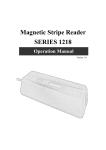
MSR 1288 series
User’s Manual
MSR USB will have “Beep” sound to indicate that it is ready for operation.
Step 2: Driver installation
v2.0.0.19 for Win98SE/ME
v2.0.2.1 for Win2K/XP/2003/Vista(32bit)
PL-2303 (H, HX, X chip version) Mac OS 8 & 9 driver v1.3.6 build 1, Prolific Edition
PL-2303 (Chip H/HX/X) Linux driver for RedHat 7.3/8.0/9.0 Only
MSR USB simulates RS232 and Keyboard interface by USB with COM port selected.
Following sections are MSR USB driver, utilities installation.
MSR USB Driver:
a. Download MSR USB Driver from CD, and extract them to your hard disk.
b. When you plug-in the USB device, WINDOWS operating system will detect the new Hardware
automatically.
c. Follow indicated steps to install the driver and finish the installation.
7