1
Contents
Declaration of Conformity ........................................................................................................ 4
Information to the User for a Class A Digital Device .............................................................. 5
System Overview ...................................................................................................................... 6
Standard Components ............................................................................................................... 7
Set Up- Physical System ......................................................................................................... 11
System Use and Error Signal (YELLOW light flashing) ....................................................... 12
DIP Address Settings .............................................................................................................. 13
Database Set Up and Use ........................................................................................................ 14
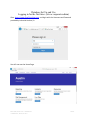
Logging in for the first time: (site or corporate admin) .......................................................... 14
Setting up the service .............................................................................................................. 15
Open, Configure and Restart the Service ............................................................................... 21
USB Cable Based Computer Module ..................................................................................... 26
Changing System Configuration Settings ................................................................................ 27
Industrial Andons WiFi Board Configuration ........................................................................ 28
Setting up the Virtual Andon .................................................................................................. 34
Configure the Virtual Andon .................................................................................................. 36
Data Tagging Configuration ................................................................................................... 37
Using the Virtual Andon ......................................................................................................... 37
Renaming Your Site Name ..................................................................................................... 38
Shifts ....................................................................................................................................... 39
Adding New Users .................................................................................................................. 40
Renaming Lines and Devices.................................................................................................. 41
Phone: (866) 290-7551 Fax: 1-866-880-4155
172 Mallard CV, Austin, TX 78737
2 of 64