1
Viewing Web Monitor Full Screen in Kiosk Mode
Kiosk mode is when Internet Explorer runs and none of the taskbars, title bars, or
menus are displayed. This gives you a clean TV type view of the content and not a
web page feel of the content. Kiosk mode is similar to Full Screen Mode except that
Kiosk Mode locks the window making it more difficult for users to close or change the
view.
How to configure a shortcut for kiosk mode:
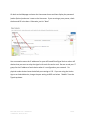
1. Open the Industrial Andons Web Monitor view that you want to create the shortcut
to open
2. Copy the address in the tool bar
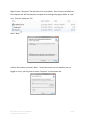
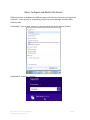
3. Right click on the desktop and select New > Shortcut
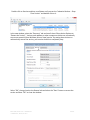
4. Type in the following into the window, but don’t hit ‘Next’ yet:
"C:\Program Files\Internet Explorer\iexplore.exe" -k –nohome
5. Now put in one space after nohome above and paste in the monitor web address
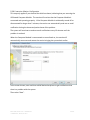
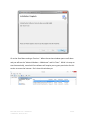
6. Select ‘Next’ and the shortcut will be created on the desktop
7. The shortcut should open on the active screen, so if you want it to open on a
secondary monitor, place the shortcut on that screen and make sure it is the active
monitor when opening the link
8. To exit Kiosk Mode hit CTRL + W
You can also always run the Web Monitor in Full Screen Mode. To enable this view, open
the Web Monitor and place the window in the monitor where you want it displayed. Hit
function F11.
Phone: (866) 290-7551 Fax: 1-866-880-4155
172 Mallard CV, Austin, TX 78737
51 of 64