1
SERIAL Digital I/O Series User Manual
Eagle Technology - Data Acquisition
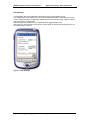
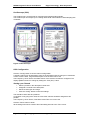
Figure 2-4 Added Files
•
•
The file should now be added to the list of Synchronized files.
Click the “OK” button.
Figure 2-5 Synchronizing
•
•
•
The file will now be copied to the “My Documents” folder on the Pocket PC.
On the Pocket PC, Click the file “EDR Enhanced for PocketPC”.
This file is a self-extracting and will install all the components to the desired folders.
Eagle Technology © Copyright 2003 – www.eagledaq.com
5