1
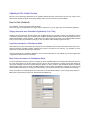
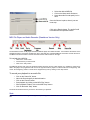
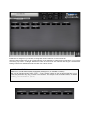
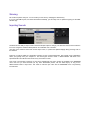
If MIDI CCs are assigned in your sfz files, A “DragLabel” will be created for it in the Controls tab.
All Drag Labels (virtual knobs) in the Controls Window can be adjusted by holding down the left button of your mouse
and moving it up /down or left/right. Release the button to set the level. The numerical text will give a measurement
reading. Patches from ARIA libraries will show their own custom controls.
NEAT ARIA SFZ TRICK
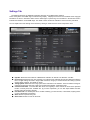
MIDI CCs in a sfz file will be named as paramXX. (X being the cc, or extended cc number)
But you can add the opcode “label_ccXX= ” in the <control> section of your sfz file that will allow you to
name the parameters any way you want in the interface. For example in the screenshot below, we added
label_cc71=resonance (CC71)