1
user manual • version 7.0
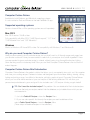
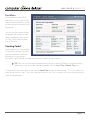
Web Import Menu
Although you can easily copy/
paste recipe information into
Computer Cuisine Deluxe, the
Web Import function now allows
for automated recipe importing
via AllRecipes.com and
Epicurious.com.
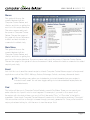
To get started, you simply need
to do the following:
1.
Find. Find a recipe you would
like to add to your collection
from AllRecipes.com or
Epicurious.com.
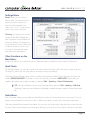
2. Copy. Copy the recipe’s web
link (URL) from your browser window.
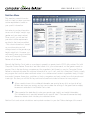
3. Paste. Paste the web link into Computer Cuisine Deluxe, then hit Go! That’s it!
Computer Cuisine Deluxe will then do the rest. It will automatically create a new recipe for you, and then
import the recipe name, ingredients, method, and recipe photo into you collection.
When importing new recipes via the Web Import function, Computer Cuisine Deluxe will
4TIP:
also save this web link in the recipe’s Notes area for future reference. If you ever wish to visit this
exact recipe online, you can simply click the globe in Computer Cuisine Deluxe’s Notes Menu.
For a step-by-step example of this exact Web Import process, be sure to visit the Video section on
InakaSoftware.com.
Page 15